Microsoft Copilot
Microsoft's GPT-5-powered AI assistant for chat, search, and AI inside Word, Excel, and Teams
Microsoft Copilot is Microsoft's AI assistant, powered by the GPT-5 family, for chat, web search, and image generation — and it is free even on the no-cost tier. The paid value is Copilot inside the Office apps: Microsoft 365 Personal at $9.99/month and Premium at $19.99/month add AI to Word, Excel, PowerPoint, and Outlook, while business plans run $30/user/month. Best for people and teams already living in Microsoft 365.
What is Microsoft Copilot?
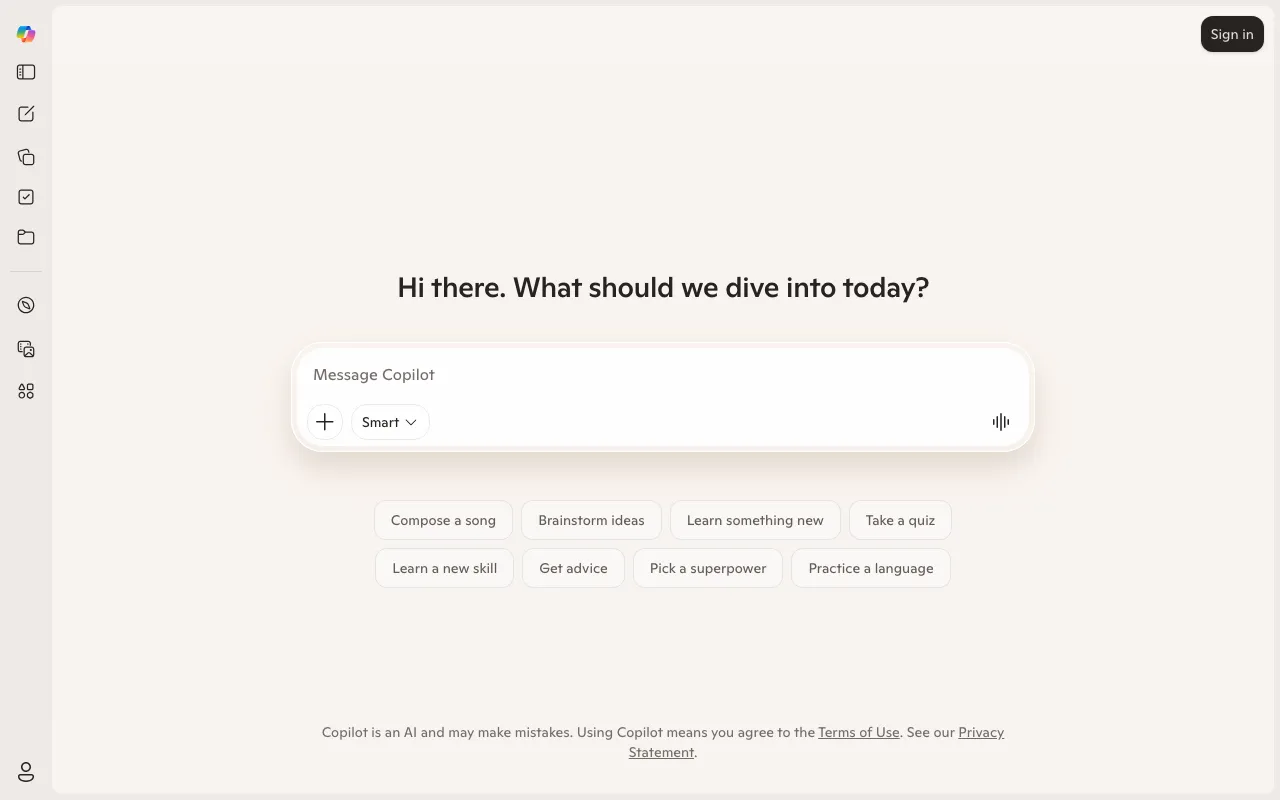
Microsoft Copilot is Microsoft’s general-purpose AI assistant, powered by the GPT-5 family of models. In its free form it handles chat, web-grounded search, image generation, and visual understanding through Copilot Vision, and it shows up across Windows, the Edge browser, the web, and mobile apps. It is genuinely capable at no cost — the top models are available even to free users, just throttled to off-peak hours — which makes it one of the stronger free assistants on the market.
The reason to pay is integration with Microsoft 365. On the Personal ($9.99/month) and Premium ($19.99/month) consumer plans, and on the business plans at around $30 per user per month, Copilot embeds directly inside Word, Excel, PowerPoint, Outlook, and Teams: drafting documents, building spreadsheet formulas, summarizing meetings, and triaging email. Premium and the business tiers add AI agents that handle multi-step tasks like research reports and data analysis, and business customers get Copilot Studio to build their own agents grounded on company data through Microsoft Graph.
Who is it for?
Copilot makes the most sense for people and organizations already standardized on Microsoft 365. If your work lives in Word, Excel, Outlook, and Teams, no other assistant is as tightly woven into those surfaces. If you mostly want a free chatbot, the no-cost tier competes well; the Office integration is what justifies a subscription.
- Microsoft 365 households and individuals who want AI inside the Office apps they already pay for, via Personal or Premium plans.
- Knowledge workers and analysts who draft documents, build spreadsheets, and summarize meetings without leaving their tools.
- Businesses and IT teams that need agent-building (Copilot Studio), Graph grounding on internal data, and enterprise-grade security and compliance.
- Casual users who want a strong free assistant for chat, search, and image generation and do not need the Office tie-in.
How much does Microsoft Copilot cost?
Starting price: $0 · Free tier: yes · Model: freemium
Price history tracked from June 2026
| Plan | Price | Includes |
|---|---|---|
| Copilot Free | Free | GPT-5 family access during off-peak hours · Roughly 15 image-generation boosts per day · Web-grounded chat and Copilot in Edge · Web and mobile apps; no Office app integration |
| Microsoft 365 Personal | $9.99/mo | Copilot inside Word, Excel, PowerPoint, and Outlook · Higher usage limits than free · Full Office apps for one person · 1 TB OneDrive storage |
| Microsoft 365 Family | $12.99/mo | Everything in Personal, shared with up to 6 people · AI features apply to the subscription owner · Up to 6 TB total storage |
| Microsoft 365 Premium | $19.99/mo | Successor to the retired consumer Copilot Pro · AI agents for research reports and data analysis · Highest consumer Copilot usage limits · Microsoft Designer and 6 TB storage |
| Microsoft 365 Copilot (Business) | $30/user/mo | Copilot across Teams, Outlook, Word, Excel, PowerPoint · Microsoft Graph grounding on work data · Copilot Studio for building custom agents · Requires a qualifying base Microsoft 365 license |
What are Microsoft Copilot's key features?
- GPT-5 family models available even on the free tier
- Quick Response and Think Deeper reasoning modes
- Copilot Vision for understanding what is on screen
- Deep integration across Word, Excel, PowerPoint, Outlook, and Teams (paid)
- Image generation with daily boosts on free and higher limits on paid
- AI agents for multi-step tasks like research reports and data analysis
- Copilot Studio for building and deploying custom agents (business)
- Enterprise data protection and compliance grounding on business tiers
What people use Microsoft Copilot for
- 01 Drafting and rewriting documents and emails directly inside Word and Outlook
- 02 Summarizing meetings and generating action items in Teams
- 03 Building formulas, pivot tables, and analysis in Excel from plain-language requests
- 04 Free everyday chat, web search, and image generation without an Office subscription
- 05 Creating custom agents for internal workflows with Copilot Studio (business tiers)
Pros and cons
| Pros | Cons |
|---|---|
| GPT-5-class models are available at no cost on the free tier | Pricing is confusing — consumer Copilot Pro was retired and folded into Microsoft 365 Premium, so older guides cite a dead $20 tier |
| Unmatched native integration across the Microsoft 365 and Office ecosystem | Business cost is really a base Microsoft 365 license plus the Copilot add-on, often $30 or more per user per month all-in |
| Business tiers add agent-building via Copilot Studio plus enterprise security and compliance | The free tier cannot touch Word, Excel, or Outlook and throttles the top models to off-peak hours |
| Promotional business prices are time-limited and change, so quoted figures go stale quickly |
What are the best Microsoft Copilot alternatives?
Gemini is the closest Microsoft Copilot alternative in our directory: it covers the same category (AI Chatbots), starts at $7.99/mo, has a free tier.
Ranked by category overlap with Microsoft Copilot, then free-tier availability, then lowest verified starting price — computed from our verified data, never from sponsorships.
| Alternative | What it is | Starting price | Free tier | Price verified |
|---|---|---|---|---|
| Gemini | Google's multimodal AI assistant with real-time Search access and deep Workspace integration | $7.99/mo | yes | Jun 11, 2026 |
| ChatGPT | Conversational AI assistant by OpenAI with multimodal reasoning, voice, and agent capabilities | $8/mo | yes | Jun 11, 2026 |
| Grok | xAI's truth-seeking chatbot with real-time X/web access and extended reasoning | $10/mo | yes | Jun 11, 2026 |
| Claude | Anthropic's AI assistant built for long-context analysis, coding, and safe reasoning | $20/mo | yes | Jul 3, 2026 |
| Perplexity | AI-powered answer engine that searches the live web and cites every source | $20/mo | yes | Jun 11, 2026 |
Frequently asked questions
Is Microsoft Copilot free?
Yes. Copilot Free includes access to the GPT-5 family during off-peak hours, web-grounded chat, Copilot in the Edge browser, and roughly 15 image-generation boosts per day. It does not connect to the Word, Excel, or Outlook desktop apps — that requires a paid Microsoft 365 plan.
What happened to Copilot Pro?
The standalone consumer Copilot Pro ($20/month) was discontinued for new buyers. Its AI features were folded into Microsoft 365 Premium at $19.99/month, which adds Copilot across the Office apps plus AI agents. Existing Copilot Pro subscriptions are being wound down.
Is Microsoft Copilot the same as GitHub Copilot?
No. Microsoft Copilot is a general assistant for chat, search, and the Office apps. GitHub Copilot is a separate developer product for code completion and agentic coding inside editors. They share the Copilot brand but are different tools with different pricing.
How much does Microsoft Copilot cost for business?
Microsoft 365 Copilot for organizations is around $30 per user per month on an annual commitment, and it requires a qualifying base Microsoft 365 license underneath. Smaller-business and promotional rates exist but are time-limited.
Which AI models does Copilot use?
Copilot runs on the GPT-5 family from OpenAI, with reasoning modes like Think Deeper for harder problems. The top models are available even on the free tier, though free access is restricted to off-peak hours.
Does Copilot work inside Word and Excel?
Yes, but only on paid Microsoft 365 plans. Microsoft 365 Personal ($9.99/month), Premium ($19.99/month), and the business tiers add Copilot directly inside Word, Excel, PowerPoint, Outlook, and Teams. The free tier is chat and web only.
Public signals
- "“Microslop” filtered in the official Microsoft Copilot Discord server" — 1182 points on Hacker News, Mar 2, 2026