Grammarly
AI writing assistant that checks grammar, tone, and clarity and generates text across apps and browsers
Grammarly is an AI writing assistant that checks grammar, spelling, tone, and clarity and generates or rewrites text almost everywhere you type — browsers, desktop, mobile, and Office. The free tier includes 100 AI prompts a month; Pro costs $12/month billed annually (or $30 month-to-month) and raises that to 2,000 prompts with full rewrites, plagiarism, and AI-text detection. Enterprise is custom-priced. Best for anyone who writes across many apps.
What is Grammarly?
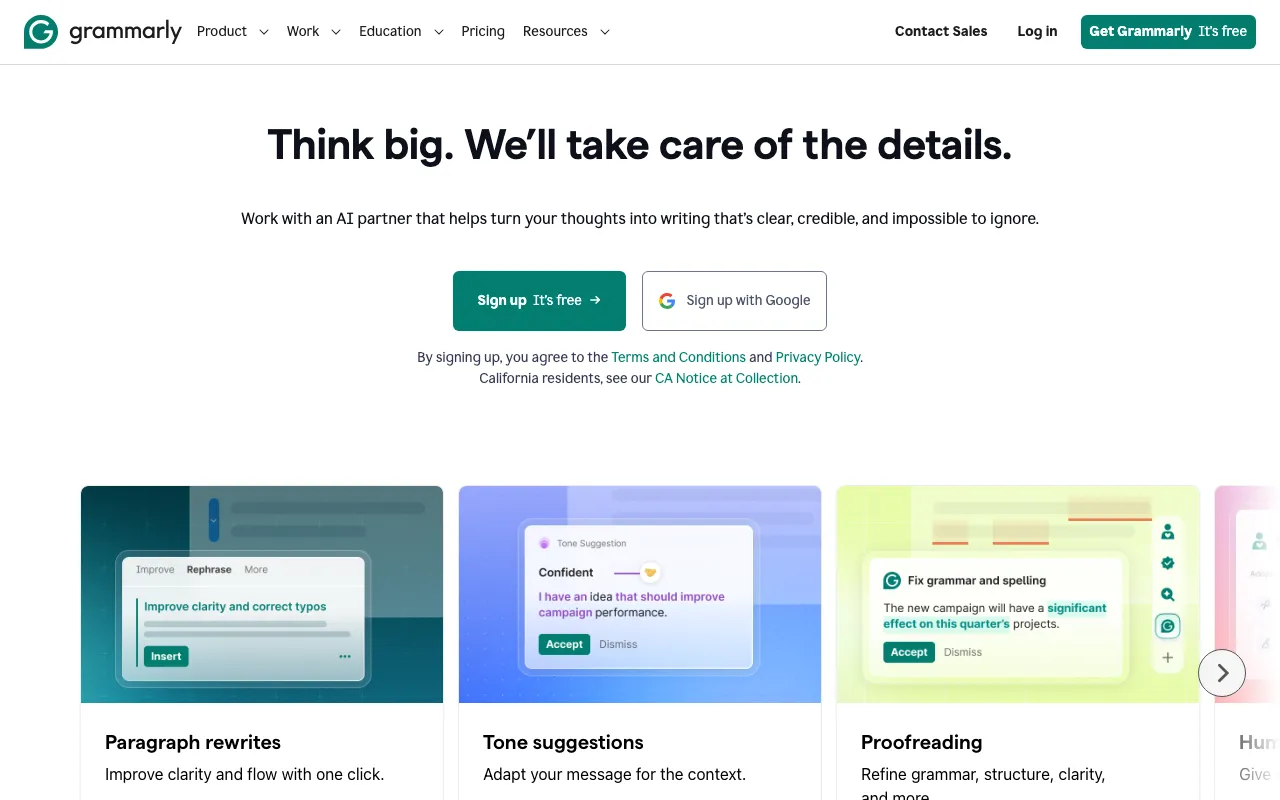
Grammarly is an AI writing assistant that checks grammar, spelling, punctuation, tone, and clarity, and increasingly generates and rewrites text on demand. Its defining strength is reach: rather than living in one app, it follows you almost everywhere you type through browser extensions, desktop and mobile apps, mobile keyboards, and integrations with Microsoft Word and Google Docs. The free tier alone handles core corrections, tone detection, and 100 AI prompts a month, which makes it usable for most everyday writing without paying.
Over time Grammarly has grown from a proofreader into a broader writing suite. Pro, at $12/month billed annually, unlocks full-sentence rewrites, tone adjustment, plagiarism detection, AI-generated-text detection, and a 2,000-prompt monthly allowance, along with citation and inclusive-language suggestions. A set of specialized AI agents — Humanizer, AI Detector, Citation Finder, and others — extends it further. For organizations, the Enterprise tier adds unlimited prompts, brand-tone and style-guide enforcement, and a security stack covering SSO, SCIM, DLP, bring-your-own-key encryption, and audit logs.
Who is it for?
Grammarly fits anyone who writes across many different apps and wants consistent, on-the-spot corrections without copying text into a separate editor. The free tier is enough for casual users; the value of Pro shows up for people who write a lot and want rewrites, plagiarism checks, and the higher prompt allowance.
- Students and academics who need grammar checking, citation help, and plagiarism detection across documents.
- Professionals and teams who write emails, reports, and messages all day and want tone adjustment and a consistent voice.
- Content and marketing teams that need brand-tone enforcement and style-guide consistency across many writers.
- Enterprises requiring unlimited AI usage plus SSO, DLP, and audit controls for compliance.
How much does Grammarly cost?
Starting price: $0 · Free tier: yes · Model: freemium
Price history tracked from June 2026
| Plan | Price | Includes |
|---|---|---|
| Free | Free | Grammar, spelling, and punctuation correction · Tone detection · 100 AI prompts per month · Works across browsers, desktop, and mobile |
| Pro | $12/mo | Billed annually ($144/year); $30 month-to-month · 2,000 AI prompts per member each month · Full-sentence rewrites and tone adjustment · Plagiarism and AI-text detection · Citation and inclusive-language suggestions |
| Enterprise | Custom | Unlimited AI prompts · SAML SSO, SCIM, and managed mode · Bring-your-own-key encryption and DLP · Audit logs, custom roles, and analytics |
What are Grammarly's key features?
- Real-time grammar, spelling, punctuation, and clarity correction
- Tone detection with one-click tone adjustment
- Full-sentence and paragraph rewrites (Pro)
- AI text generation via prompts — 100/month free, 2,000/month on Pro
- Plagiarism and AI-generated-text detection (Pro)
- Specialized AI agents such as Humanizer, Citation Finder, and AI Detector
- Brand tone and style-guide enforcement for teams
- Enterprise security: BYOK, DLP, SSO/SCIM, and audit logs
What people use Grammarly for
- 01 Catching grammar, spelling, and punctuation mistakes in real time as you type
- 02 Adjusting the tone of an email or message to sound more formal or friendly
- 03 Rewriting clunky sentences for clarity and concision
- 04 Checking documents for plagiarism and AI-generated text (Pro)
- 05 Enforcing a consistent brand voice and style guide across a team
Pros and cons
| Pros | Cons |
|---|---|
| Genuinely useful free tier — grammar, tone, and 100 AI prompts — that works almost everywhere via extensions | Large gap between annual ($12/month) and monthly ($30/month) Pro billing — the cheap price only applies if you commit for a year |
| Broadest platform coverage of any writing tool: browsers, desktop, mobile, Office, and Google Docs | Enterprise has no published per-seat price, so teams must go through sales to budget |
| Newer AI agents (Humanizer, AI Detector, Citation Finder) extend it well beyond grammar checking | AI prompt caps (100 free, 2,000 on Pro) can constrain heavy AI users |
| Older Premium and Business plan names were folded into Pro, which causes confusion versus past reviews |
What are the best Grammarly alternatives?
QuillBot is the closest Grammarly alternative in our directory: it covers the same category (AI Writing & Marketing), starts at $0, has a free tier.
Ranked by category overlap with Grammarly, then free-tier availability, then lowest verified starting price — computed from our verified data, never from sponsorships.
| Alternative | What it is | Starting price | Free tier | Price verified |
|---|---|---|---|---|
| QuillBot vs Grammarly → | AI writing suite built around paraphrasing, with grammar checking, summarizing, and AI detection | $0 | yes | Jun 22, 2026 |
| Sudowrite | AI writing platform built specifically for novelists and fiction writers, with a Story Bible workflow and a proprietary Muse model | $10/mo | no | Jun 20, 2026 |
| Copy.ai | AI-native GTM platform for automating sales, marketing, and content workflows | $24/mo | no | Jul 3, 2026 |
| Jasper | AI marketing platform with 100+ specialized agents for brand-consistent content at scale | $59/mo | no | Jul 3, 2026 |
| Writesonic | AI writing and GEO platform that tracks brand visibility across ChatGPT, Gemini and 8 other AI engines | $79/mo | no | Jun 11, 2026 |
Head-to-head comparisons
Frequently asked questions
Is Grammarly free?
Yes. The free tier corrects grammar, spelling, and punctuation, detects tone, and includes 100 AI prompts per month. It works across browsers, desktop, and mobile via extensions and apps. Paid Pro adds rewrites, plagiarism detection, and a higher 2,000-prompt allowance.
How much does Grammarly Pro cost?
Grammarly Pro is $12/month when billed annually ($144/year), or about $30/month if you pay month-to-month. It includes 2,000 AI prompts per member each month, full-sentence rewrites, tone adjustment, and plagiarism plus AI-text detection.
Does Grammarly have an API?
Not a general writing API for developers. Grammarly is delivered through browser extensions, desktop and mobile apps, and Office integrations. Enterprise plans expose admin-side capabilities such as an audit-logs API and SCIM provisioning, but not a public text-correction API.
Can Grammarly detect AI-generated text?
Yes, on the Pro plan. Grammarly includes an AI-text detector alongside its plagiarism checker, plus a Humanizer agent that rewrites AI-sounding text. As with all such detectors, results are probabilistic and should not be treated as definitive.
What is the difference between Grammarly Free and Pro?
Free covers grammar, spelling, punctuation, tone detection, and 100 AI prompts a month. Pro adds full rewrites, tone adjustment, plagiarism and AI detection, citation and inclusive-language suggestions, and raises the AI prompt limit to 2,000 per month.
Does Grammarly work in Microsoft Word and Google Docs?
Yes. Grammarly integrates with Microsoft Word and Google Docs, plus browser extensions for Chrome, Safari, Firefox, and Edge, desktop apps for Windows and macOS, and mobile keyboards for iOS and Android.