Julius AI
AI data analyst that runs Python and R on your files to answer questions and build charts
Julius AI is a dedicated AI data analyst: upload a dataset, ask questions in plain English, and it writes and runs Python or R in a secure sandbox to return charts, tables, and explanations. The free tier is capped at ~15 messages/month; paid plans moved to a credit model in 2026, reported at roughly $20/month (Plus) and $45 (Pro, with 32 GB RAM and database connectors). It handles far larger files (~8-32 GB) than ChatGPT's analyst. Best for analysts who want a data-first workspace, not a general chatbot.
What is Julius AI?
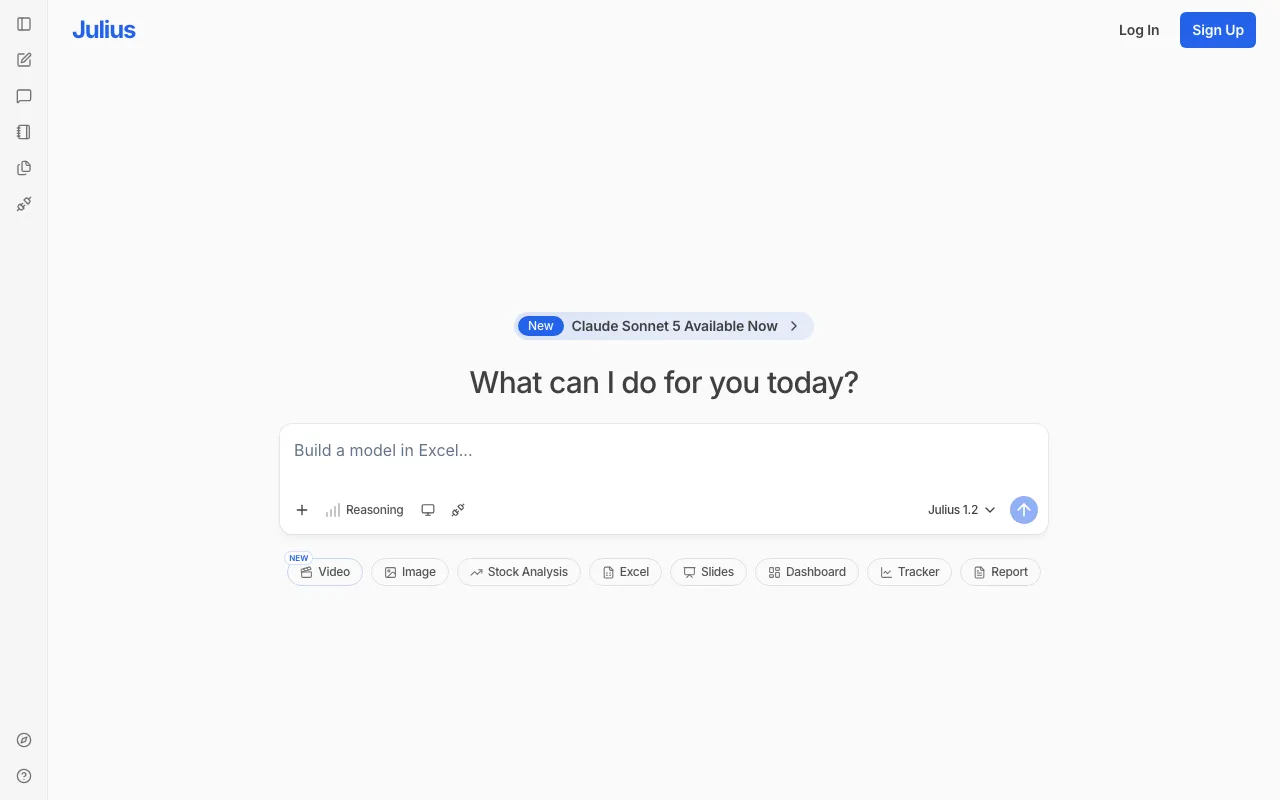
Julius AI is a dedicated AI data analyst. Instead of a general chatbot that happens to handle spreadsheets, it’s built for the analysis workflow: you upload a dataset — CSV, Excel, Google Sheets, PDF, or even images — and ask questions in plain English, and Julius writes and runs Python or R code in a secure sandbox to answer them. The output is concrete: bar, line, histogram, and scatter charts, cleaned tables, and plain-language explanations, with a per-step code explainer and a data explorer so you can inspect the dataframes it builds. In 2026 the product expanded beyond pure data chat into Excel, slide decks, and agentic “Tasks.”
Its main advantage over general assistants is capacity and connectivity. Julius handles far larger files than ChatGPT’s data tool — roughly 8 to 32 GB — and lets you scale RAM (up to 32 GB on Pro) and install custom Python packages. On paid tiers it connects to live databases including PostgreSQL, Snowflake, BigQuery, and Stripe, so you can query production data directly rather than exporting flat files. It exposes frontier models for the reasoning layer and can export cleaned data back out to CSV or Excel. One caveat worth flagging: Julius repriced onto a credit-based model in 2026, and the exact paid tiers conflicted across sources at the time of writing, so treat the dollar figures here as approximate.
Who is it for?
Julius fits people who work with data regularly and want to move faster than hand-writing analysis code, without giving up the rigor of real Python and R. The free tier’s 15-message cap makes it a taste test; anyone doing sustained analysis will need a paid plan, and the value scales with file size, database connections, and compute.
- Analysts and operators who want to interrogate spreadsheets and databases conversationally but still get reproducible, inspectable code.
- Founders and small teams without a data analyst who need charts, summaries, and quick answers from their own data.
- Researchers and students working with datasets who benefit from large file support, scalable RAM, and custom packages.
- Teams with live data who want to connect PostgreSQL, Snowflake, or BigQuery and run scheduled analyses rather than uploading exports — provided they validate the numeric output.
How much does Julius AI cost?
Starting price: $20/mo · Free tier: yes · Model: freemium
Price history tracked from June 2026
| Plan | Price | Includes |
|---|---|---|
| Free | Free | ~15 messages per month, no rollover · No credit card required · Core chat-with-data analysis |
| Plus | $20/mo | ~2,000 monthly credits (reported) · Frontier models and unlimited file storage/charts · ~$16/mo billed annually |
| Pro | $45/mo | ~5,000 credits and expanded context window · 32 GB RAM and live database connectors · Priority support |
| Max | $200/mo | Largest context window and RAM allocation · For heavy individual analysis workloads |
| Business | $450/mo | ~10 seats and ~60,000 credits (reported) · Slack agent, API access, scheduled report runs · Centralized billing |
| Enterprise | Custom | Private VPC, SSO, audit logs · Custom integrations |
What are Julius AI's key features?
- Chat-with-data interface that writes and runs Python and R in a secure sandbox
- Visualizations: bar, line, histogram, and scatter charts on request
- Broad file support: CSV, Excel, Google Sheets, PDF, .docx, .txt, and images
- Live database connectors (PostgreSQL, Snowflake, BigQuery, Stripe) on paid tiers
- Handles roughly 8-32 GB of data with scalable RAM and custom Python packages
- Per-step code explainer and data explorer for transparency
What people use Julius AI for
- 01 Chatting with a spreadsheet or database to answer analytical questions in plain English
- 02 Generating charts, tables, and cleaned exports from raw data files
- 03 Connecting to live databases (PostgreSQL, Snowflake, BigQuery) for direct queries
- 04 Running Python or R analysis on large files without writing code by hand
Pros and cons
| Pros | Cons |
|---|---|
| Purpose-built for analysis — larger files and scalable RAM than ChatGPT's data tool | Can hallucinate plausible-looking statistics on sparse or messy data — outputs need validation |
| Runs real Python and R code, so results are reproducible and inspectable | Weaker at advanced modeling (multivariate regression, forecasting) than dedicated tools, with no semantic layer for consistent metrics |
| Connects to live databases instead of only static file uploads | Browser-only with paid pricing that conflicted across sources during a 2026 repricing — confirm current tiers before relying on them |
| Free tier and student discounts lower the barrier to try it |
What are the best Julius AI alternatives?
Genspark is the closest Julius AI alternative in our directory: it starts at $0, has a free tier.
Ranked by category overlap with Julius AI, then free-tier availability, then lowest verified starting price — computed from our verified data, never from sponsorships.
| Alternative | What it is | Starting price | Free tier | Price verified |
|---|---|---|---|---|
| Genspark | All-in-one AI Super Agent that runs research, slides, sheets, browsing, and real phone calls | $0 | yes | Jun 22, 2026 |
| NotebookLM | Google's AI research assistant that answers questions grounded in your own uploaded sources | $7.99/mo | yes | Jun 11, 2026 |
| ChatGPT | Conversational AI assistant by OpenAI with multimodal reasoning, voice, and agent capabilities | $8/mo | yes | Jun 11, 2026 |
| Perplexity | AI-powered answer engine that searches the live web and cites every source | $20/mo | yes | Jun 11, 2026 |
How people make money with Julius AI
- Offer freelance data-analysis and reporting to small businesses that lack an analyst — upload their spreadsheets to Julius, generate charts and summaries, and deliver a recurring insights report for a monthly fee
- Build a productized dashboard-and-forecast service where Julius connects to a client's database, runs scheduled analyses, and returns a shareable report, billed per engagement
Frequently asked questions
Is Julius AI free?
Yes, Julius has a free tier, though it is capped at about 15 messages per month with no rollover and no credit card required. Paid plans use a credit system: Plus is reported at roughly $20 per month and Pro at about $45, each including a monthly credit allotment plus daily refresh credits for heavier analysis.
What does Julius AI do?
Julius is an AI data analyst. You upload a dataset and ask questions in plain English; it writes and runs Python or R code in a secure sandbox, then returns charts, tables, and explanations. It supports CSV, Excel, Google Sheets, PDF, and more, and can connect to live databases on paid tiers.
How much does Julius AI cost?
Julius moved to a credit-based model in 2026. Reported pricing is roughly $20 per month for Plus (about 2,000 credits) and $45 for Pro (about 5,000 credits, 32 GB RAM, and database connectors), with higher Max and Business tiers above that. Exact figures shifted recently, so confirm on the official pricing page.
How is Julius different from ChatGPT's data analysis?
ChatGPT is a general assistant that caps uploads around 512 MB. Julius is analysis-first: it handles far larger files (roughly 8 to 32 GB), lets you scale RAM and install custom Python packages, connects to live databases like PostgreSQL and Snowflake, and offers a more data-analyst-shaped interface with per-step code explanations.
What file types does Julius support?
Julius accepts CSV, Excel, Google Sheets, PDF, .docx, .txt, and images. On paid tiers it also connects to live databases including PostgreSQL, Snowflake, BigQuery, and Stripe, so you can query production data directly instead of exporting files. It can export cleaned data back to CSV or Excel.
Can Julius AI make mistakes on data?
Yes. Julius can hallucinate plausible-looking statistics on sparse or messy data, and it is weaker at advanced modeling like multivariate regression and time-series forecasting than dedicated tools. It also lacks a semantic layer, so a term like revenue may be computed differently across sessions. Numeric outputs need validation.