LM Studio
Desktop app to discover, download, and run open-source LLMs locally and privately, with an OpenAI-compatible local server
LM Studio is a free desktop app for running open-source LLMs — Llama, Qwen3, Gemma, DeepSeek-R1, gpt-oss — entirely offline on your own machine. It is free for both personal and commercial use, runs on all 3 major desktop platforms (Windows, macOS, Linux), and exposes an OpenAI-compatible local server so existing code works against it at zero per-token cost. Since the LM Studio Bionic relaunch, optional cloud inference on US-hosted open models costs $20/month (Bionic+) or $100/month (Pro). Best for developers and privacy-conscious users who want local inference.
What is LM Studio?
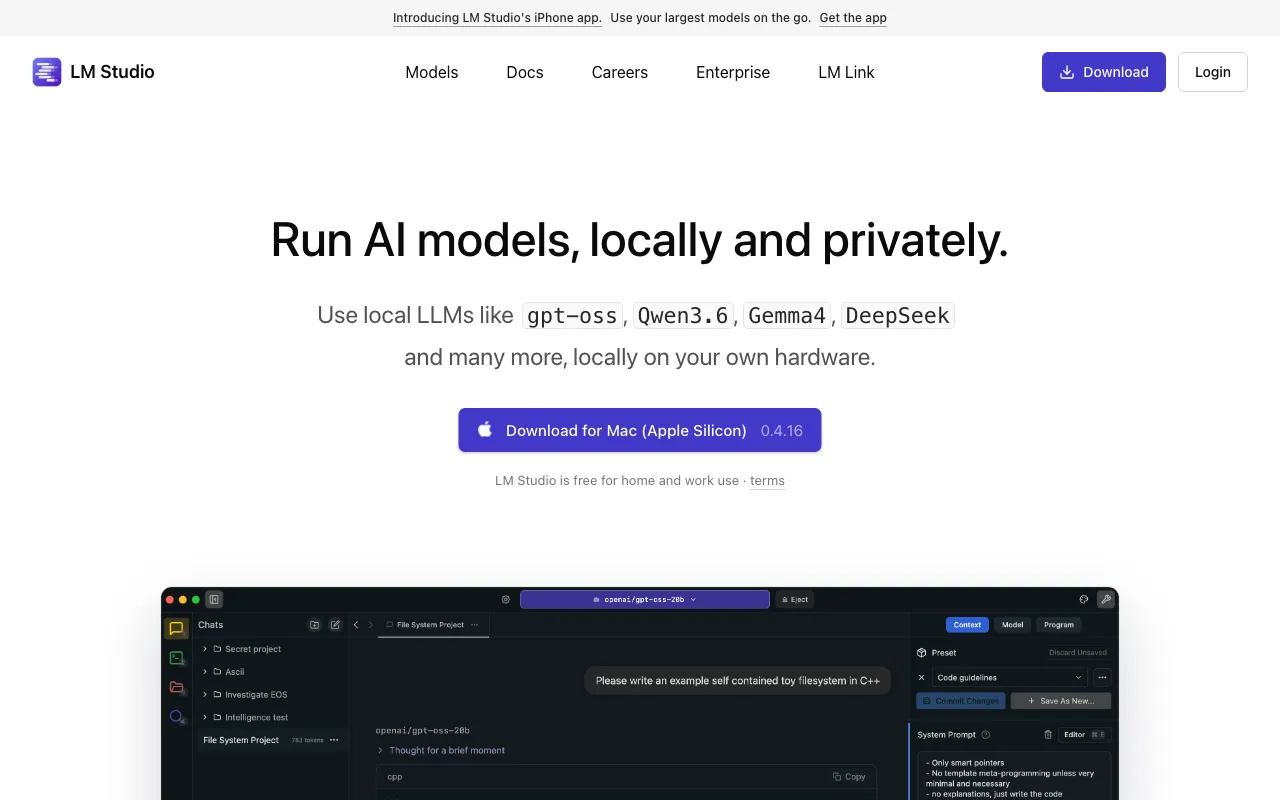
LM Studio is a desktop application for downloading and running open-source large language models directly on your own computer. Instead of calling a hosted API, you browse a built-in catalog, download a model such as Llama, Qwen3, Gemma, or DeepSeek-R1, and run it locally — fully offline once the weights are on disk. It supports GGUF models through a llama.cpp backend and Apple MLX models on Apple Silicon, and it runs on Windows, macOS, and Linux.
The app pairs a chat interface for everyday use with an OpenAI-compatible local server for developers. That server means code already written against the OpenAI API can point at LM Studio’s local endpoint with almost no changes, at zero per-token cost. Python and JavaScript SDKs, an lms command-line tool, headless deployment, and MCP client support round out the developer surface. As of mid-2025 the desktop app is free for both personal and commercial use. The app now ships as LM Studio Bionic, and its paid plans cover optional cloud inference only: Bionic+ at $20/month adds US-hosted open models with Zero Data Retention, Pro at $100/month raises the usage limits fivefold, and an Enterprise tier adds org-wide deployment on a contact-sales basis.
Who is it for?
LM Studio is for people who want the capability of a chatbot or an LLM API without sending data to a third party — and who have hardware capable of running models locally. Because everything runs on your own machine, it suits privacy-sensitive work, offline environments, and cost-controlled development where per-token API fees would otherwise add up.
- Privacy-conscious users who want a local assistant where no prompts or documents leave the computer.
- Developers building against an OpenAI-compatible endpoint who want to prototype, test, or run CI without paying for cloud inference.
- Researchers and tinkerers comparing many open-weight models side by side before standardizing on one.
- Small teams in regulated fields (legal, healthcare, finance) that need on-device inference for compliance reasons, with the option of Enterprise controls.
How much does LM Studio cost?
Starting price: $0 · Free tier: yes · Model: freemium
Price history tracked from June 2026
| Plan | Price | Includes |
|---|---|---|
| Free | $0 | Free for both personal and commercial use · Bionic Agent plus local LLMs via llama.cpp and MLX, runs fully offline · Offline voice transcription and LM Link for up to 5 devices · Limited web search |
| Bionic+ | $20/mo | US-hosted open models (Kimi K3, GLM 5.3, DeepSeek V4 Flash and more) with Zero Data Retention · Discounted bulk tokens · Web search and page extraction |
| Pro | $100/mo | Everything in Bionic+ with 5x the usage limits · Discounted bulk tokens · Early access to new features |
| Enterprise | Custom | Org-wide deployment of local LLMs · Admin controls for models, MCPs, and plugins · Private team collaboration · Contact sales — no public pricing |
What are LM Studio's key features?
- Runs open-weight models fully offline (Llama, Qwen3, Gemma, DeepSeek-R1, gpt-oss, and more)
- OpenAI-compatible local API server for drop-in integration with existing code
- Built-in model catalog for one-click discovery and download
- Apple MLX and GGUF/llama.cpp backends for Apple Silicon and cross-platform performance
- MCP (Model Context Protocol) client support
- Python and JavaScript SDKs plus the lms command-line tool for headless and CI use
What people use LM Studio for
- 01 Running a private, offline ChatGPT-style assistant where no data leaves the computer
- 02 Local development against an OpenAI-compatible endpoint without paying per-token API fees
- 03 Comparing and benchmarking many open-weight models side by side before committing to one
- 04 Serving a local model headlessly to other apps on the same machine or network
Pros and cons
| Pros | Cons |
|---|---|
| Local use is free for both personal and commercial work, with no per-seat fee; cloud models are optional | Performance is capped by your local hardware; large models need lots of RAM and a strong GPU |
| Strong privacy — models run entirely on local hardware with no network calls required | The Enterprise tier has no published pricing — it is contact-sales only |
| Developer-friendly: OpenAI-compatible API, SDKs, and CLI make integration trivial | Desktop-first: there is no full web app, and mobile is limited to a companion iPhone app |
| Cross-platform across Windows, macOS, and Linux |
What are the best LM Studio alternatives?
Ollama is the closest LM Studio alternative in our directory: it covers the same category (AI Productivity), starts at $0, has a free tier.
Ranked by category overlap with LM Studio, then free-tier availability, then lowest verified starting price — computed from our verified data, never from sponsorships.
| Alternative | What it is | Starting price | Free tier | Price verified |
|---|---|---|---|---|
| Ollama vs LM Studio → | Free, open-source tool to run open-weight LLMs locally via CLI, desktop, or API — with an optional paid cloud for larger models | $0 | yes | Oct 13, 2026 |
| OpenRouter | Unified API to 400+ LLMs from 70+ providers through one OpenAI-compatible endpoint, with automatic failover and pass-through token pricing | $0 | yes | Jun 23, 2026 |
| Together AI | AI cloud for running, fine-tuning, and deploying open-source models via serverless inference and on-demand GPU clusters | $0 | yes | Jun 24, 2026 |
| Replicate | Run and fine-tune thousands of open-source AI models with one line of code via a cloud API, billed per second of GPU or CPU compute | $0.000025/sec | no | Jun 23, 2026 |
Head-to-head comparisons
How people make money with LM Studio
- Privacy-first local AI consulting — set up and tune local models for law firms, clinics, and other regulated SMBs that cannot send data to cloud APIs, billed per engagement or on a monthly retainer
- Ship vertical desktop apps on top of LM Studio's OpenAI-compatible local server and sell a one-time license, since end users run inference free on their own hardware with no API bill to pass on
Frequently asked questions
Is LM Studio free?
Yes, for local use. The desktop app, now called LM Studio Bionic, is free for personal and commercial use with no per-seat fee. Optional cloud inference on US-hosted open models costs $20/month (Bionic+) or $100/month (Pro), and an Enterprise tier is contact-sales only.
Does LM Studio work offline?
Yes. Once a model is downloaded, LM Studio runs it entirely on your own machine with no internet connection required. No prompts or data are sent to external servers, which makes it suitable for private or sensitive workloads.
Can I use LM Studio as an API?
Yes. LM Studio includes an OpenAI-compatible local server, so code written for the OpenAI API can point at your local endpoint with minimal changes. It also ships Python and JavaScript SDKs and an lms command-line tool for headless use.
What models does LM Studio support?
LM Studio runs open-weight models in GGUF format and Apple MLX models, including Llama, Qwen3, Gemma, DeepSeek-R1, and gpt-oss. A built-in catalog lets you find and download models in one click; the practical ceiling is your machine's memory.
How is LM Studio different from Ollama?
Both run open models locally and expose OpenAI-compatible endpoints. LM Studio leads with a polished graphical app for browsing, downloading, and chatting with models, while Ollama is more command-line and server oriented. Many developers use both depending on the task.
What hardware do I need to run LM Studio?
LM Studio runs on Windows, macOS, and Linux. Small models work on most modern laptops, but larger models need substantial RAM and ideally a dedicated GPU or Apple Silicon. Memory is usually the limiting factor for which models you can load.