Adobe Firefly
Commercially safe AI image generator trained on licensed content with Creative Cloud integration
Adobe Firefly is an AI image and video generator trained exclusively on licensed Adobe Stock content, giving paid-plan users IP indemnification that competitors lack. The free tier includes 25 generative credits/month with watermarked outputs; paid plans start at $9.99/month (Standard, 2,000 credits). Best for professional designers and marketing teams who need commercially defensible AI-generated assets.
What is Adobe Firefly?
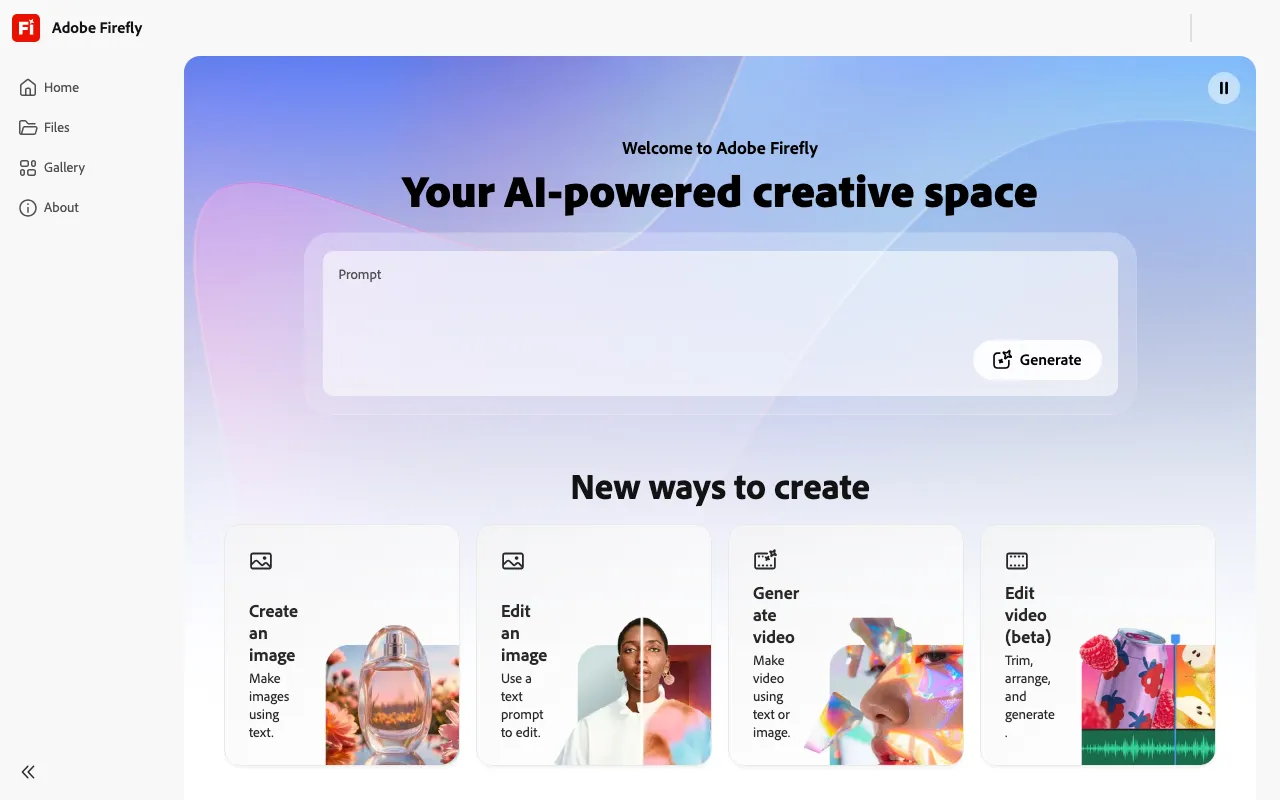
Adobe Firefly is Adobe’s suite of generative AI models for image, vector, and video creation, accessible via the Firefly web app, mobile app, and embedded directly inside Photoshop, Illustrator, and Premiere Pro. Unlike most AI image generators trained on scraped web content, Firefly’s models are trained exclusively on licensed Adobe Stock imagery, public-domain content, and openly licensed material. This gives Adobe the legal basis to offer IP indemnification to paid subscribers — a contractual guarantee that Adobe will defend customers if a generated output is challenged as infringing copyrighted source material.
The current flagship image model is Firefly Image 5, which generates at native 4 MP resolution and supports Instruct Edit: natural-language commands like “remove the background and replace it with a sunset” that execute without manual selection or masking. In Photoshop, Firefly powers Generative Fill and Generative Expand, allowing editors to extend canvas areas or replace selected regions using the same model. A separate video model produces 5-second clips and supports a Translate and Lip Sync API for dubbing existing video into other languages. The Custom Models API allows teams to fine-tune Firefly on proprietary visual assets — brand characters, product designs, or specific art styles — and deploy those models through the same API endpoints.
Who is it for?
Firefly is aimed at professional designers, marketing teams, and agencies for whom legal defensibility is as important as output quality. The free tier (25 credits/month) is sufficient for evaluation but not production use; the value proposition sharpens significantly at the Pro tier ($19.99/mo) where IP indemnification, Photoshop access, and 4,000 credits combine.
- Graphic designers already in the Adobe ecosystem who want Generative Fill and Generative Expand inside Photoshop without switching to a separate app. The integration is native, not a plugin.
- Marketing agencies and brand teams that produce high-volume ad creative and need a defensible content pipeline. Firefly’s Custom Models let teams train on approved brand assets and generate on-brand variants at scale.
- E-commerce and product teams using the Object Composite API to place product shots into generated lifestyle scenes with matched lighting and shadows — avoiding expensive studio shoots for every product variant.
- Developers building content automation pipelines who need an enterprise-grade image generation API with predictable credit-based pricing, audit trails, and commercial-safe outputs.
How much does Adobe Firefly cost?
Starting price: $9.99/mo · Free tier: yes · Model: freemium
Price history tracked from June 2026
| Plan | Price | Includes |
|---|---|---|
| Free | Free | 25 generative credits/month · Watermarked outputs · Commercial use permitted (no IP indemnification) · Limited video generation |
| Standard | $9.99/mo | 2,000 premium credits/month · Unlimited standard image and vector generation · Up to 20 five-second video clips/month · 100 GB storage · Adobe Express Premium included |
| Pro | $19.99/mo | 4,000 premium credits/month · Up to 40 five-second video clips/month · Adobe Photoshop web and mobile access · Adobe Fonts included · IP indemnification |
| Pro Plus | $49.99/mo | 10,000 premium credits/month · Up to 100 five-second video clips/month · All Pro features · IP indemnification |
| Premium | $199.99/mo | 50,000 premium credits/month · Unlimited Firefly Video generation · Priority processing · Full Photoshop access · IP indemnification |
What are Adobe Firefly's key features?
- Text-to-image generation using Firefly Image 5 model at native 4 MP resolution
- Instruct Edit — natural language image editing without manual masking
- Generative Fill and Generative Expand integrated into Photoshop and Illustrator
- Text-to-video generation with up to 5-second clips per credit
- Custom Models API for training on brand aesthetics, characters, or products
- Object Composite API for placing products into generated scenes with matched lighting
- Firefly AI Assistant — orchestrates multi-step workflows across Creative Cloud apps via natural language
- Commercially safe training on licensed Adobe Stock and public-domain content only
What people use Adobe Firefly for
- 01 Generating on-brand marketing visuals with Custom Models trained on a client's existing assets
- 02 Creating product composite shots that blend real product photos into AI-generated scenes
- 03 Producing ad creative variants at scale using the Firefly API and automated workflows
- 04 Editing photos with Generative Fill inside Photoshop without leaving the Adobe ecosystem
- 05 Generating text effects and vector graphics for packaging and print design
Pros and cons
| Pros | Cons |
|---|---|
| IP indemnification on all paid plans — Adobe contractually defends customers against infringement claims, unique among consumer image generators | Free tier is limited to 25 credits/month — enough for evaluation but not regular use |
| Deep Creative Cloud integration means Firefly powers Generative Fill, Generative Expand, and vector tools inside Photoshop and Illustrator without switching apps | Video quality at 5 seconds per clip lags behind dedicated video generators like Runway or Kling AI |
| Unlimited standard image generation on paid plans; credits only consumed by premium features like video and partner models | Standalone Firefly plans overlap significantly with Creative Cloud subscriptions ($54.99/mo), creating confusion about which plan makes sense |
| Custom Models API enables brand-consistent output at scale, a feature typically limited to enterprise contracts elsewhere | No offline or desktop-only mode — all generation requires an internet connection and Adobe account |
What are the best Adobe Firefly alternatives?
FLUX is the closest Adobe Firefly alternative in our directory: it covers the same category (AI Image Generation), starts at $0.014/image, has a free tier.
Ranked by category overlap with Adobe Firefly, then free-tier availability, then lowest verified starting price — computed from our verified data, never from sponsorships.
| Alternative | What it is | Starting price | Free tier | Price verified |
|---|---|---|---|---|
| FLUX vs Adobe Firefly → | API-first AI image generator from Black Forest Labs with per-image pay-as-you-go pricing | $0.014/image | yes | Jun 11, 2026 |
| Leonardo.Ai vs Adobe Firefly → | AI image generator with custom model training, canvas editor, and token-based generation | $12/mo | yes | Jun 11, 2026 |
| Ideogram vs Adobe Firefly → | AI image generator specializing in accurate text rendering and layout-aware design output | $20/mo | yes | Aug 27, 2026 |
| Stable Diffusion vs Adobe Firefly → | Open-weight AI image generation model by Stability AI with API and self-hosted deployment options | $20/mo | yes | Jun 11, 2026 |
| Midjourney vs Adobe Firefly → | AI image generator that creates high-quality art and photos from text prompts via web and Discord | $10/mo | no | Jun 11, 2026 |
| Recraft | AI image and vector generator with custom styles, mockups, and design-ready output | $10/mo | yes | Jul 3, 2026 |
Head-to-head comparisons
- Adobe Firefly vs FLUX — full comparison →
- Adobe Firefly vs Ideogram — full comparison →
- Adobe Firefly vs Leonardo.Ai — full comparison →
- Adobe Firefly vs Microsoft Designer — full comparison →
- Adobe Firefly vs Midjourney — full comparison →
- Adobe Firefly vs Photoroom — full comparison →
- Adobe Firefly vs Stable Diffusion — full comparison →
How people make money with Adobe Firefly
- Sell commercially licensed AI-generated stock images on Adobe Stock — Firefly outputs are explicitly accepted under Adobe's contributor terms
- Offer brand-consistent ad creative packages to small businesses on Upwork using Firefly's Custom Models feature
- License generated product photography to e-commerce clients — Firefly's IP indemnification makes it one of the few tools agencies can use without legal review on each project
Frequently asked questions
Is Adobe Firefly free?
Yes, Firefly has a free tier with 25 generative credits per month. Outputs are watermarked and commercial use is permitted, but without IP indemnification. Paid plans start at $9.99/month.
How much does Adobe Firefly cost?
Adobe Firefly has five tiers: Free ($0, 25 credits/mo), Standard ($9.99/mo, 2,000 credits), Pro ($19.99/mo, 4,000 credits), Pro Plus ($49.99/mo, 10,000 credits), and Premium ($199.99/mo, 50,000 credits). Creative Cloud subscribers also receive 500–1,000 Firefly credits per month through their existing plan.
Can I use Adobe Firefly images commercially?
Yes. All tiers permit commercial use. However, only paid plans include IP indemnification — meaning Adobe will legally defend you if a third party claims your Firefly output infringes their intellectual property. Free-tier users can use outputs commercially at their own legal risk.
What is IP indemnification and why does it matter?
IP indemnification means Adobe contractually assumes liability if a generated image is found to infringe on copyrighted source material. This is significant for agencies and brands that cannot risk copyright claims. Most competitors (Midjourney, Stable Diffusion, Ideogram) do not offer this on equivalent plans.
Does Adobe Firefly have an API?
Yes. The Firefly Services API includes endpoints for text-to-image (Image 5 model), Object Composite, Instruct Edit, Custom Models training, and video/audio generation. API pricing is credit-based and separate from subscription plans.
How do Firefly credits work?
Premium credits are consumed by video generation, translation/lip-sync, and third-party partner models. Standard image and vector generation is unlimited on all paid plans and does not consume credits. Credits reset monthly and do not roll over.
What is the difference between Adobe Firefly and Midjourney?
Midjourney produces higher-quality purely aesthetic output and has no free tier (from $10/mo). Firefly's advantage is IP indemnification, deep Adobe Creative Cloud integration, and a Custom Models API for brand consistency. Midjourney has no API; Firefly does.