CodeRabbit
AI code-review bot that posts line-by-line PR feedback, summaries, and fixes on GitHub, GitLab, Azure DevOps, and Bitbucket, plus a free IDE and CLI reviewer
CodeRabbit is an AI code-review bot that posts line-by-line feedback, PR summaries, and one-click fixes across GitHub, GitLab, Azure DevOps, and Bitbucket. A free tier covers public and private repos with rate-limited reviews; Essentials is $24/developer/month billed annually ($30 monthly), Team is $48 and Advanced is $72. Open-source repos get Team features free. It reviews code rather than writing features, so it complements coding tools like Claude.
What is CodeRabbit?
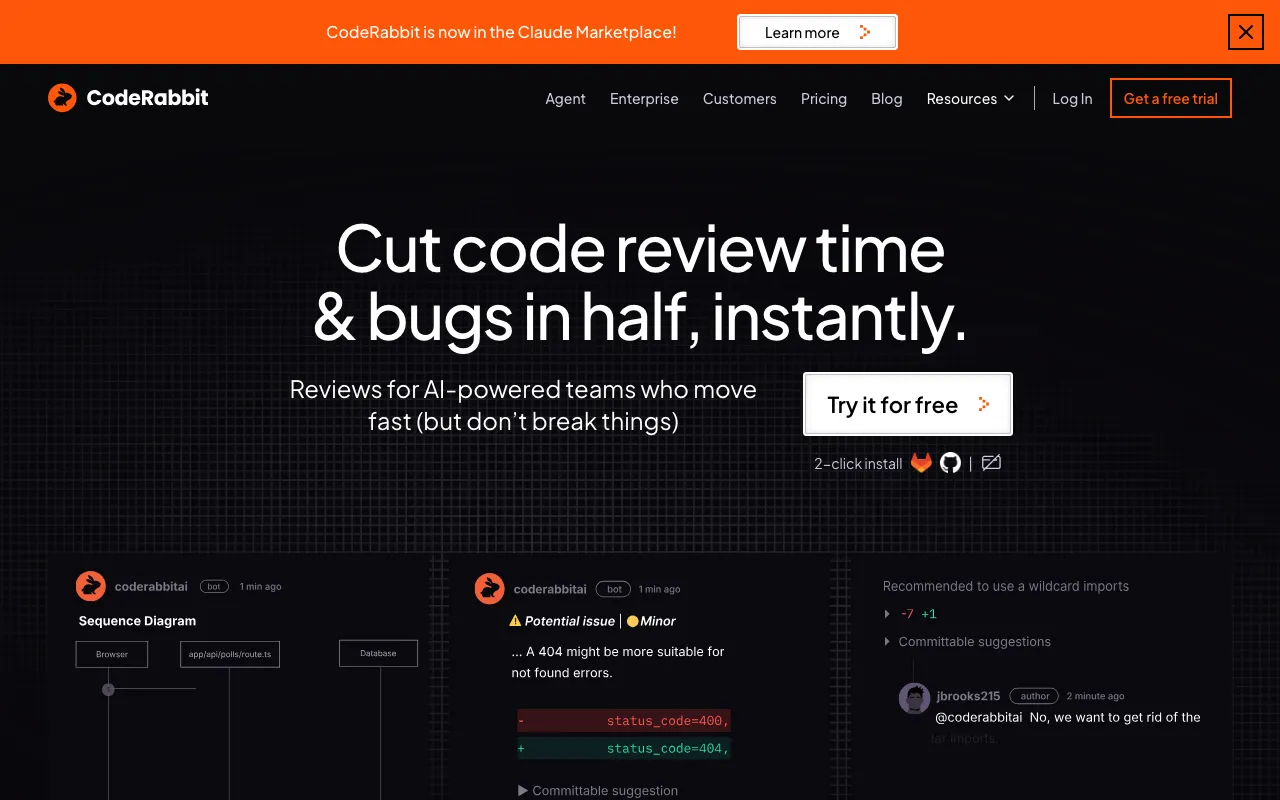
CodeRabbit is an AI bot that reviews pull requests. When a PR opens, it reads the diff in context, posts line-by-line comments flagging bugs and issues, and writes a summary with a TL;DR of the changes and diagrams for larger diffs. You can reply to its comments in the thread to ask questions or push back, and for straightforward problems it offers Fix-with-AI suggestions that commit in one click. It works across GitHub, GitLab, Azure DevOps, and Bitbucket, and a separate free IDE extension and CLI bring the same review to VS Code, Cursor, and Windsurf before you ever push.
Importantly, CodeRabbit reviews code rather than writing features — it is a reviewer, not a coding agent, so it sits alongside tools like Claude rather than replacing them. Pricing is per developer: a free tier covers public and private repos with rate-limited reviews, Essentials is $24 per developer per month billed annually ($30 monthly), Team at $48 adds custom pre-merge checks, unit-test generation, and merge-conflict resolution, and Advanced at $72 adds security-informed prioritization and blast-radius review. Open-source and public repositories get Team features free, and API access plus self-hosting are reserved for the custom-priced Enterprise tier.
Who is it for?
CodeRabbit fits teams that want a consistent first-pass review on every change without adding load to senior engineers. It is most valuable where review is a bottleneck or where coverage is uneven across a codebase.
- Engineering teams that want every PR triaged for bugs and style before a human reviewer looks, shortening review cycles.
- Open-source maintainers who get Team-plan features free and can keep quality high on community contributions.
- Solo developers and small teams using the free IDE extension and CLI to catch issues locally before pushing.
- Compliance-conscious orgs that need self-hosting, SSO, RBAC, and audit logging via the Enterprise plan.
How much does CodeRabbit cost?
Starting price: $0 · Free tier: yes · Model: freemium
Price history tracked from June 2026
| Plan | Price | Includes |
|---|---|---|
| Free | Free | PR summarization on unlimited public and private repos · Rate-limited IDE and CLI reviews · No credit card required; new organizations get a 14-day Advanced trial |
| Essentials | $24/mo | $24/developer/month billed annually ($30 monthly) · Line-by-line PR reviews with linters and SAST support · Jira and Linear integrations · Agentic chat, analytics dashboards, docstring generation |
| Team | $48/mo | $48/developer/month billed annually ($60 monthly) · Everything in Essentials plus Triage and custom pre-merge checks · Unit test generation and merge-conflict resolution · Higher review and MCP limits |
| Advanced | $72/mo | $72/developer/month billed annually ($90 monthly) · Everything in Team plus security-informed prioritization · Blast-radius audit and architecture impact review on PRs · Continuous security monitoring of every repo and PR |
| Enterprise | Custom | Self-hosting and EU SaaS deployment · SSO/SAML, RBAC, and audit logging · API access, multi-org, SLA, and dedicated support |
What are CodeRabbit's key features?
- Line-by-line code review with bug and issue detection posted as PR comments
- Pull-request summaries with TL;DR diffs and architectural diagrams
- Fix-with-AI suggestions and one-click commits for simple fixes
- Conversational chat with the bot directly in PR threads
- Custom pre-merge checks written in natural language (Team and up)
- Unit test and docstring generation
- Linter and SAST integration plus path-based custom instructions via YAML config
- Free IDE extension (VS Code, Cursor, Windsurf) and CLI for local reviews
What people use CodeRabbit for
- 01 Automated first-pass review on every pull request to catch bugs before merge
- 02 Generating PR summaries and diagrams so human reviewers understand large diffs faster
- 03 Running pre-push code review locally in VS Code, Cursor, or Windsurf, or via the CLI
- 04 Enforcing team coding guidelines through natural-language custom pre-merge checks
- 05 Free, full-featured automated review for open-source and public repositories
Pros and cons
| Pros | Cons |
|---|---|
| Genuinely free for open-source and public repos with Team-plan features, not a stripped trial | Per-seat pricing scales with team size — $24/dev/mo Essentials, $48 Team and $72 Advanced add up for larger teams |
| Free tier and free IDE/CLI extension let individual developers use it at no cost | Automated reviewers can surface noise and nitpick comments that still need human triage |
| Broad platform coverage: GitHub, GitLab, Azure DevOps, Bitbucket, and major IDEs | API access and self-hosting are gated behind custom-priced Enterprise, not Essentials, Team or Advanced |
| Context-aware feedback plus actionable Fix-with-AI suggestions and one-click commits | It reviews code only — it does not write or ship features for you |
| SOC 2 Type II certified with stated zero data retention after review |
What are the best CodeRabbit alternatives?
GitHub Copilot is the closest CodeRabbit alternative in our directory: it covers the same category (AI Coding), starts at $10/mo, has a free tier.
Ranked by category overlap with CodeRabbit, then free-tier availability, then lowest verified starting price — computed from our verified data, never from sponsorships.
| Alternative | What it is | Starting price | Free tier | Price verified |
|---|---|---|---|---|
| GitHub Copilot | AI coding assistant with inline completions, chat, and autonomous agent mode across major IDEs | $10/mo | yes | Jul 3, 2026 |
| Windsurf | Agentic AI IDE with Cascade that writes, edits and runs code autonomously inside your editor | $15/mo | yes | Jun 11, 2026 |
| Claude | Anthropic's AI assistant built for long-context analysis, coding, and safe reasoning | $20/mo | yes | Jul 3, 2026 |
| Cursor | AI-native code editor that runs autonomous agents to build, test, and review code | $20/mo | yes | Jul 3, 2026 |
| Tabnine | Privacy-first AI coding assistant with air-gapped deployment and your choice of LLM | $39/user/mo | no | Jun 21, 2026 |
How people make money with CodeRabbit
- Offer CodeRabbit setup and review-workflow consulting for engineering teams adopting AI-assisted review, including custom YAML rules and pre-merge checks
- Bundle automated PR review into a managed-DevOps or fractional-CTO service for startups that lack a senior reviewer on every pull request
Frequently asked questions
Is CodeRabbit free for open source?
Yes. Public and open-source repositories get CodeRabbit's Team-plan features at no charge, per the official plans documentation, on a separate rate-limit tier — it is not a limited trial.
How much does CodeRabbit cost per developer?
Essentials is $24 per developer per month billed annually ($30 monthly), Team is $48 annually ($60 monthly), and Advanced is $72 annually ($90 monthly). A free tier is also available at no cost.
Is there a free version of CodeRabbit?
Yes. The Free plan costs nothing and includes PR summarization, unlimited public and private repos, and rate-limited IDE and CLI reviews, with no credit card and a 14-day Advanced trial for new organizations.
Which platforms does CodeRabbit support?
It integrates with GitHub, GitLab, Azure DevOps, and Bitbucket for PR reviews, and offers IDE extensions for VS Code, Cursor, and Windsurf plus a CLI for local reviews.
Does CodeRabbit have an API?
API access is offered on the Enterprise plan, which is custom-priced. It is not part of the Free, Essentials, Team, or Advanced tiers.
What does CodeRabbit do in a pull request?
It posts line-by-line review comments with bug detection, a PR summary with TL;DR diffs and diagrams, Fix-with-AI suggestions, and lets you chat with the bot directly in the PR thread.
Public signals
- "How we exploited CodeRabbit: From simple PR to RCE and write access on 1M repos" — 687 points on Hacker News, Aug 19, 2025