Liner
AI search and research assistant that answers with inline citations across search, academic, and writing agents
Liner is an AI answer engine and research assistant that returns cited answers and pulls sources into a research workspace. It started as a web highlighter and now runs three agents — Search, Scholar, and Write. The Free tier gives 100 agent credits/month with ads; Pro is $17.99/month ($14.99 billed annually) and Max is $35.99/month for unlimited file uploads. With 10M+ users and strong adoption in Korea and the US, it is best for students and researchers who want cited answers plus an academic-paper mode rather than a general chatbot.
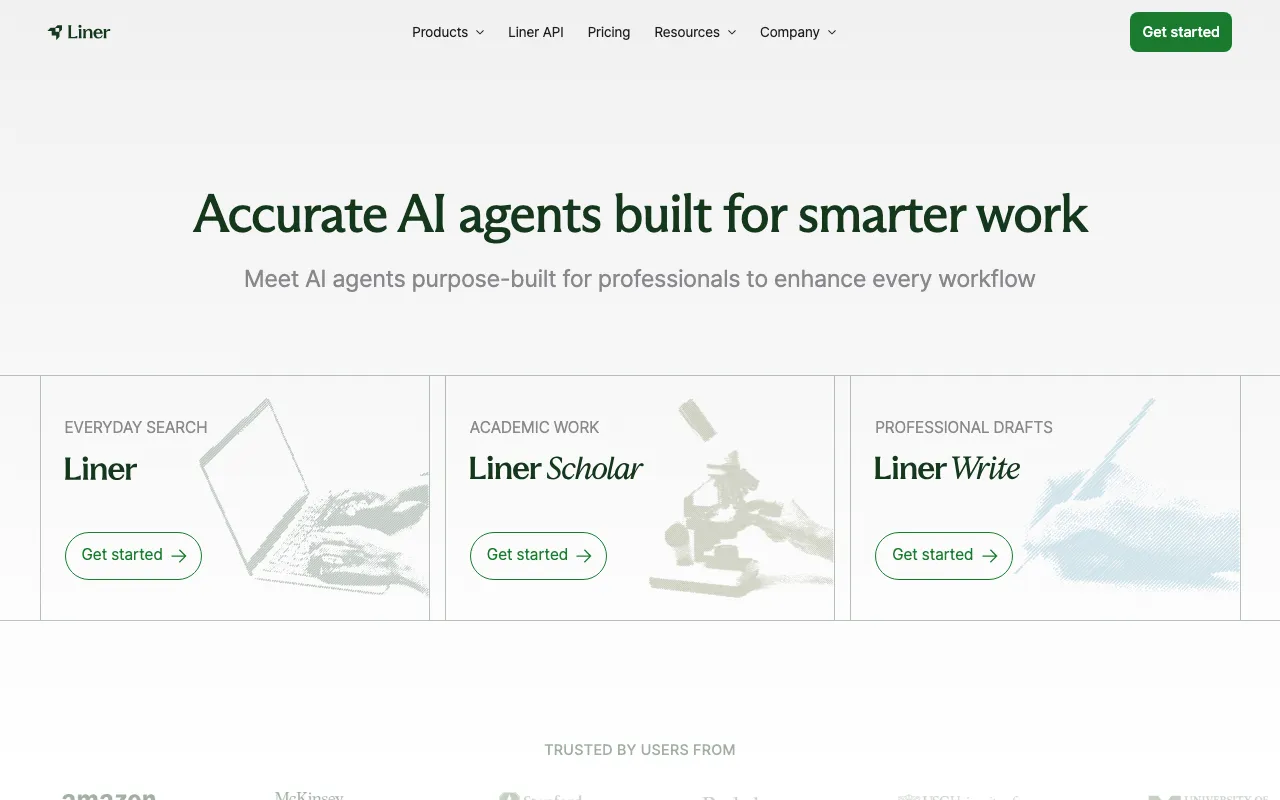
What is Liner?
Liner is an AI answer engine and research assistant that returns cited answers and collects sources into a persistent research workspace. It began as a browser highlighter for saving and annotating passages on the web, and has since grown into a Perplexity-style search tool where every answer carries inline source links and suggested follow-up questions. Today the product is organized around three agents: Liner Search for cited web answers, Liner Scholar for academic research, and Liner Write for drafting documents with built-in source verification.
Scholar is the piece that sets Liner apart from a general chatbot: it searches academic papers, compares sources, generates citations, and helps assemble literature reviews, keeping results focused on scholarly material. Deep research mode synthesizes many sources into a structured report, and a mind-map view helps break down complex topics. Liner works across the web, iOS and Android apps, Mac and Windows desktop apps, and Chrome and Edge extensions, so highlights and saved research follow you between devices. According to a16z’s rankings, Liner has been among the most-used generative AI products on the web, with a reported user base above 10 million and particular strength in Korea and the United States.
Who is it for?
Liner fits people who do source-heavy research and want cited answers plus an academic mode, rather than an uncited conversational reply. The Free tier — 100 agent credits per month with unlimited advanced search — is enough for light use and evaluation, but the daily upload caps and in-answer ads push regular researchers toward Pro ($17.99/month) or Max ($35.99/month).
- Students and academics who need paper discovery, source comparison, and citation generation for literature reviews through Scholar mode.
- Researchers and analysts who want cited, verifiable answers and a workspace that saves highlights from web pages and PDFs.
- Writers and content strategists who draft reports, emails, or newsletters and want inline fact-checking against sources via Write mode.
- Teams (2–20 members) that need a shared workspace, admin controls, and assurance that their data is excluded from AI training under the Team plan.
How much does Liner cost?
Starting price: $17.99/mo · Free tier: yes · Model: freemium
Price history tracked from June 2026
| Plan | Price | Includes |
|---|---|---|
| Free | $0 | 100 agent credits per month · Unlimited advanced search · Access to image generation and deep research · 1 file upload per day (up to 25MB) · Answers include ads |
| Pro | $17.99/mo | $14.99/month when billed annually · Unlimited advanced search · Image generation and deep research · 20 file uploads per day (up to 100MB) · Access to major AI models, ad-free |
| Max | $35.99/mo | $29.99/month when billed annually · Unlimited file uploads per day (up to 200MB) · Access to major AI models · Ad-free experience |
| Team | $26.99/user/mo | For 2–20 members · Everything in Max plus a master account · Dedicated workspace with admin controls · Team data excluded from AI training |
| Enterprise | Custom | Everything in Team · Dedicated account manager and onboarding · Audit logs · Higher volume discount rates |
What are Liner's key features?
- Cited AI search — answers include inline source links and follow-up questions
- Scholar agent for academic workflows: paper discovery, source comparison, and citation generation
- Write agent that drafts documents and verifies claims against sources
- Deep research mode that synthesizes many sources into a structured report
- Web highlighter and clipping that saves passages into a research workspace
- Mind-map visualization for breaking down complex topics
- Access to multiple major AI models on paid tiers
- Browser extensions (Chrome, Edge), plus mobile and desktop apps
What people use Liner for
- 01 Getting a cited, source-backed answer to a research question instead of an uncited chatbot reply
- 02 Finding and comparing academic papers, then generating citations for a literature review via Scholar mode
- 03 Highlighting and saving passages from web pages and PDFs into a persistent research workspace
- 04 Drafting emails, reports, or newsletters with inline fact verification using Write mode
- 05 Running deep-research reports that synthesize multiple sources into a structured summary
Pros and cons
| Pros | Cons |
|---|---|
| Cited answers and Scholar mode make it stronger for academic research than a general chatbot | The Free tier shows ads in answers and caps file uploads at 1 per day (25MB) |
| Free tier is genuinely usable with 100 monthly agent credits and unlimited advanced search | Pro at $17.99/month is pricier than some rival answer engines that charge $20 but bundle more model access |
| Works across web, mobile, desktop, and browser extension so highlights sync everywhere | No public student-discount tier on the pricing page — only occasional third-party promo coupons |
| Annual billing lowers Pro to $14.99/month and Max to $29.99/month | Credit-based Free limits and daily upload caps make heavy research require a paid plan |
What are the best Liner alternatives?
Exa is the closest Liner alternative in our directory: it covers the same category (AI Search & Research), starts at $0, has a free tier.
Ranked by category overlap with Liner, then free-tier availability, then lowest verified starting price — computed from our verified data, never from sponsorships.
| Alternative | What it is | Starting price | Free tier | Price verified |
|---|---|---|---|---|
| Exa | AI-native web search engine and API built for agents, with semantic search and content extraction | $0 | yes | Oct 12, 2026 |
| Consensus | AI search engine for peer-reviewed research across 200M+ scientific papers | $10/mo | yes | Jun 11, 2026 |
| Felo AI | Multilingual AI search and creation platform combining research, summarization and content generation | $14.99/mo | yes | Jul 3, 2026 |
| Perplexity | AI-powered answer engine that searches the live web and cites every source | $20/mo | yes | Jun 11, 2026 |
How people make money with Liner
- Offer freelance literature-review and source-verification services — Liner Scholar's paper search and citation generation cut the hours spent assembling references for clients
- Produce cited research briefs or newsletters faster with Liner Write, billing clients per deliverable while the ad-free paid tier removes distractions from the workspace
Frequently asked questions
Is Liner free?
Yes. Liner has a permanent Free tier with 100 agent credits per month, unlimited advanced search, and access to image generation and deep research. It allows 1 file upload per day (up to 25MB) and shows ads within answers.
How much does Liner Pro cost?
Liner Pro is $17.99/month, or $14.99/month when billed annually. It removes ads, allows 20 file uploads per day (up to 100MB), and adds access to major AI models.
What is the difference between Liner Pro and Max?
Both are ad-free with access to major AI models. Pro ($17.99/month) allows 20 file uploads per day up to 100MB, while Max ($35.99/month, or $29.99 annually) allows unlimited file uploads per day up to 200MB.
Does Liner have a student discount?
There is no dedicated student-discount plan listed on Liner's official pricing page. Students often rely on the Free tier or watch for promotional coupons offered through third-party sites, but those are not an official education plan.
What is Liner Scholar?
Scholar is Liner's academic research agent. It finds papers, compares sources, generates citations, and helps assemble literature reviews, focusing results on scholarly material rather than general web pages.
Does Liner have an API?
Yes. Liner offers a developer API with separate pricing available through its developers portal, in addition to its web app, mobile apps, desktop apps, and browser extensions.
What platforms does Liner support?
Liner runs on the web and offers iOS and Android mobile apps, Mac and Windows desktop apps, and Chrome and Edge browser extensions, so saved highlights and research sync across devices.