Meshy
AI 3D model generator that turns text or images into textured, riggable 3D models in seconds, with exports for game, film, AR/VR, and 3D-printing pipelines
Meshy is an AI 3D model generator that turns text prompts or images into textured, riggable 3D models in seconds. A free plan gives 100 credits per month under a CC BY 4.0 license; Pro is $20/month for 1,000 credits and Studio is $60/month for 4,000 credits, both with API access and private assets. Best for game, AR/VR, and 3D-printing creators who need fast first-draft assets, not production-clean topology out of the box.
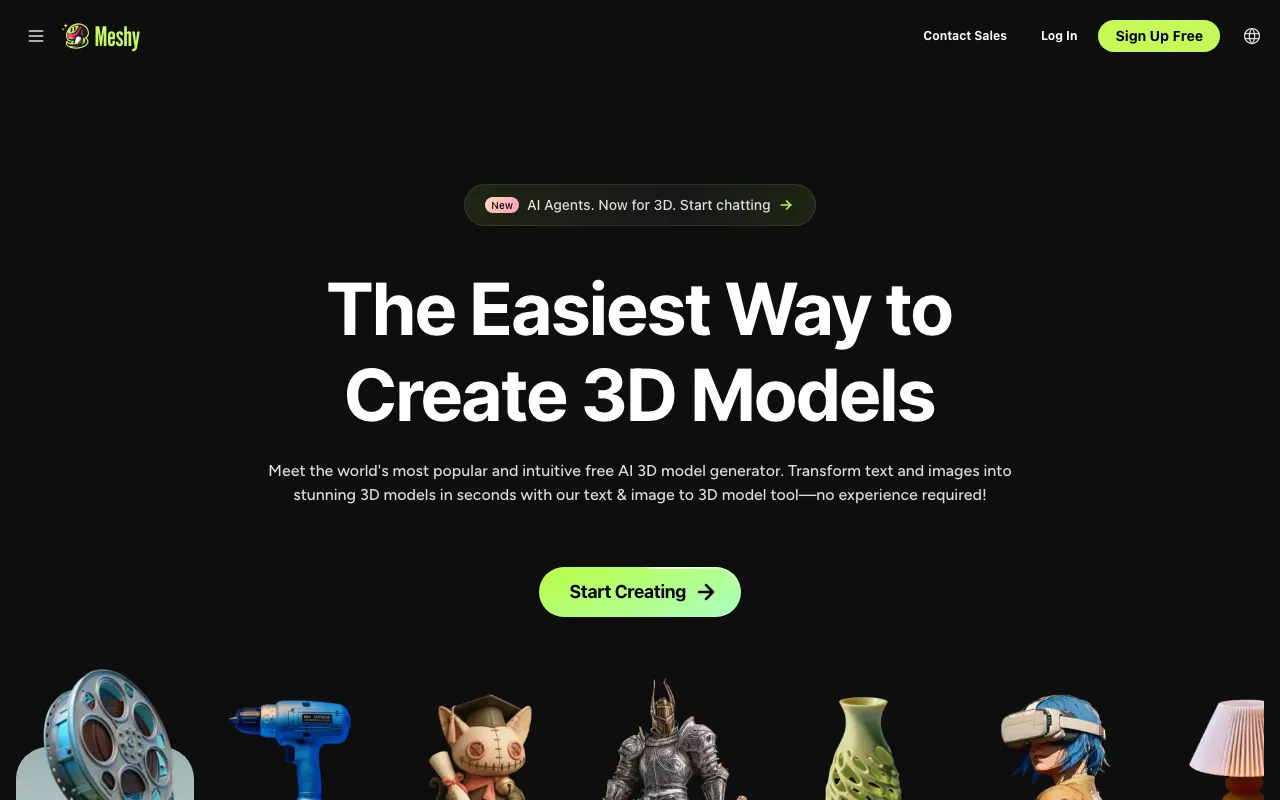
What is Meshy?
Meshy is an AI tool that generates 3D models from text prompts or reference images. You describe an object — or upload one or more photos — and Meshy produces a textured 3D mesh in seconds, then lets you re-texture it in styles like realistic, cartoon, or hand-painted, remesh it to a target polygon count, and automatically rig and animate characters from a library of motions. Output exports to the formats real pipelines use (FBX, GLB, OBJ, STL, 3MF, USDZ, BLEND), and plugins push directly into Blender, Unity, Unreal Engine, Godot, and Roblox Studio.
Pricing runs on a monthly credit system. The free plan gives 100 credits a month with outputs under a CC BY 4.0 license (commercial use with attribution), Pro is $20/month for 1,000 credits with private assets and API access, and Studio is $60/month for 4,000 credits with team features and higher concurrency. Credits reset each month without rolling over, and high-poly or retried generations consume more of them. The important caveat is quality: Meshy is excellent for fast first-draft assets, but the generated topology is usually not production-clean and typically needs manual retopology before rigging or shipping in a game.
Who is it for?
Meshy is for creators and teams who need 3D assets quickly and treat AI output as a strong starting point rather than a finished deliverable. It compresses hours of blocking and texturing into seconds, then hands off to traditional tools for cleanup.
- Indie game developers generating props, characters, and environment pieces to prototype levels before committing to hand-modeled assets.
- 3D-printing hobbyists who export STL or 3MF straight into slicers like Bambu Studio or Cura.
- AR/VR and metaverse creators producing USDZ and GLB content for Roblox, headsets, and the web.
- Product and concept designers turning reference images into textured models for fast visualization and client review.
How much does Meshy cost?
Starting price: $0 · Free tier: yes · Model: freemium
Price history tracked from June 2026
| Plan | Price | Includes |
|---|---|---|
| Free | Free | 100 credits per month · CC BY 4.0 license (commercial use with attribution) · 1 task at a time, lower queue priority · Limited monthly downloads |
| Pro | $20/mo | $20/month (about $240/year) · 1,000 credits per month · Private, customer-owned assets and API access · Up to 10 concurrent tasks, faster generation |
| Studio | $60/mo | $60/month (about $576/year) · 4,000 credits per month · Up to 20 concurrent tasks and team management · Purchasable extra credits |
| Enterprise | Custom | Customizable credit volumes · 50+ concurrent tasks · Wire-transfer billing and team management |
What are Meshy's key features?
- Text-to-3D model generation from prompts
- Image-to-3D and multi-view image-to-3D conversion
- AI texturing with realistic, cartoon, hand-painted, and fantasy styles
- Smart remesh with adjustable triangle or quad counts (1k to 300k)
- Automatic character rigging and animation with a 500+ motion library
- Multi-format export (FBX, GLB, OBJ, STL, 3MF, USDZ, BLEND)
- Plugins for Blender, Unity, Unreal Engine, Maya, Godot, and Roblox Studio
- REST API for programmatic generation on paid tiers
What people use Meshy for
- 01 Game development asset creation — characters, props, and environments
- 02 3D printing — export STL or 3MF to slicers like Bambu Studio, OrcaSlicer, or Cura
- 03 AR/VR and Roblox/metaverse content via USDZ and GLB export
- 04 Film, animation, and product or interior-design prototyping
- 05 E-commerce 3D product visualization and rapid concepting
Pros and cons
| Pros | Cons |
|---|---|
| Generous free tier (100 credits/month) with commercial use under CC BY 4.0 | AI-generated topology is often non-production-clean and usually needs manual retopology for animation or game use |
| Broad output-format support and direct plugins for major tools and game engines | Credits can burn fast on high-poly or retried generations, and they reset monthly with no rollover |
| End-to-end pipeline: generation, AI texturing, remesh, auto-rigging, and animation | The free tier is restrictive — one concurrent task, lower priority, limited downloads, and required attribution |
| API access for automation on paid plans | Private assets, API access, and the latest-model downloads require a paid tier |
| Affordable entry tier ($20/month) relative to traditional 3D asset costs |
What are the best Meshy alternatives?
Krea AI is the closest Meshy alternative in our directory: it covers the same category (AI Image Generation), starts at $9/mo, has a free tier.
Ranked by category overlap with Meshy, then free-tier availability, then lowest verified starting price — computed from our verified data, never from sponsorships.
| Alternative | What it is | Starting price | Free tier | Price verified |
|---|---|---|---|---|
| Krea AI | Real-time AI creative suite for image, video, 3D, and lipsync generation with 150+ models in one canvas | $9/mo | yes | Oct 11, 2026 |
| Recraft | AI image and vector generator with custom styles, mockups, and design-ready output | $10/mo | yes | Jul 3, 2026 |
| Leonardo.Ai | AI image generator with custom model training, canvas editor, and token-based generation | $12/mo | yes | Jun 11, 2026 |
| Stable Diffusion | Open-weight AI image generation model by Stability AI with API and self-hosted deployment options | $20/mo | yes | Jun 11, 2026 |
| Midjourney | AI image generator that creates high-quality art and photos from text prompts via web and Discord | $10/mo | no | Jun 11, 2026 |
How people make money with Meshy
- Sell AI-generated 3D assets such as props, characters, and printable models on marketplaces like CGTrader, Sketchfab, or Cults3D, using Meshy for fast drafts and manual retopology for production polish
- Offer a rapid 3D-prototyping service for product and game studios — turn reference images into textured concept models, billed per asset or per concept sprint
Frequently asked questions
Is Meshy free to use?
Yes. The free plan gives 100 credits per month with outputs licensed under CC BY 4.0 (commercial use allowed with attribution), but with lower queue priority, one task at a time, and limited monthly downloads.
How much does Meshy Pro cost?
Pro is $20 per month (about $240 per year) and includes 1,000 credits per month, private and customer-owned assets, API access, and up to 10 concurrent tasks.
What is the Studio plan?
Studio is $60 per month (about $576 per year) and provides 4,000 credits per month, up to 20 concurrent tasks, team management, and the ability to buy extra credits for high-volume work.
What input methods does Meshy support?
Meshy supports text-to-3D, image-to-3D, and multi-view image-to-3D, plus AI texturing, remeshing, and automatic rigging and animation as post-processing steps.
What file formats can Meshy export?
Meshy exports FBX, GLB, OBJ, STL, 3MF, USDZ, and BLEND, covering game engines, DCC tools, AR and VR, and 3D printing workflows.
Do Meshy credits roll over?
No. Plan credits reset monthly and do not accumulate. You can purchase extra credit packs on the Pro and Studio plans for additional capacity.