Microsoft Designer
Free AI graphic design app for images, social posts, stickers, and edits from text prompts, powered by DALL-E 3
Microsoft Designer is a free, AI-powered design app for creating social posts, images, stickers, and quick edits from text prompts, with image generation powered by DALL-E 3. The free tier includes monthly AI credits (reported around 15 per month); a Microsoft 365 subscription — Personal $9.99/month, Family $12.99/month, or Premium $19.99/month — unlocks up to 4x more credits and deeper Copilot integration. Best for non-designers making graphics fast.
What is Microsoft Designer?
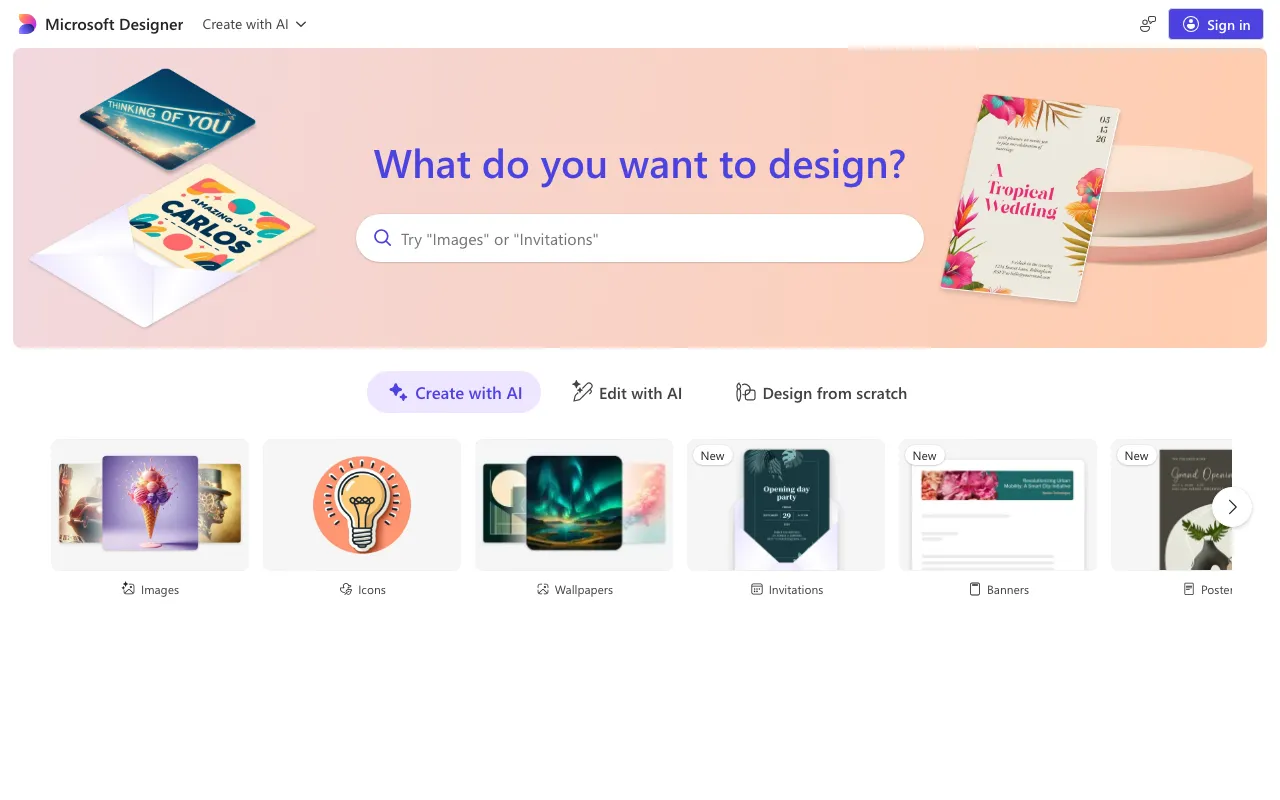
Microsoft Designer is a free, AI-powered graphic design app for making social media posts, images, stickers, cards, and quick edits from text prompts. Image generation is powered by DALL-E 3: you describe what you want, Designer creates it, and you drop the result into templates or refine it with AI editing tools like background removal, object erase, auto-crop, and restyle. It runs on the web and mobile, and it is also woven into Microsoft Photos, Word, and PowerPoint so the same generation and editing features appear inside familiar apps.
The app is free to start, metered by a monthly allotment of AI credits — reported to be around 15 per month, with one credit consumed per AI interaction. For people who need more, a Microsoft 365 subscription unlocks up to 4x the credits plus broader Copilot integration: Personal is $9.99/month, Family $12.99/month, and Premium $19.99/month (which absorbed the former Copilot Pro). In paid household plans, the expanded AI features apply to the subscription owner rather than every member.
Who is it for?
Microsoft Designer is aimed at non-designers who want presentable graphics quickly, especially people already inside the Microsoft ecosystem. It trades the depth of professional design suites for speed, templates, and tight Office integration.
- Small business owners and creators producing social posts, banners, and ads without hiring a designer.
- Microsoft 365 subscribers who want AI design and generation built into Word, PowerPoint, and Photos.
- Casual users making stickers, invitations, greeting cards, and collages for personal occasions.
- Marketers on a budget who can work within the free monthly credits or step up to a Microsoft 365 plan for more.
How much does Microsoft Designer cost?
Starting price: $0 · Free tier: yes · Model: freemium
Price history tracked from June 2026
| Plan | Price | Includes |
|---|---|---|
| Free | Free | Monthly AI credits (reported around 15/month) · Text-to-image and AI editing · Templates and design tools · Web and mobile access |
| Microsoft 365 Personal | $9.99/mo | Up to 4x more AI credits than free · Copilot integration in Microsoft 365 apps · AI features for the subscription owner · Includes Word, Excel, PowerPoint, and more |
| Microsoft 365 Family | $12.99/mo | Expanded credits and Copilot, shareable · Up to 6 people in the household · AI features apply to the owner · Includes the full Office app suite |
| Microsoft 365 Premium | $19.99/mo | Highest AI credit allotment · Full Copilot features (absorbed Copilot Pro) · Priority access to new AI capabilities · Includes the full Office app suite |
What are Microsoft Designer's key features?
- AI text-to-image generation powered by DALL-E 3
- AI photo editing: background removal, object erase, auto-crop, and restyle
- Social posts, banners, and a large template library
- Stickers, greeting cards, invitations, collages, and monograms
- Brand kits and one-click resizing for different platforms
- Integration into Microsoft Photos, Word, and PowerPoint
What people use Microsoft Designer for
- 01 Creating social media graphics and posts without design skills
- 02 Generating custom AI images and illustrations from text descriptions
- 03 Quick photo edits like background removal, object erase, and restyle
- 04 Making stickers, invitations, greeting cards, and collages
Pros and cons
| Pros | Cons |
|---|---|
| Genuinely free to start with monthly AI credits and no required subscription | Free tier is credit-limited (reported around 15/month), exhausted quickly with heavy AI use |
| Available on web and mobile, plus baked into Word, PowerPoint, and Photos | More credits and deeper Copilot integration require a Microsoft 365 subscription |
| Easy text-to-image and one-click AI edits suited to non-designers | In paid plans, AI features apply to the subscription owner, not every family member |
What are the best Microsoft Designer alternatives?
Photoroom is the closest Microsoft Designer alternative in our directory: it covers the same category (AI Design), starts at $12.99/mo, has a free tier.
Ranked by category overlap with Microsoft Designer, then free-tier availability, then lowest verified starting price — computed from our verified data, never from sponsorships.
| Alternative | What it is | Starting price | Free tier | Price verified |
|---|---|---|---|---|
| Photoroom | AI photo editor for e-commerce — background removal, AI product backgrounds, and batch editing | $12.99/mo | yes | Oct 21, 2026 |
| Adobe Firefly vs Microsoft Designer → | Commercially safe AI image generator trained on licensed content with Creative Cloud integration | $9.99/mo | yes | Aug 27, 2026 |
| Canva | AI-powered design platform with templates, image generation, and Magic Studio tools | $15/mo | yes | Jun 11, 2026 |
| Ideogram | AI image generator specializing in accurate text rendering and layout-aware design output | $20/mo | yes | Aug 27, 2026 |
Head-to-head comparisons
How people make money with Microsoft Designer
- Run a low-overhead social-media graphics service for small businesses — produce branded posts, banners, and ads in Microsoft Designer and bill clients a monthly content-package retainer per platform
- Sell print-on-demand designs (stickers, cards, wall art) generated and laid out in Designer through marketplaces like Etsy or Redbubble, earning a margin on each item sold
Frequently asked questions
Is Microsoft Designer free?
Yes. Microsoft Designer is free to use on web and mobile, with a monthly allotment of AI credits for image generation and editing. A Microsoft 365 subscription, starting at $9.99/month, unlocks up to 4x more credits and deeper Copilot integration.
What powers image generation in Microsoft Designer?
Image generation in Microsoft Designer is powered by DALL-E 3. You describe an image in text and Designer produces it, which you can then place into templates, social posts, stickers, or cards and refine with the app's editing tools.
How many free AI credits does Microsoft Designer give?
Microsoft does not publish an exact figure on its main page, but the free tier is reported to include around 15 AI credits per month, refreshed monthly, with one credit used per AI interaction. Heavy users can exhaust them quickly.
Do I need Microsoft 365 to use Designer?
No. Designer works for free without a subscription. A Microsoft 365 plan (Personal $9.99/month, Family $12.99/month, or Premium $19.99/month) is optional and mainly adds more AI credits and Copilot integration across the Office apps.
Can Microsoft Designer edit photos?
Yes. Designer includes AI photo editing such as background removal, object erase, auto-crop, and restyle, alongside its design and generation tools. These edits are aimed at quick fixes rather than deep, professional retouching workflows.
How is Microsoft Designer different from Canva?
Both are template-driven design apps with AI features. Designer leans on DALL-E 3 generation and tight Microsoft 365 and Office integration, while Canva offers a broader template library and team features. Designer's free tier is appealing for Microsoft users.