Onyx
Open-source AI chat and enterprise search that connects to 40+ company apps, self-hosted or cloud
Onyx is an open-source alternative to Glean and ChatGPT Enterprise: a chat and search interface wired into 40+ company apps, with custom agents, deep research, and MCP actions. The core is MIT-licensed and free to self-host with no seat metering; Onyx Cloud is $20 per user/month billed annually, and Enterprise adds SSO, on-premise, and region-specific deployment. Formerly Danswer, with 31,000+ GitHub stars. Best for teams wanting company-wide AI search they can host.
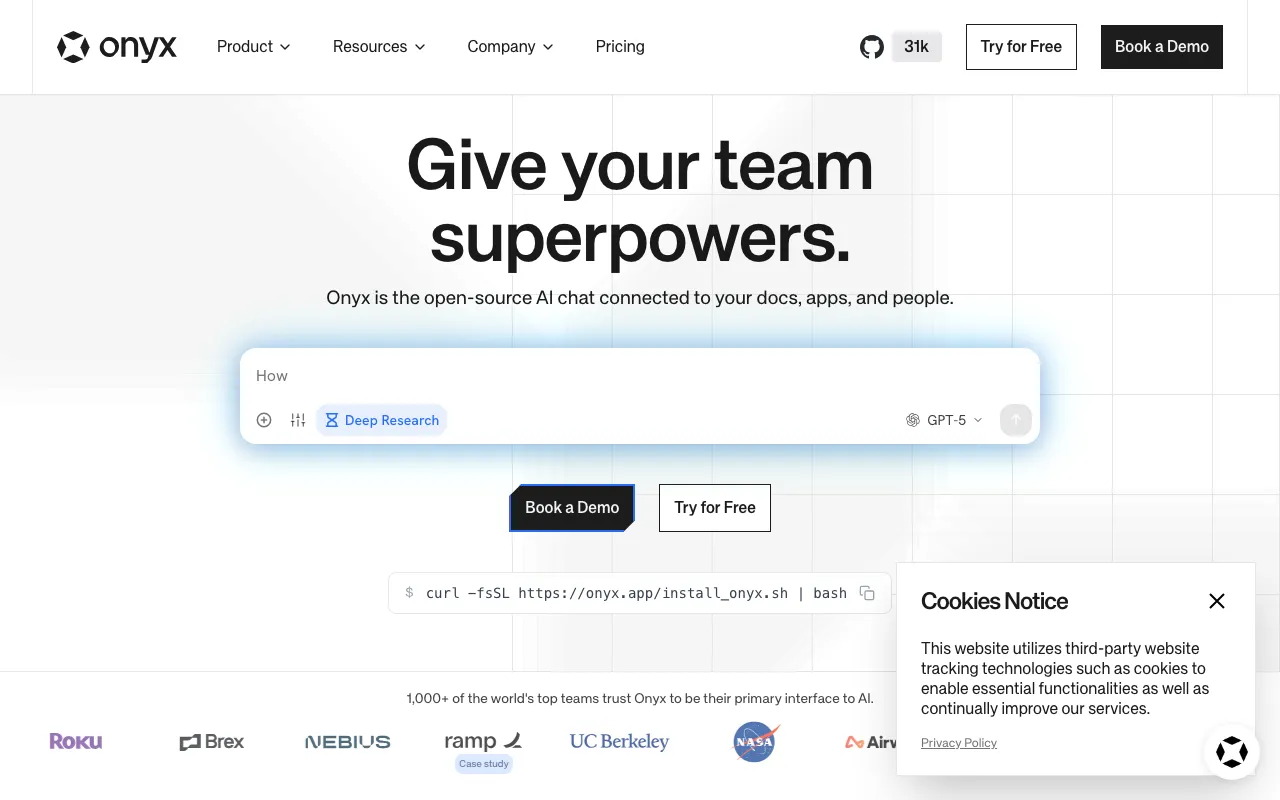
What is Onyx?
Onyx is an open-source AI platform for company knowledge: a chat and search interface that connects to more than 40 workplace apps, indexes what it finds, and answers questions over that corpus. It supports custom agents, actions through MCP or OpenAPI, deep research, web search, a code interpreter, and image generation, and it is deliberately model-agnostic — you point it at whichever major LLM provider you prefer instead of accepting a bundled model. Crucially for internal deployments, it implements permission inheritance, so answers respect the access rules of the systems the content came from. The project was previously called Danswer, and the repository copyright still reads DanswerAI, Inc.
Licensing follows the directory-scoped pattern common to commercial open source: everything outside the enterprise directories is MIT Expat, while those directories carry a separate Onyx Enterprise License. Self-hosting the MIT core is free, unmetered, and seat-unlimited, which is the main reason teams choose it over Glean or ChatGPT Enterprise. The managed Onyx Cloud Business plan is $20 per user per month on annual billing with a free trial, and Enterprise adds SSO, on-premise and region-specific deployment, white-labelling, and an SLA. Development is active — the repository had commits on the day this entry was verified, against 31,000+ stars, notably more than the count still shown in the site’s own navigation badge.
Who is it for?
Onyx suits organisations that want the capability of a commercial enterprise-search product but need either the price of self-hosting or the control of running it themselves. The trade is explicit: no licence cost, but you own the infrastructure and the upgrade path.
- Engineering-capable teams replacing a per-seat search contract, where a free MIT deployment on their own hardware beats a five-figure annual commitment.
- Regulated and privacy-sensitive organisations that cannot send internal documents to a vendor cloud and need on-premise or region-pinned deployment.
- Teams standardising internal AI access who want one chat surface across wikis, tickets, and file storage, with source permissions honoured in the results.
- Companies that want model choice, keeping inference spend and provider decisions separate from the search layer rather than locked to one vendor’s model.
How much does Onyx cost?
Starting price: $0 · Free tier: yes · Model: open-source
Price history tracked from June 2026
| Plan | Price | Includes |
|---|---|---|
| Self-hosted | Free | MIT Expat licence outside the enterprise directories · No seat limits and no vendor metering · Chat and search UI, connectors, and custom agents included · Community support via GitHub and Discord |
| Business (Cloud) | $20/user/mo | Billed annually · Access to all major LLMs · 40+ app connectors, web search, deep research · Custom AI agents plus MCP and OpenAPI actions · RBAC, permission inheritance, Google OAuth · Free trial available |
| Enterprise | Custom | OIDC/SAML single sign-on · On-premise and region-specific deployments · White-labelling and custom integrations · Data exports, invoice billing, volume discounts · Dedicated support with an enterprise SLA · Higher education pricing |
What are Onyx's key features?
- Chat and search interface over connected company data
- 40+ connectors for common workplace apps
- Custom AI agents with actions via MCP or OpenAPI
- Deep research, web search, code interpreter, and image generation
- Access to all major LLM providers rather than a single locked model
- Permission inheritance so results respect source-system access rights
- RBAC, secret encryption, Google OAuth, and query history dashboards
- Slack integration and developer APIs
What people use Onyx for
- 01 Asking questions across company wikis, tickets, and drive files in one search box
- 02 Running an internal assistant on your own infrastructure so documents never leave the network
- 03 Building custom agents scoped to a team's own tooling and permissions
- 04 Answering support questions in Slack from indexed internal knowledge
- 05 Replacing a per-seat enterprise search contract with a self-hosted deployment
Pros and cons
| Pros | Cons |
|---|---|
| Self-hosting is genuinely free and unmetered — the MIT core carries no seat cap | Onyx Cloud has no permanent free tier — only a trial — and the $20 per user/month rate is quoted on annual billing with no monthly option shown |
| Permission inheritance means search results respect the access rules of the source systems, not a flat index | SSO via OIDC or SAML is Enterprise-only, so mid-sized teams needing identity integration cannot self-serve |
| Model-agnostic: you choose the LLM provider rather than being tied to the vendor's own model | The licence is directory-scoped: code under the enterprise directories is not MIT, so a fully free deployment excludes those features |
| Actively developed — the repository had commits the day this entry was verified, with 31,000+ stars | Self-hosting means you own the infrastructure, vector store, and upgrade path — the free tier trades licence cost for operations work |
| The product name collides with unrelated software also called Onyx, which makes searching for help harder |
What are the best Onyx alternatives?
Microsoft Copilot is the closest Onyx alternative in our directory: it covers the same category (AI Chatbots), starts at $0, has a free tier.
Ranked by category overlap with Onyx, then free-tier availability, then lowest verified starting price — computed from our verified data, never from sponsorships.
| Alternative | What it is | Starting price | Free tier | Price verified |
|---|---|---|---|---|
| Microsoft Copilot | Microsoft's GPT-5-powered AI assistant for chat, search, and AI inside Word, Excel, and Teams | $0 | yes | Jun 22, 2026 |
| Open WebUI | Self-hosted web interface for local and API-based LLMs, free for unlimited users as long as the branding stays intact | $0 | yes | Jul 18, 2026 |
| ChatGPT | Conversational AI assistant by OpenAI with multimodal reasoning, voice, and agent capabilities | $8/mo | yes | Jun 11, 2026 |
| Glean | Enterprise Work AI platform unifying AI search, an assistant, and agents over a permission-aware company knowledge graph | Custom | no | Jul 12, 2026 |
| Dust | Enterprise platform for building and deploying AI agents connected to company data, tools, and workflows | $30/seat/mo | yes | Oct 13, 2026 |
How people make money with Onyx
- Deploy and maintain self-hosted internal AI search for mid-sized firms that cannot send documents to a vendor cloud, charging an implementation fee plus a support retainer
- Build connector and agent configurations for a specific vertical such as legal or manufacturing, then resell the setup as a repeatable onboarding package
Frequently asked questions
Is Onyx free?
The self-hosted edition is free under an MIT Expat licence, with no seat limits or vendor metering, and includes the chat interface, connectors, and custom agents. Onyx Cloud is the paid managed option at $20 per user per month billed annually, offered with a free trial rather than a permanent free tier.
How much does Onyx Cloud cost?
The Business plan is $20 per user per month, quoted with annual billing on the pricing page. It includes access to all major LLMs, 40+ connectors, custom agents, deep research, and role-based access control. Enterprise pricing is custom and adds SSO, on-premise deployment, and dedicated support.
Is Onyx fully open source?
Mostly. The licence file grants MIT Expat terms to everything except the enterprise directories in the repository, which carry a separate Onyx Enterprise License. That directory-scoped split means the core is freely usable while some enterprise features are commercially licensed.
What was Onyx called before?
It was previously known as Danswer, and the repository's copyright notice still reads DanswerAI, Inc. The rename to Onyx came with a broader positioning as an open-source AI platform rather than purely a document search tool, but it is the same project and codebase.
Does Onyx respect existing document permissions?
Yes. Permission inheritance is a listed feature, meaning indexed results carry the access rules of their source systems. A user asking a question should not receive content from a file they could not open directly, which is the main safety requirement for company-wide search.
Can Onyx use my own LLM provider?
Yes. Access to all major LLMs is included rather than restricting you to one vendor's model, and self-hosted deployments can point at whichever provider or local model you prefer. That keeps model choice and inference spend under your control instead of bundled into a seat fee.