Pika
AI video generator that turns text prompts and photos into short-form videos with scene editing tools
Pika is an AI video platform centered on its Pika 2.5 model, which generates short-form videos from text or images. The free tier includes 80 credits/month at 480p (no commercial use); paid plans start at $8/month for 700 credits, full resolution, and commercial rights. Best for social content creators who need quick, stylized clips for TikTok, Reels, or YouTube Shorts.
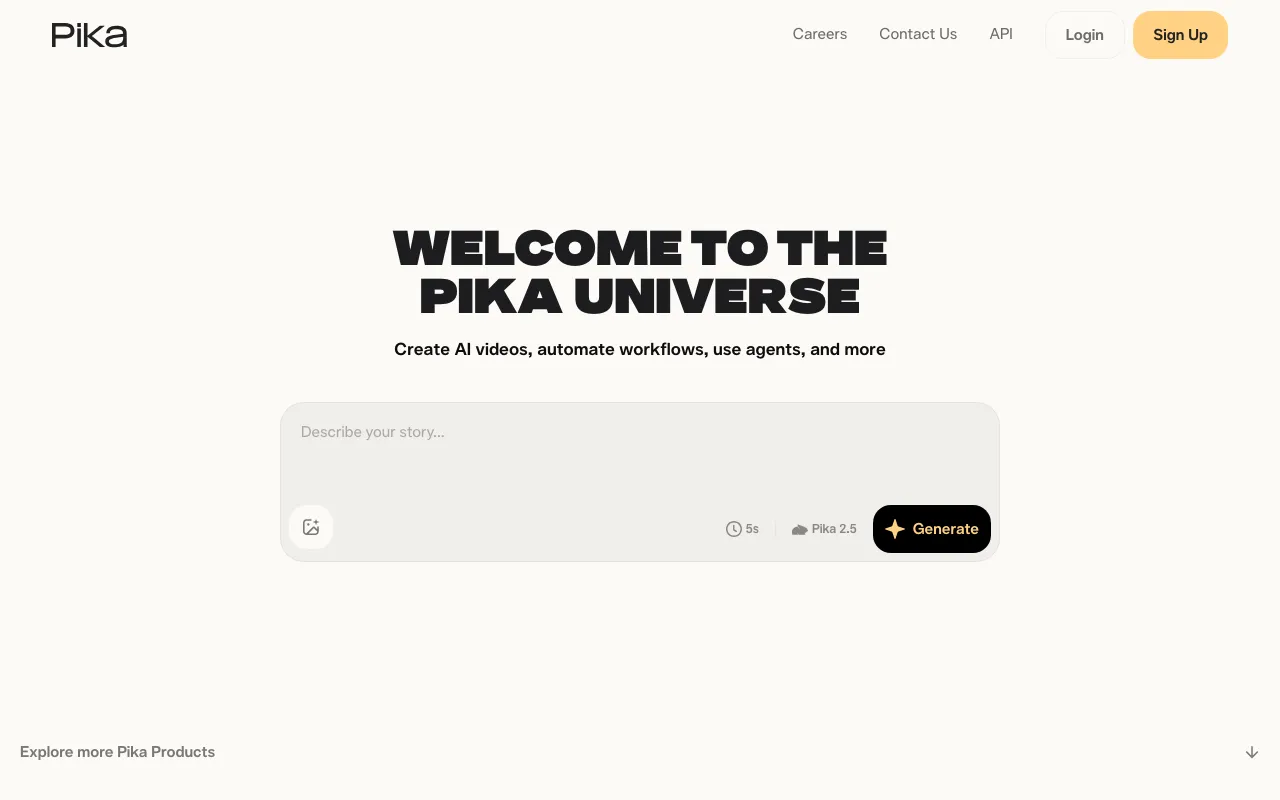
What is Pika?
Pika is an AI video generation platform built around its Pika 2.5 model, which converts text prompts and still images into short video clips. Unlike general-purpose AI tools that treat video as an afterthought, Pika is designed around the mechanics of short-form social content — it generates clips sized and paced for TikTok, Instagram Reels, and YouTube Shorts, with specific tooling for the kind of visual manipulation that performs well on those platforms.
Beyond basic text-to-video, Pika ships a suite of object-level editing tools. Pikaswaps replaces a specific object in a video while preserving the original motion and lighting. Pikadditions inserts new elements — characters, creatures, objects — into existing footage. Pikascenes assembles multi-source images into a single coherent scene, handling perspective and lighting matching automatically. Pikaffects applies physics-based stylistic effects like inflation, melting, or explosion to any subject. These tools are available on the free tier at reduced resolution and on paid tiers at full quality.
Pika also offers a mobile app for iOS and an API, making it accessible for both casual creators and developers building video generation into their own workflows.
Who is it for?
Pika is best suited to creators and small teams who produce social video at volume and need a faster alternative to traditional editing. The tooling is opinionated toward short, visually striking clips rather than long-form or professionally graded content.
- Social media content creators who need to produce Reels, Shorts, or TikToks quickly from product photos or text briefs, without video editing skills.
- Freelancers and agencies producing AI-generated video ads or branded content for clients — the Standard plan’s commercial use license and 700 monthly credits are enough for moderate client work.
- Developers integrating AI video generation into apps or pipelines via Pika’s API, particularly for automating trend-based or templated video outputs.
- Marketers and e-commerce teams who want to animate product photos into attention-grabbing social clips without a video production budget.
How much does Pika cost?
Starting price: $8/mo · Free tier: yes · Model: freemium
Price history tracked from June 2026
| Plan | Price | Includes |
|---|---|---|
| Basic | Free | 80 credits/month · Pika 2.5 at 480p only · No commercial use · Image-to-video only |
| Standard | $8/mo | 700 credits/month · Full resolution · Commercial use · All editing tools including Pikaframes |
| Pro | $28/mo | 2,300 credits/month · Faster generation · Commercial use · All features |
| Fancy | $76/mo | 6,000 credits/month · Fastest generation · Commercial use · All features |
What are Pika's key features?
- Text-to-video and image-to-video generation via Pika 2.5 model
- Pikascenes: compose multi-element scenes from separate images with matched lighting and angles
- Pikaswaps: replace objects in video while preserving motion, lighting, and texture
- Pikadditions: insert new characters or objects into existing footage
- Pikaffects: apply stylized physical effects (inflate, melt, explode, turn to cake)
- Pikaframes: keyframe-based video editing for controlling motion between shots
- Pika MCP integration for trend-based content creation from a selfie and sound
- Rollover credits and no-watermark downloads on all paid plans
What people use Pika for
- 01 Generating TikTok and Instagram Reels from a single product photo
- 02 Creating motion graphics for YouTube Shorts without video editing software
- 03 Replacing objects in existing footage using Pikaswaps for branded content
- 04 Prototyping visual effects concepts (explosions, melting, inflation) with Pikaffects
- 05 Producing social media trend content quickly using Pika MCP with a selfie and audio
Pros and cons
| Pros | Cons |
|---|---|
| Pricing verified at $8/month — one of the lower entry points among dedicated AI video tools | Free tier capped at 480p and 80 credits/month with no commercial use rights |
| Unique object-manipulation tools (Pikaswaps, Pikadditions) go beyond basic text-to-video | Video length is short — Pika 2.5 targets clips suited to Reels/Shorts rather than longer content |
| Mobile app available alongside web, enabling on-device creation | Credit system means heavy users exhaust quotas quickly; Fancy plan needed for high volume |
| API access opens programmatic video generation for developers | Yearly billing required to get advertised monthly prices; month-to-month costs are higher |
What are the best Pika alternatives?
Kling AI is the closest Pika alternative in our directory: it covers the same category (AI Video), starts at $6.99/mo, has a free tier.
Ranked by category overlap with Pika, then free-tier availability, then lowest verified starting price — computed from our verified data, never from sponsorships.
| Alternative | What it is | Starting price | Free tier | Price verified |
|---|---|---|---|---|
| Kling AI vs Pika → | AI video generator that creates 4K clips up to 15 seconds from text or image prompts | $6.99/mo | yes | Jun 11, 2026 |
| Luma Dream Machine vs Pika → | AI video generator that creates cinematic clips from text or images using the Ray 2 model | $9.99/mo | yes | Jun 11, 2026 |
| Runway vs Pika → | AI video generation platform for cinematic clips, world simulation, and conversational video agents | $12/mo | yes | Jun 11, 2026 |
| Descript | Text-based video and podcast editor with AI transcription, voice cloning, and filler-word removal | $16/mo | yes | Jul 3, 2026 |
| HeyGen vs Pika → | AI video platform that generates avatar-based videos from text scripts with lip-sync in 175+ languages | $29/mo | yes | Jul 3, 2026 |
| Midjourney | AI image generator that creates high-quality art and photos from text prompts via web and Discord | $10/mo | no | Jun 11, 2026 |
How people make money with Pika
- Sell short-form video packages for brands on Fiverr or Upwork — product teasers and social ads using Pika's Pikaswaps and Pikadditions
- License AI-generated video clips to stock footage platforms such as Pond5 or Storyblocks — motion graphic loops in niche categories
Frequently asked questions
Is Pika free?
Yes. Pika has a free Basic tier with 80 credits per month. Free-tier videos are limited to 480p and cannot be used commercially.
How much does Pika cost?
Pika's paid plans start at $8/month (billed yearly) for the Standard tier with 700 credits. Pro is $28/month for 2,300 credits, and Fancy is $76/month for 6,000 credits. All prices are for annual billing.
Can I use Pika videos commercially?
Commercial use is permitted on all paid plans (Standard, Pro, and Fancy). The free Basic tier does not include commercial rights.
What is Pika 2.5?
Pika 2.5 is Pika's current video generation model, optimized for short-form social content like TikToks and Reels. It offers improved motion quality, camera control, and character consistency versus earlier models.
What are Pikaswaps and Pikascenes?
Pikaswaps lets you replace an object in a video (e.g., swap a dog for a robot) while preserving lighting and motion. Pikascenes lets you combine multiple source images into a single coherent video scene.
Does Pika have an API?
Yes. Pika offers API access, allowing developers to integrate AI video generation into their own applications programmatically.
What platforms is Pika available on?
Pika is available on web (pika.art), iOS (mobile app), and via API for developers.
Public signals
- "Pikaday: A friendly guide to front-end date pickers" — 302 points on Hacker News, Nov 11, 2025