Aider
Open-source AI pair programming in your terminal — bring your own LLM key and edit your git repo
Aider is a free, open-source AI pair programmer that runs in your terminal and edits files directly in your local git repo, auto-committing each change. The tool costs $0; you bring your own LLM API key, so the only cost is your model usage — or nothing at all if you run a local model. It is model-agnostic across Claude, GPT, DeepSeek, and others, and on its polyglot leaderboard the top models score around 88%. Best for terminal-comfortable developers.
What is Aider?
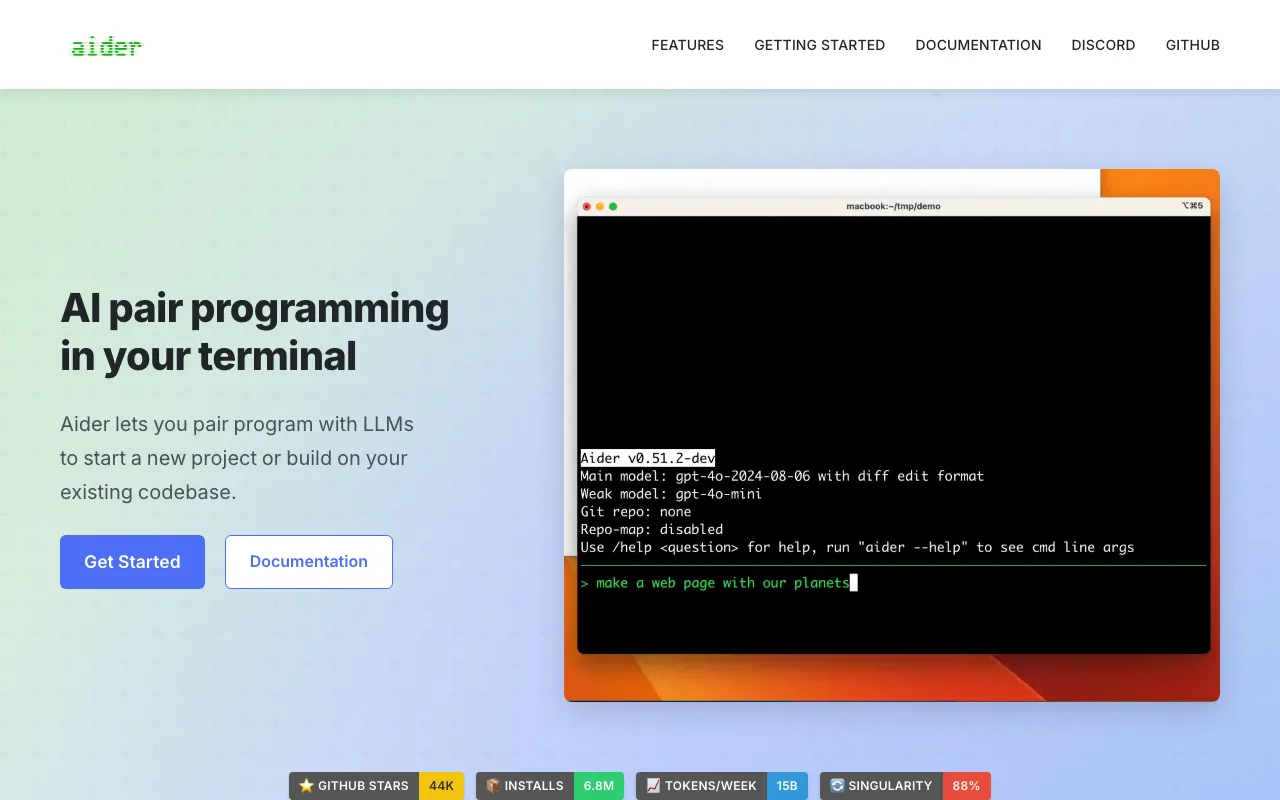
Aider is a free, open-source AI pair-programming tool that runs in your terminal. You describe what you want changed, and Aider edits the relevant files directly in your local git repository, committing each change with a generated commit message so the work stays reviewable and reversible. Rather than bundling its own model and subscription, Aider is model-agnostic: you bring your own API key and point it at whatever LLM you prefer — Claude, GPT, DeepSeek, Gemini, or a local model run through Ollama. The software itself costs nothing; your only spend is the model usage you choose.
That design makes cost and quality your decision, not the vendor’s. Aider builds a “repo map” to give the model context on large codebases, supports more than 100 languages, and adds quality-of-life features like watch mode (responding to inline comments from your editor), voice-to-code, image and web-page inputs, and automatic lint-and-test fixing. The project also publishes a closely watched polyglot leaderboard, where the strongest models score around 88%, giving an honest, public reference for which model to pair with Aider. Claude’s coding models are among the best to run it with.
Who is it for?
Aider is for developers who are comfortable in the terminal and want maximum control over which model they use and what it costs. It rewards people who value git-native, reviewable changes and dislike being locked into a single vendor’s model or subscription. Developers who prefer a polished graphical editor may find tools like Cursor or Windsurf a gentler start.
- Terminal-first developers who want AI editing without leaving the command line.
- Cost-conscious engineers who switch between frontier and local models to manage spend.
- Open-source advocates who want a transparent, self-hostable tool with no vendor lock-in.
- Teams with strong git discipline who want every AI change captured as a reviewable commit.
How much does Aider cost?
Starting price: $0 · Free tier: yes · Model: open-source
Price history tracked from June 2026
| Plan | Price | Includes |
|---|---|---|
| Aider (open source) | Free | MIT-licensed; install via pip, no account or subscription · Bring your own LLM API key — pay only your model provider · All features included; no paywalled tiers · Runs free end-to-end with a local model via Ollama |
What are Aider's key features?
- Terminal-based AI pair programming that edits files across your whole repo
- Automatic git commits with AI-generated commit messages
- Repo map that gives the model context on large codebases
- Model-agnostic — swap LLMs with one command (Claude, GPT, DeepSeek, Gemini, local)
- Support for 100+ programming languages
- Watch mode that responds to inline code comments from your IDE
- Voice-to-code, image, and web-page context inputs
- Lint and test automation with automatic fixing
What people use Aider for
- 01 Editing code across multiple files in a repo from a single natural-language request
- 02 Letting AI write the commit messages while keeping every change reviewable in git
- 03 Switching between Claude, GPT, and local models to balance quality against cost
- 04 Adding tests, refactors, or migrations to an existing codebase from the terminal
- 05 Running a fully local, zero-API-cost coding assistant with an Ollama model
Pros and cons
| Pros | Cons |
|---|---|
| Genuinely free and open source — no vendor lock-in to any model or subscription | Not free in practice — you pay real API costs that add up on large frontier models |
| Best-in-class model flexibility; you control cost by choosing cheaper or local models | Terminal-only with no GUI, a steeper learning curve than editor tools like Cursor |
| Deep, automatic git integration makes every AI change reviewable and reversible | Requires you to obtain and manage API keys and understand model trade-offs |
| Maintains a respected public leaderboard, so model-choice guidance is transparent | Output quality depends entirely on the model you supply — a weak model gives weak results |
What are the best Aider alternatives?
Cline is the closest Aider alternative in our directory: it covers the same category (AI Coding), starts at $0, has a free tier.
Ranked by category overlap with Aider, then free-tier availability, then lowest verified starting price — computed from our verified data, never from sponsorships.
| Alternative | What it is | Starting price | Free tier | Price verified |
|---|---|---|---|---|
| Cline vs Aider → | Open-source autonomous coding agent for VS Code that edits files, runs commands, and brings your own model | $0 | yes | Jun 20, 2026 |
| GitHub Copilot vs Aider → | AI coding assistant with inline completions, chat, and autonomous agent mode across major IDEs | $10/mo | yes | Jul 3, 2026 |
| Windsurf vs Aider → | Agentic AI IDE with Cascade that writes, edits and runs code autonomously inside your editor | $15/mo | yes | Jun 11, 2026 |
| Claude vs Aider → | Anthropic's AI assistant built for long-context analysis, coding, and safe reasoning | $20/mo | yes | Jul 3, 2026 |
| Cursor vs Aider → | AI-native code editor that runs autonomous agents to build, test, and review code | $20/mo | yes | Jul 3, 2026 |
Head-to-head comparisons
- Aider vs Claude — full comparison →
- Aider vs Cline — full comparison →
- Aider vs Cursor — full comparison →
- Aider vs GitHub Copilot — full comparison →
- Aider vs OpenAI Codex — full comparison →
- Aider vs OpenCode — full comparison →
- Aider vs OpenHands — full comparison →
- Aider vs Windsurf — full comparison →
How people make money with Aider
- Freelance AI-accelerated development — pair Aider with a frontier model to ship features faster, billed per project or per sprint rather than hourly
- Offer terminal-based AI coding setup and workflow consulting for teams that want a model-agnostic, git-native alternative to GUI editors
Frequently asked questions
Is Aider free?
The Aider software is free and open source (MIT-licensed) — you install it with pip and there is no account or subscription. The real cost is whatever you spend on your chosen LLM's API usage. If you run a local model through Ollama, it can be free end-to-end.
Which models work best with Aider?
Aider is model-agnostic and works with Claude, GPT, DeepSeek, Gemini, and local models. Claude's coding models are among the strongest to pair it with. Aider publishes a polyglot leaderboard where top models score around 88%, which is the best guide to current model choice.
Does Aider use git?
Yes — git is central to how Aider works. It commits each change automatically with a descriptive message, treating git as the source of truth. That makes every AI edit easy to review, diff, and roll back if needed.
How is Aider different from Cursor or GitHub Copilot?
Aider runs entirely in the terminal and lets you bring any model via your own API key, whereas Cursor and GitHub Copilot are GUI editor experiences with bundled subscriptions. Aider trades a polished UI for model flexibility and direct git control.
Do I need to know how to use the command line?
Yes. Aider is a terminal application, so you should be comfortable with the command line, installing Python packages, and managing API keys. Developers who prefer a graphical editor may find tools like Cursor or Windsurf easier to start with.
Can Aider work on a large codebase?
Yes. Aider builds a repo map to give the model context about a large project's structure, and it supports over 100 programming languages. Performance and cost still depend on the model you choose and how much context each request needs.