Framer
No-code website builder with AI design generation and built-in CMS, hosting and analytics
Framer is a no-code website builder that combines visual design, a built-in CMS, hosting, and AI-powered layout generation in one platform. The free plan includes up to 1,000 pages with no custom domain; paid plans start at $10/month (annual). Best for designers and small teams who want to ship polished marketing sites without handing off to developers.
What is Framer?
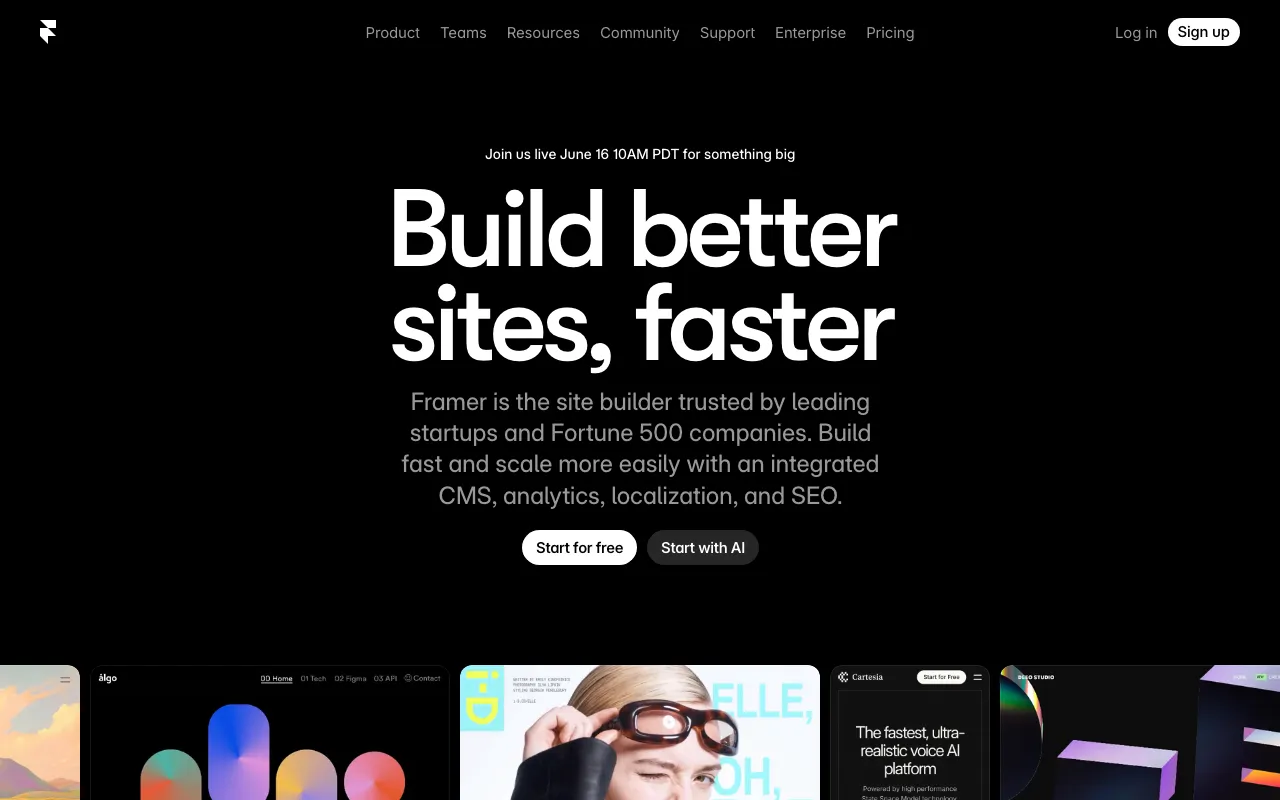
Framer is a browser-based website builder that merges a visual design canvas with production hosting, a built-in CMS, and AI-assisted layout generation. Unlike design tools such as Figma or Adobe XD that stop at mockups, Framer publishes directly to a CDN — what you design is what goes live, with no separate deployment step. The AI generation layer lets users describe a desired layout in plain text and receive a starting structure they can refine in the visual editor, which reduces setup time for standard page types like landing pages or pricing tables.
The platform is built around the concept of “design freedom without engineering dependency.” Interactions, scroll animations, and responsive breakpoints are configured through a graphical interface rather than hand-coded. Higher tiers add staging environments, relational CMS, A/B testing, and multi-locale support — features typically requiring separate services on competing platforms.
Who is it for?
Framer is most useful for designers and small product teams that need to ship polished marketing sites quickly without a dedicated front-end developer. Its visual fidelity and animation support make it a stronger fit than general-purpose builders for brands where aesthetics and motion matter.
Specific user types who benefit most:
- Solo designers and freelancers building client marketing sites or personal portfolios — the free plan and low Basic tier ($10/month) keep costs manageable for single projects.
- Early-stage SaaS and startup teams that need a fast-loading landing page with CMS-driven content (blog, changelog, case studies) and want staging environments before they have a DevOps process.
- Content marketers at small companies who need to update copy, images, and CMS entries without filing engineering tickets — Framer’s content editor role ($10/seat/month) is scoped exactly for this.
- Framer template creators who build and sell templates on the Framer Marketplace, treating the platform as a distribution channel for design assets.
How much does Framer cost?
Starting price: $10/mo · Free tier: yes · Model: freemium
Price history tracked from June 2026
| Plan | Price | Includes |
|---|---|---|
| Free | Free | No custom domain · 1,000 pages · 10 CMS collections · AI design tools included |
| Basic | $10/mo | Custom domain · 30 site pages · 2 CMS collections / 1,000 items · 50 GB bandwidth · AI-powered design tools · Built-in SEO |
| Pro | $30/mo | 150 site pages · 10 CMS collections / 2,500 items · 100 GB bandwidth · Staging and instant rollback · Roles and permissions · Relational CMS · Site redirects |
| Scale | $100/mo | 300+ site pages · 20+ CMS collections / 10,000+ items · 200 GB+ bandwidth · Premium CDN · Events and funnels · Priority support · Custom locale regions |
| Enterprise | Custom | Custom limits · Enterprise security · Dedicated support |
What are Framer's key features?
- AI-powered layout and component generation from text prompts
- Visual drag-and-drop canvas with responsive breakpoint controls
- Built-in CMS with relational content support (Pro and above)
- Integrated hosting with CDN and automatic SSL
- Staging environments and one-click rollback (Pro and above)
- A/B testing with conversion analytics (add-on)
- Multi-locale and localization support (add-on)
- Real-time collaborative editing on canvas
What people use Framer for
- 01 Building a SaaS marketing or landing page without a developer
- 02 Creating a portfolio site with custom animations and interactions
- 03 Managing a content-heavy blog or product site via the built-in CMS
- 04 Running A/B tests on landing page variants (Pro add-on)
- 05 Localizing a site for multiple regions without a separate platform
Pros and cons
| Pros | Cons |
|---|---|
| Design and publish in one tool — no separate hosting or deployment step | Annual-only billing for Scale plan; monthly pricing for Basic/Pro not prominently disclosed |
| AI generation reduces blank-canvas time for layouts and components | CMS item limits (1,000 on Basic, 2,500 on Pro) are low for content-heavy sites |
| Free tier is genuinely usable for personal projects (1,000 pages, CMS included) | No native mobile app; design work happens entirely in the browser |
| Staging + rollback on Pro removes the risk of breaking live sites | Additional editors cost $20/seat/month, which raises total cost quickly for larger teams |
What are the best Framer alternatives?
Recraft is the closest Framer alternative in our directory: it covers the same category (AI Design), starts at $10/mo, has a free tier.
Ranked by category overlap with Framer, then free-tier availability, then lowest verified starting price — computed from our verified data, never from sponsorships.
| Alternative | What it is | Starting price | Free tier | Price verified |
|---|---|---|---|---|
| Recraft | AI image and vector generator with custom styles, mockups, and design-ready output | $10/mo | yes | Jul 3, 2026 |
| Uizard vs Framer → | AI-powered UI design tool that generates multi-screen prototypes from text prompts | $12/mo | yes | Jun 11, 2026 |
| Canva | AI-powered design platform with templates, image generation, and Magic Studio tools | $15/mo | yes | Jun 11, 2026 |
| Gamma | AI presentation and document builder that generates slides, docs and web pages from a prompt | $9/mo | yes | Aug 27, 2026 |
| Bolt.new | AI-powered web development platform that builds full-stack apps from a chat prompt | $25/mo | yes | Jul 3, 2026 |
| Lovable | AI app builder that turns text prompts into deployable web apps and SaaS products | $25/mo | yes | Aug 27, 2026 |
Head-to-head comparisons
How people make money with Framer
- Build and sell Framer templates on the Framer Marketplace — popular categories include SaaS landing pages and portfolios
- Offer Framer site-build services on Contra or Toptal for marketing site projects
Frequently asked questions
Is Framer free?
Yes. Framer has a permanent free plan that includes 1,000 pages, 10 CMS collections, and AI design tools. You cannot connect a custom domain on the free plan — that requires the Basic plan at $10/month.
How much does Framer cost?
Paid plans start at $10/month (Basic, billed annually), $30/month (Pro), and $100/month (Scale). Enterprise pricing is custom. Additional editors cost $20/seat/month; content-only editors cost $10/seat/month.
What is Framer AI?
Framer AI generates site layouts and components from text descriptions. It is included on all plans including the free tier, and is designed to speed up the initial design phase rather than replace the visual editor.
Can I use Framer for ecommerce?
Framer does not have a native checkout or product-management system. You can embed third-party tools like Shopify Buy Button or Stripe Payment Links, but it is primarily a marketing and content site builder.
Does Framer have a CMS?
Yes. The built-in CMS supports collections and items on all paid plans, with relational CMS available on Pro and above. The Basic plan allows 2 collections and 1,000 items; Pro allows 10 collections and 2,500 items.
Is Framer good for SEO?
Framer includes built-in SEO controls, clean HTML output, fast hosting, and Google Lighthouse integration. It is generally considered strong for technical SEO compared to other no-code builders.
What are the best Framer alternatives?
For no-code web design: Webflow (more developer control), Squarespace (simpler but less flexible). For AI-first site building: Lovable or Bolt.new. For pure design mockups: Canva or Uizard.