Granola
AI notepad that transcribes meetings without a bot and augments your own typed notes into clean summaries
Granola is an AI notepad for back-to-back meetings: it captures your computer's audio directly — no bot joins the call — and merges the transcript with the rough notes you type to produce a clean summary and action items. The Basic plan is free with limited meeting history (widely reported as ~25 meetings); Business is $14/user/month for unlimited history, integrations, and API access; Enterprise is $35/user/month with SSO and admin controls. Best for consultants, founders, and customer-facing teams who want notes without a recorder bot.
What is Granola?
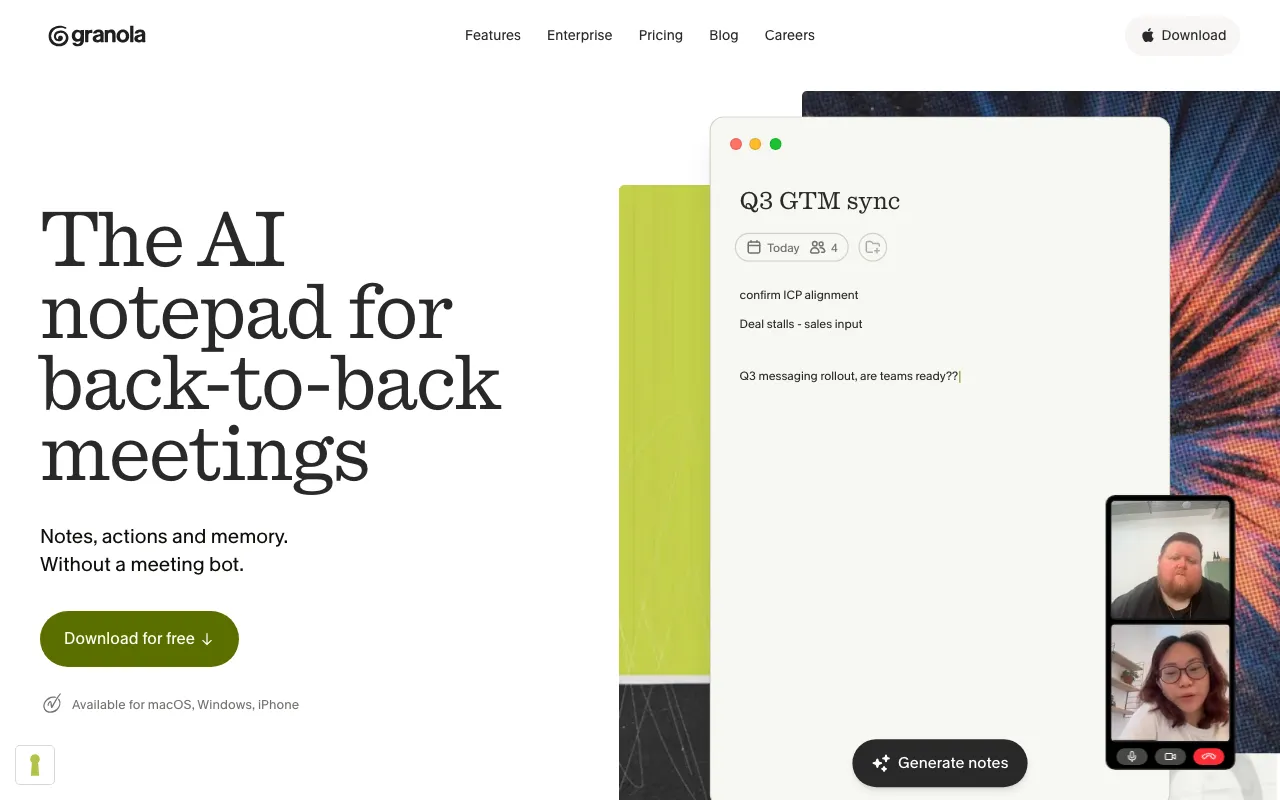
Granola is an AI notepad built for people who live in back-to-back meetings. Instead of sending a recorder bot into your call, it captures the audio playing through your computer directly, transcribes it, and merges that transcript with the rough notes you type during the conversation. The result is a clean, structured summary with action items that reflects what you actually paid attention to — not a generic machine recap. Because no bot joins the call, transcription is silent and works across Zoom, Google Meet, Microsoft Teams, in-person meetings, and phone calls without announcing a recorder to everyone else on the line.
Beyond live notes, Granola syncs with your calendar to detect meetings automatically and can produce a pre-meeting brief on attendees and prior discussions. An AI chat lets you query a single meeting or your entire history to find decisions and commitments after the fact. Notes are private by default, every tier includes a model-training opt-out, and the Business plan adds integrations with Notion, Slack, HubSpot, Zapier, Affinity, and Attio, plus MCP and API access for piping meeting context into other AI tools. The free Basic plan covers AI notes, chat, templates, and shared folders, with limited meeting history (reported as around 25 meetings) being the main cap.
Who is it for?
Granola fits professionals whose calendars are full of meetings they need to remember accurately but don’t want to derail with a recorder bot. The bot-free, note-augmenting approach is the differentiator: it suits sensitive client conversations, in-person meetings, and anyone who already takes some notes and wants the AI to clean them up rather than replace them. The free Basic plan is enough to evaluate the workflow, but unlimited history and integrations require the Business plan at $14/user/month.
- Consultants and fractional executives who bill hourly and want to recover post-call write-up time while keeping summaries that reflect their own emphasis.
- Founders and customer-facing teams in sales, success, and discovery who need structured notes flowing into Notion or HubSpot without a bot signaling that the call is being recorded.
- Solo professionals on macOS who want silent, calendar-aware notes and can start free, upgrading to Business when they outgrow the limited history cap.
- Privacy-conscious teams who value notes being private by default, a model-training opt-out on every tier, and Enterprise controls like org-wide auto-deletion and SSO.
How much does Granola cost?
Starting price: $14/mo · Free tier: yes · Model: freemium
Price history tracked from June 2026
| Plan | Price | Includes |
|---|---|---|
| Basic | Free | AI-generated meeting notes from your computer's audio · Limited meeting history (reported as ~25 meetings) · AI chat within and across meetings · Shared folders and customizable templates · Multi-language support and model-training opt-out |
| Business | $14/user/mo | Unlimited meeting notes and full history · Advanced AI thinking models · Integrations: Notion, Slack, HubSpot, Zapier, Affinity, Attio · MCP integration and API access · Centralized billing |
| Enterprise | $35/user/mo | Everything in Business · Enterprise-grade security and SSO · Org-wide auto-deletion and admin sharing/API controls · Team-wide model-training opt-out · Priority support and usage analytics |
What are Granola's key features?
- Bot-free transcription — captures your computer's audio directly instead of sending a participant into the call
- Note augmentation — merges your typed notes with the transcript so the AI enhances rather than replaces your input
- Calendar integration with automatic meeting detection and pre-meeting briefs
- AI chat within a single meeting and across your full meeting history
- Customizable templates and shared folders for consistent team notes
- Integrations with Notion, Slack, HubSpot, Zapier, Affinity, and Attio (Business plan)
- MCP integration and API access for piping meeting context into other AI tools (Business plan)
- Multi-language support and a model-training opt-out on every tier
What people use Granola for
- 01 Capturing notes in back-to-back meetings without a recorder bot announcing itself to attendees
- 02 Turning rough bullet points typed during a call into a clean, structured summary with action items
- 03 Prepping for meetings with an AI brief on attendees and prior discussions pulled from your calendar
- 04 Querying past meetings with AI chat to find decisions or commitments across many calls
- 05 Pushing meeting context into Notion, Slack, or HubSpot via integrations on the Business plan
Pros and cons
| Pros | Cons |
|---|---|
| No bot joins the call — transcription is silent and non-intrusive, which works for sensitive or in-person meetings | Desktop capture is the core flow and historically Mac-first; Windows and iPhone support arrived later than macOS, so cross-platform parity is newer and less proven |
| Augments your own notes instead of replacing them, so summaries reflect what you actually cared about | The free Basic plan caps meeting history (reported as ~25 meetings), so heavy users hit the wall and must upgrade to keep older notes |
| Free Basic plan needs no credit card and includes AI notes, chat, templates, and a training opt-out | Capturing your computer's audio means recording meeting participants — a privacy and consent consideration depending on jurisdiction and company policy |
| Business plan is competitively priced at $14/user/month with API and integrations included | It augments rather than replaces note-taking, so you still need to type some notes during the call to get the best summaries |
What are the best Granola alternatives?
Otter.ai is the closest Granola alternative in our directory: it covers the same category (AI Productivity), starts at $8.33/user/mo, has a free tier.
Ranked by category overlap with Granola, then free-tier availability, then lowest verified starting price — computed from our verified data, never from sponsorships.
| Alternative | What it is | Starting price | Free tier | Price verified |
|---|---|---|---|---|
| Otter.ai | AI meeting assistant that transcribes, summarizes and extracts action items from conversations | $8.33/user/mo | yes | Aug 27, 2026 |
| Fireflies.ai vs Granola → | AI meeting assistant that transcribes, summarizes, and searches your conversations | $10/mo | yes | Jul 3, 2026 |
| Notion | AI workspace combining docs, databases, projects, and autonomous agents in one platform | $10/member/mo | yes | Aug 27, 2026 |
| NotebookLM | Google's AI research assistant that answers questions grounded in your own uploaded sources | $7.99/mo | yes | Jun 11, 2026 |
Head-to-head comparisons
How people make money with Granola
- Consultants and fractional execs billing hourly — Granola's auto-generated summaries and action items cut post-call write-up time, freeing billable hours, so the Business plan pays for itself in one recovered hour
- Customer-research and discovery agencies — pipe meeting context into Notion or HubSpot via Granola integrations to turn raw calls into structured client deliverables faster
Frequently asked questions
Is Granola free?
Yes. The Basic plan is free and includes AI-generated meeting notes, AI chat within and across meetings, shared folders, customizable templates, and a model-training opt-out. The main limit is meeting history — the free tier is widely reported to cap at around 25 meetings, after which older notes become inaccessible until you upgrade.
How much does Granola cost?
Granola Business costs $14 per user per month and adds unlimited meeting history, advanced AI models, integrations, MCP, and API access. Enterprise is $35 per user per month with enterprise security, SSO, org-wide deletion controls, and a team-wide training opt-out. Pricing was verified on 2026-06-20.
Does Granola use a meeting bot?
No. Unlike many meeting-notes tools, Granola does not send a bot to join your calls. It captures your computer's audio directly, so transcription is silent and works for Zoom, Google Meet, Microsoft Teams, in-person meetings, and phone calls without announcing a recorder to other attendees.
What platforms does Granola run on?
Granola is a desktop app that captures audio from your computer, historically Mac-first. It has since expanded to Windows and offers an iPhone app. Desktop remains the core surface because the product depends on capturing your computer's meeting audio.
Does Granola have an API?
Yes, on the Business plan ($14/user/month) and above. Business includes API access plus MCP integration, which lets meeting context flow into other AI tools and workflows. The free Basic plan does not include API access.
How is Granola different from Otter.ai or Fireflies?
The main difference is the bot-free approach and note augmentation. Otter.ai and Fireflies typically send a bot into the call to record; Granola captures your computer's audio silently. Granola also blends the rough notes you type with the AI transcript, so its summaries reflect your own emphasis rather than a generic recap.
Is Granola private?
Notes are private by default and you control sharing with participants. Every tier includes a model-training opt-out, and Enterprise adds org-wide auto-deletion periods and a team-wide training opt-out. That said, capturing meeting audio still records participants, which is a consent consideration depending on your jurisdiction and company policy.