Notion
AI workspace combining docs, databases, projects, and autonomous agents in one platform
Notion is an AI workspace that merges docs, knowledge bases, project management, and AI agents into a single platform. The free tier is unlimited for solo users but block-limited for teams of 2+; paid plans start at $10/member/month (Plus) and $20/member/month (Business) unlocks autonomous agents and AI meeting notes. Best for teams that want one tool instead of Confluence + Jira + a separate AI layer.
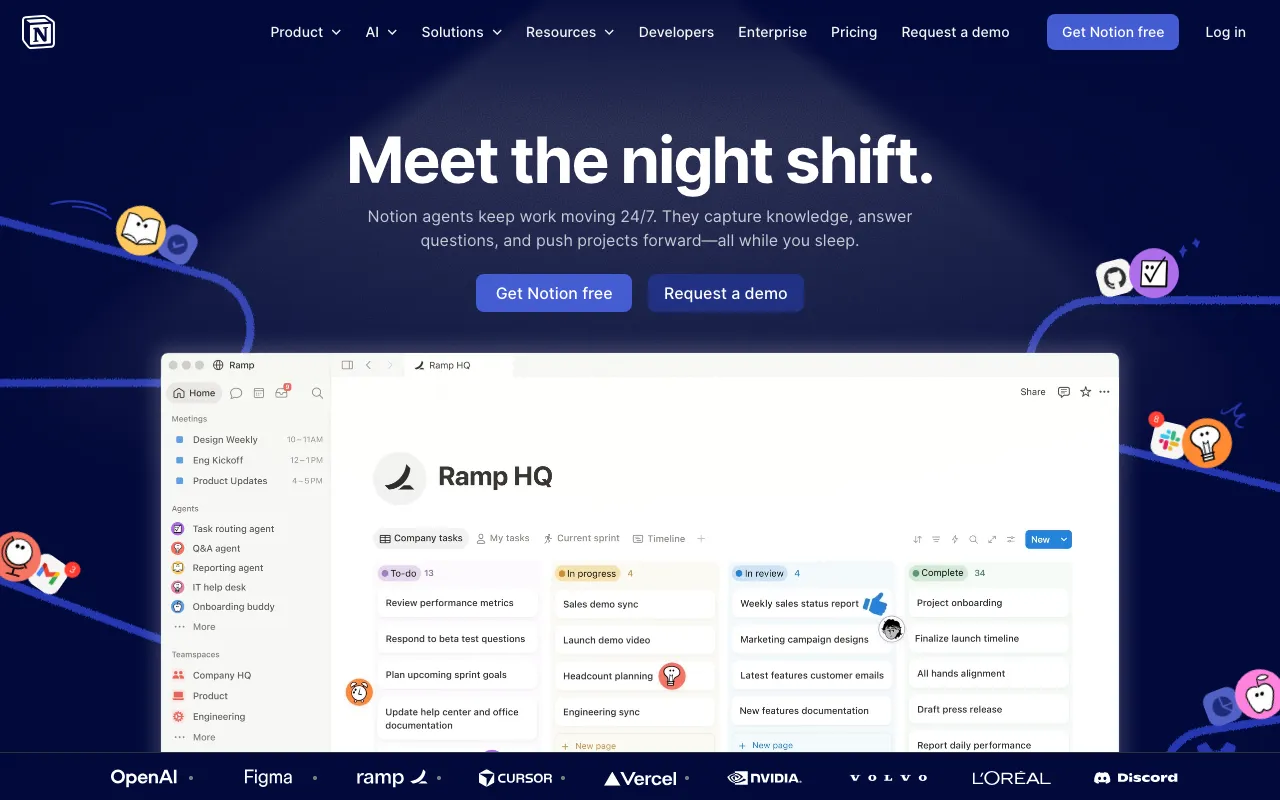
What is Notion?
Notion is an all-in-one workspace that combines documents, relational databases, project management, and AI agents into a single web and desktop application. Unlike point solutions that handle only notes or only tasks, Notion’s core model is a block-based editor where any page can contain nested text, databases, embeds, or code — and any database row can link to another database, enabling structures like a CRM linked to meeting notes linked to action items.
The AI layer, branded Notion AI, sits on top of this workspace rather than being bolted on externally. The Q&A feature answers questions by searching your workspace content directly. The autonomous Notion Agent (available on the Business plan) can execute multi-step tasks — routing tickets, summarising weekly activity, generating reports — by reading and writing to your databases without manual prompting for each step. AI Meeting Notes captures and transcribes meetings, then extracts action items into your existing project databases. Enterprise Search extends queries to connected apps including Slack, Google Drive, GitHub, and HubSpot.
The free plan is genuinely unlimited for a single user but enforces a block cap once a workspace has two or more members. Teams that hit that limit must upgrade to Plus ($10/member/month) or Business ($20/member/month) to continue adding content.
Who is it for?
Notion suits teams and individuals who want to consolidate multiple tools — wikis, docs, sprint boards, and an AI assistant — into one workspace rather than maintaining separate subscriptions.
- Small startups and product teams that want a single source of truth for specs, roadmaps, tasks, and meeting notes, without paying for Confluence and Jira separately.
- Solo knowledge workers and students who need an unlimited personal wiki, reading list, or second-brain system — the free tier covers this without restrictions.
- Operations and support teams on the Business plan who can deploy Notion Agent to automate repetitive cross-database workflows like ticket triage, feedback categorisation, or status reporting.
- Enterprises and scale-ups that need SSO, SCIM provisioning, audit logs, and zero-data-retention AI queries — covered by the Enterprise tier with custom pricing.
How much does Notion cost?
Starting price: $10/member/mo · Free tier: yes · Model: freemium
Price history tracked from June 2026
| Plan | Price | Includes |
|---|---|---|
| Free | $0 | Unlimited pages for individuals; block-limited for 2+ members · 7-day page history · 10 external guests · Trial access to Notion AI, Meeting Notes, and Agent · Up to 5 MB file uploads |
| Plus | $10/member/mo | Unlimited file uploads · 30-day page history · Unlimited external guests · Custom forms and sites · Basic app connections (Slack, Google Drive) |
| Business | $20/member/mo | Notion Agent (autonomous task completion) · AI Meeting Notes (full access) · Enterprise Search across connected apps · SAML SSO and granular database permissions · 90-day page history · Premium app connections (GitHub, Asana) |
| Enterprise | Custom | Zero data retention with LLM providers · SCIM user provisioning · Audit logs and DLP/SIEM integrations · Unlimited page history · Dedicated customer success manager |
What are Notion's key features?
- Docs and wikis with nested pages, rich embeds, and real-time collaboration
- Relational databases with multiple views (table, board, calendar, gallery, timeline)
- Notion Agent — autonomous AI that completes multi-step tasks across your workspace
- AI Meeting Notes with transcription and action-item extraction
- Enterprise Search across connected apps (Slack, Google Drive, GitHub, HubSpot)
- Q&A AI that answers questions using your existing workspace content
- Calendar and Mail integrations built into the same workspace
- Third-party connections to 50+ apps including Slack, GitHub, Asana, and HubSpot
What people use Notion for
- 01 Centralising company knowledge base so new hires can find answers without pinging teammates
- 02 Running product and engineering sprints with linked databases, tasks, and docs in one place
- 03 Automating weekly status reports via Notion Agent connected to project databases
- 04 Capturing and organising meeting notes with AI transcription, then auto-creating action items
- 05 Building a personal second brain — notes, reading lists, goals — with unlimited blocks on the free solo plan
Pros and cons
| Pros | Cons |
|---|---|
| One platform replaces docs, wikis, project tracking, and an AI layer — reduces tool sprawl | Free plan blocks new content creation once the block limit is hit for teams of 2+ |
| Free tier is genuinely unlimited for individual users, not a capped trial | Autonomous Agent and Meeting Notes are locked behind the $20/member/mo Business tier |
| Relational databases are flexible enough to model CRMs, roadmaps, or content pipelines | Large workspaces can become hard to navigate without intentional organisation discipline |
| Notion Agent on Business plan handles repetitive cross-database tasks without code | Offline support is limited compared to desktop-native tools |
What are the best Notion alternatives?
Otter.ai is the closest Notion alternative in our directory: it covers the same category (AI Productivity), starts at $8.33/user/mo, has a free tier.
Ranked by category overlap with Notion, then free-tier availability, then lowest verified starting price — computed from our verified data, never from sponsorships.
| Alternative | What it is | Starting price | Free tier | Price verified |
|---|---|---|---|---|
| Otter.ai vs Notion → | AI meeting assistant that transcribes, summarizes and extracts action items from conversations | $8.33/user/mo | yes | Aug 27, 2026 |
| Gamma vs Notion → | AI presentation and document builder that generates slides, docs and web pages from a prompt | $9/mo | yes | Aug 27, 2026 |
| NotebookLM | Google's AI research assistant that answers questions grounded in your own uploaded sources | $7.99/mo | yes | Jun 11, 2026 |
| Airtable | No-code app-building platform with relational databases, automations, and AI agents | $20/user/mo | yes | Jul 3, 2026 |
How people make money with Notion
- Build and sell Notion template packs on Gumroad or Etsy — niche systems like CRMs, content calendars, and life OS setups
- Offer Notion workspace setup and migration services on Fiverr or Upwork, scoped by team size and complexity
- Teach Notion productivity courses on Udemy or Teachable
Frequently asked questions
Is Notion free?
Notion has a free plan that is unlimited for a single user. For workspaces with two or more members, the free plan caps the total number of blocks; once the limit is reached you cannot add new content until you upgrade. The Plus plan starts at $10/member/month.
What is Notion AI?
Notion AI is the suite of AI features built into Notion. It includes a Q&A agent that answers questions from your workspace, an autonomous Notion Agent that completes multi-step tasks, AI Meeting Notes for transcription and action items, and Enterprise Search that queries connected apps like Slack and Google Drive. The Notion Agent and Meeting Notes are available on the Business plan ($20/member/month) and above.
How much does Notion cost in 2026?
Notion offers four tiers: Free ($0, limited for teams), Plus ($10/member/month), Business ($20/member/month), and Enterprise (custom pricing). Annual billing saves up to 20%. The Business plan is the minimum tier for full AI Agent and Meeting Notes access.
Can Notion replace Jira and Confluence?
Notion can handle both documentation (like Confluence) and project/task tracking (like Jira) using its relational databases and project views. Many small-to-mid-size teams use it as a single replacement. Large engineering orgs that need deep Jira integrations, advanced sprint velocity tracking, or tight GitHub PR linking may find Notion's project features less specialised.
What is Notion Agent?
Notion Agent is an autonomous AI feature available on the Business plan that can complete multi-step tasks across your workspace — for example, triaging product feedback, routing support tickets, or generating weekly reports — without manual step-by-step instructions. It uses context from your databases, docs, and connected apps.
Does Notion have an API?
Yes. Notion provides a public REST API that lets developers read and write pages, databases, and blocks programmatically. It is commonly used to sync data with external tools or build custom integrations.
What are the best Notion alternatives?
For database-heavy workflows, Airtable is the closest alternative. For meeting notes and transcription, Otter.ai and Fireflies.ai are dedicated options. For AI-assisted knowledge research, NotebookLM is a strong alternative. For presentation-style docs, Gamma and Tome cover that niche.