Notta
AI meeting transcription and notetaker with side-by-side bilingual transcripts for cross-language calls
Notta records and transcribes meetings across Zoom, Google Meet, Teams, and Webex, and can transcribe two spoken languages side by side in the same meeting. The free plan gives 120 minutes per month capped at 3 minutes per recording; Pro runs $8.17/month billed annually ($13.99 monthly) for 1,800 minutes, and Business is $16.67/seat/month annually for unlimited minutes. Best for globally distributed teams running multilingual calls, less suited to anyone needing a large free allowance.
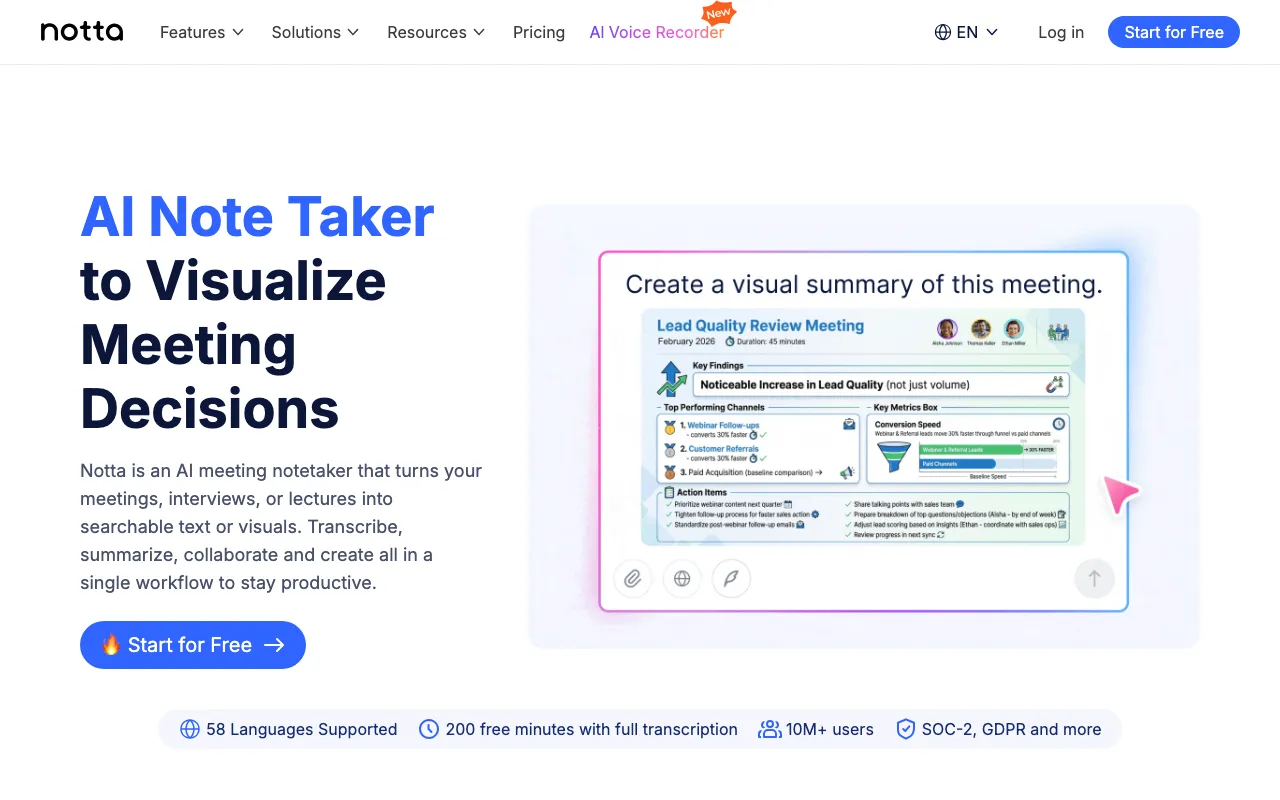
What is Notta?
Notta is an AI meeting notetaker that joins Zoom, Google Meet, Microsoft Teams, and Webex calls, records them, and turns the audio into a searchable transcript with AI-generated summaries and action items. Its standout feature is bilingual transcription: when two people speak different languages in the same conversation, Notta produces a side-by-side transcript of both languages rather than forcing everything through a single translation pass — a capability aimed squarely at international sales teams, cross-border partnerships, and multilingual organizations. Transcription covers 58 languages, with speaker identification for up to 10 participants and timestamped, searchable output.
Beyond live meeting capture, Notta transcribes uploaded audio and video files, and its Chrome extension can pull audio directly from a browser tab for platforms it doesn’t integrate with natively. A desktop app (currently in beta) adds full-screen recording that captures system audio, microphone input, and webcam footage together. Paid plans add an AI Chat feature for asking questions directly against a transcript, CRM integrations (Salesforce) and Zapier automation on the Business tier, and compliance certifications — SOC2 Type II, ISO 27001, GDPR, and HIPAA-eligible handling — aimed at regulated or enterprise buyers.
Who is it for?
Notta fits teams and individuals who regularly sit in meetings conducted across language barriers and need a written record without hiring a human notetaker. The free plan is only useful for short clips because of its 3-minute per-recording cap; anyone transcribing full meetings needs at least Pro, and teams needing CRM sync or shared workspaces need Business.
- International sales and partnership teams running calls where participants switch between two languages mid-conversation and need a transcript that keeps both languages readable rather than collapsing into one translated stream.
- Remote and distributed teams across Zoom, Google Meet, Teams, and Webex who want automatic recording, summaries, and action items without a dedicated notetaker in every call.
- Researchers and content creators transcribing interviews, webinars, or uploaded recordings for later reference or repurposing.
- Regulated organizations (Enterprise plan) that need SAML SSO, audit logs, and HIPAA-eligible handling alongside meeting transcription.
- Heavy meeting schedules on a tight budget are less well served — the free tier’s 3-minute recording cap and Business’s per-seat pricing mean costs scale quickly for teams with many full-length meetings, similar to Fireflies.ai or Otter.ai.
How much does Notta cost?
Starting price: $8.17/mo · Free tier: yes · Model: freemium
Price history tracked from June 2026
| Plan | Price | Includes |
|---|---|---|
| Free | Free | 120 transcription minutes/month · 3-minute cap per recording or upload · Up to 10 AI summaries/month · 58-language transcription support |
| Pro | $8.17/mo | 1,800 transcription minutes/month · Up to 5-hour recordings · 100 AI summaries/month · All export formats and cloud storage integrations · AI Chat Q&A over transcripts |
| Business | $16.67/seat/mo | Unlimited transcription minutes · Shared team workspace with role-based permissions · CRM integrations (Salesforce) and Zapier automation · 200 AI summaries/month |
| Enterprise | Custom | SAML SSO and audit logs · HIPAA-eligible data handling · Unlimited AI summaries · Dedicated account management |
What are Notta's key features?
- Automatic meeting bot joins Zoom, Google Meet, Microsoft Teams, and Webex to record and transcribe in real time
- Bilingual transcription that produces side-by-side transcripts when two languages are spoken in the same meeting
- AI-generated summaries, action items, and searchable timestamps for every transcript
- 58-language transcription support with translation add-ons for monolingual and bilingual output
- Speaker identification for up to 10 participants per meeting
- AI Chat Q&A that lets users ask questions directly against a transcript (Pro and above)
- Desktop app (beta) for full-screen recording with simultaneous transcription of system audio, mic, and webcam
What people use Notta for
- 01 Recording and transcribing international sales or partner calls where participants switch between two languages mid-conversation
- 02 Generating searchable meeting notes and action items from Zoom, Google Meet, Teams, or Webex calls without manual notetaking
- 03 Transcribing recorded interviews, webinars, or uploaded audio/video files for research or content repurposing
- 04 Capturing browser-tab audio via the Chrome extension for meetings that don't use a supported video platform
Pros and cons
| Pros | Cons |
|---|---|
| Bilingual, side-by-side transcription for meetings where two languages are spoken simultaneously is a genuine differentiator most meeting-note competitors don't offer | Free plan caps individual recordings at 3 minutes, which makes it impractical for actual full-length meetings despite the 120-minute monthly pool |
| Broad platform coverage: web, desktop (beta), iOS/Android apps, and a Chrome extension for browser-tab capture | Real-time translation and bilingual transcription/translation are paid add-ons on top of Pro or Business, not included by default |
| SOC2 Type II, ISO 27001, GDPR, and HIPAA-eligible handling make it usable for regulated teams | Custom vocabulary support is limited to English and Japanese only |
| Annual billing cuts roughly 40% off both Pro and Business list prices | Accuracy drops noticeably in noisy environments or with strong accents, per independent reviews, requiring manual cleanup for technical or multilingual calls |
What are the best Notta alternatives?
Fathom is the closest Notta alternative in our directory: it covers the same category (AI Productivity), starts at $0, has a free tier.
Ranked by category overlap with Notta, then free-tier availability, then lowest verified starting price — computed from our verified data, never from sponsorships.
| Alternative | What it is | Starting price | Free tier | Price verified |
|---|---|---|---|---|
| Fathom | AI meeting notetaker that auto-records, transcribes, and summarizes Zoom, Google Meet, and Microsoft Teams calls with action items and searchable highlights | $0 | yes | Oct 23, 2026 |
| Otter.ai | AI meeting assistant that transcribes, summarizes and extracts action items from conversations | $8.33/user/mo | yes | Aug 27, 2026 |
| Fireflies.ai | AI meeting assistant that transcribes, summarizes, and searches your conversations | $10/mo | yes | Jul 3, 2026 |
| tl;dv | AI meeting recorder and notetaker for Zoom, Google Meet, and Microsoft Teams with sales coaching | $18/user/mo | yes | Jul 5, 2026 |
Frequently asked questions
Is Notta free to use?
Yes. The free plan includes 120 transcription minutes per month and up to 10 AI summaries, but each individual recording or upload is capped at 3 minutes, which limits it to short clips rather than full meetings.
How much does Notta Pro cost?
Notta Pro costs $13.99/month billed monthly, or $8.17/month ($97.99/year) billed annually — about a 40% discount. Pro includes 1,800 transcription minutes per month, recordings up to 5 hours, and 100 AI summaries per month.
Can Notta transcribe a meeting with two languages at once?
Yes. Notta's bilingual transcription produces side-by-side transcripts when two languages are spoken in the same conversation, which is useful for international teams and cross-border sales calls. This is a separate paid add-on on top of a Pro or Business plan.
How many languages does Notta support?
Notta transcribes in 58 languages. Bilingual side-by-side transcription and real-time translation cover a narrower set of language pairs and are sold as add-ons rather than included in every plan.
Does Notta have a mobile or desktop app?
Yes. Notta is available on web, iOS, and Android, plus a Chrome extension for capturing browser-tab audio and a desktop app currently in beta for full-screen recording with system audio.
Does Notta offer a public developer API?
Notta advertises CRM and Zapier integrations on its Business plan, but there is no clearly documented, self-serve public developer API comparable to dedicated transcription API providers.
Is Notta HIPAA compliant?
Notta states HIPAA-eligible data handling alongside SOC2 Type II, ISO 27001, GDPR, and CCPA compliance, primarily positioned for its Enterprise plan, which also adds SAML SSO and audit logs.