tl;dv
AI meeting recorder and notetaker for Zoom, Google Meet, and Microsoft Teams with sales coaching
tl;dv is an AI meeting recorder that transcribes and summarizes calls on Zoom, Google Meet, and Microsoft Teams in 30+ languages. A Free Forever tier covers basic recording; Pro runs about $18 per user per month billed annually (~$29 monthly) and Business about $59 per user per month for CRM sync and AI sales coaching. With 2M+ users, it leans toward sales teams more than lightweight rivals. Best for revenue teams that want coaching and analytics, not just shared notes.
What is tl;dv?
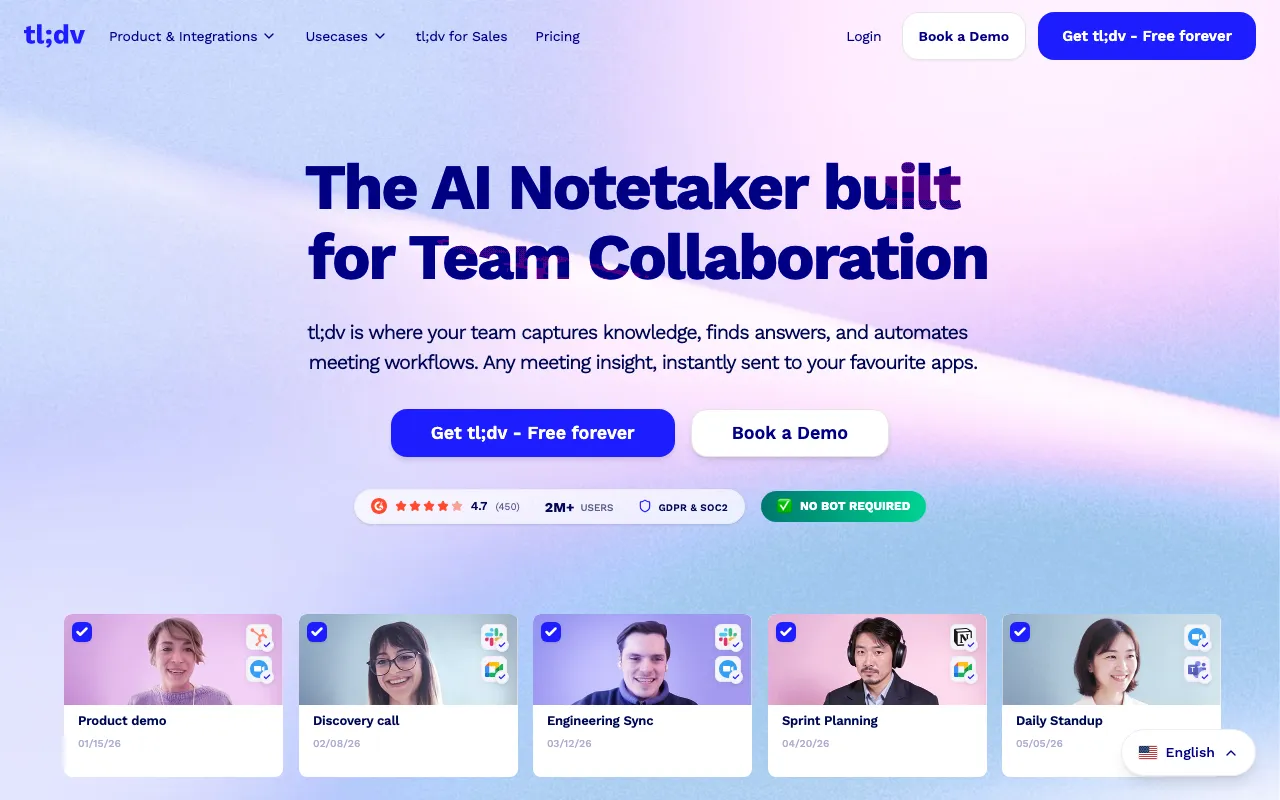
tl;dv (short for “Too Long, Didn’t View”) is an AI meeting recorder and notetaker that joins calls on Zoom, Google Meet, and Microsoft Teams to record, transcribe, and summarize them automatically. It transcribes in more than 30 languages, generates customizable AI summaries — action items, follow-up email drafts, or structured formats like MEDDIC — and stores everything in a searchable library so decisions and commitments can be found after the fact. Mobile apps extend the same capture to in-person conversations, not just video calls.
Where tl;dv differs from lighter notetakers is its lean toward sales and revenue teams. On the Business plan it adds AI sales coaching that scores calls against a playbook, cross-meeting analytics that surface trends across many conversations, and native CRM sync to HubSpot and Salesforce. That positions it closer to a revenue-intelligence tool than to a simple shared-notes app. The company reports over 2 million users, cites SOC 2 and GDPR compliance with EU data hosting, and states that recordings are not used to train its AI models.
Who is it for?
tl;dv fits teams that run a high volume of calls and want more than a transcript — coaching, analytics, and CRM automation baked in. The Free Forever tier is genuinely useful for occasional recording, but its capped AI summaries and storage mean the value concentrates in the paid Pro and Business plans, which is also where the per-seat cost starts to add up.
- Sales and revenue teams that want call coaching, playbook scoring, and automatic CRM updates from every discovery and demo call.
- Customer-facing teams (success, support, recruiting) that need searchable records of client conversations with action items pushed to Slack and calendars.
- Distributed teams recording across Zoom, Google Meet, and Microsoft Teams who need multi-language transcription in one tool.
- Solo users and small teams who mainly want simple shared meeting notes — though they may find lighter, cheaper tools sufficient before paying for the sales features.
How much does tl;dv cost?
Starting price: $18/user/mo · Free tier: yes · Model: freemium
Price history tracked from June 2026
| Plan | Price | Includes |
|---|---|---|
| Free | Free | Record and transcribe on Zoom, Google Meet, and Microsoft Teams · Capped AI summaries and limited long-term storage · Basic integrations: Slack, email, calendar |
| Pro | $18/user/mo | ~$18/user/mo billed annually (~$29 billed monthly) · Unlimited AI summaries and customizable templates · Advanced integrations and download/export features |
| Business | $59/user/mo | ~$59/user/mo billed annually (~$98 billed monthly) · AI sales coaching against playbooks (MEDDIC and others) · Native HubSpot and Salesforce CRM sync · Cross-meeting analytics and admin controls |
| Enterprise | Custom | For 50+ seats with stricter security · Dedicated support · Advanced admin and compliance controls |
What are tl;dv's key features?
- Recording and transcription for Zoom, Google Meet, and Microsoft Teams in 30+ languages
- Customizable AI summary templates (action items, follow-up email drafts, MEDDIC)
- AI sales coaching and playbook-adherence scoring on the Business plan
- Native HubSpot and Salesforce CRM sync plus thousands of app integrations
- Cross-meeting analytics to surface trends across many calls
- Mobile apps that record in-person conversations, not just video calls
What people use tl;dv for
- 01 Recording and auto-summarizing recurring client and internal calls across Zoom, Meet, and Teams
- 02 Coaching sales reps by scoring calls against playbooks like MEDDIC
- 03 Syncing meeting notes and action items into HubSpot or Salesforce automatically
- 04 Searching a library of past meetings for decisions and commitments
Pros and cons
| Pros | Cons |
|---|---|
| Free Forever tier records and transcribes across all three major video platforms | Free tier is more limited than the 'Free Forever' branding implies — AI summaries and storage are capped |
| Sales-focused features (coaching, playbooks, CRM sync) go beyond plain notetaking | Per-seat cost scales fast: Business at ~$59/user/mo annually (or ~$98 monthly) gets expensive for larger teams |
| Supports 30+ transcription languages, wider than several rivals | The sales-coaching and CRM emphasis is overkill for a solo user who just wants simple shared notes |
| States that recordings are not used to train its AI, with SOC 2 and GDPR compliance |
What are the best tl;dv alternatives?
Fathom is the closest tl;dv alternative in our directory: it covers the same category (AI Productivity), starts at $0, has a free tier.
Ranked by category overlap with tl;dv, then free-tier availability, then lowest verified starting price — computed from our verified data, never from sponsorships.
| Alternative | What it is | Starting price | Free tier | Price verified |
|---|---|---|---|---|
| Fathom | AI meeting notetaker that auto-records, transcribes, and summarizes Zoom, Google Meet, and Microsoft Teams calls with action items and searchable highlights | $0 | yes | Oct 23, 2026 |
| Otter.ai | AI meeting assistant that transcribes, summarizes and extracts action items from conversations | $8.33/user/mo | yes | Aug 27, 2026 |
| Fireflies.ai | AI meeting assistant that transcribes, summarizes, and searches your conversations | $10/mo | yes | Jul 3, 2026 |
| Granola | AI notepad that transcribes meetings without a bot and augments your own typed notes into clean summaries | $14/mo | yes | Oct 23, 2026 |
How people make money with tl;dv
- Offer meeting-notes and sales-call analysis as a service to small B2B teams — record and summarize client calls with tl;dv, then package transcripts, action items, and CRM updates into a monthly retainer
- Run a fractional revenue-operations service that uses tl;dv's sales coaching and cross-meeting analytics to audit a client's discovery calls against a playbook and bill per engagement
Frequently asked questions
Is tl;dv free?
Yes. tl;dv has a Free Forever plan that records and transcribes calls on Zoom, Google Meet, and Microsoft Teams. However, the free tier caps AI summaries and long-term storage, so heavy users will hit limits quickly. Paid plans start at about $18 per user per month billed annually.
How much does tl;dv cost?
tl;dv's Pro plan costs about $18 per user per month billed annually (roughly $29 monthly), and the Business plan is about $59 per user per month annually. A Free Forever tier and a custom Enterprise plan round out the lineup. A 40% annual discount was running when this was verified.
What languages does tl;dv support?
tl;dv transcribes meetings in more than 30 languages, including English, Spanish, Portuguese, French, German, Japanese, Korean, and Mandarin. It works across Zoom, Google Meet, and Microsoft Teams, and can also record in-person conversations through its iOS and Android apps.
How is tl;dv different from Fireflies or Otter?
tl;dv leans toward sales and revenue teams. Alongside recording and AI summaries, it adds sales coaching against playbooks like MEDDIC, multi-meeting trend analytics, and native CRM sync to HubSpot and Salesforce on the Business plan, putting it closer to Fireflies than to lighter tools like Fathom or Granola.
Does tl;dv integrate with CRMs?
Yes. tl;dv advertises thousands of app integrations and offers native CRM syncing to HubSpot and Salesforce on its Business plan. It can push call notes, action items, and summaries into your CRM automatically, plus connect to Slack and calendars on lower tiers.
Does tl;dv train AI on my meetings?
tl;dv states that recordings are not used to train its AI models. It cites SOC 2 and GDPR compliance, EU data hosting with AES-256 encryption, and EU AI Act alignment. Users recording sensitive meetings should still review its data-processing terms before recording.