Pieces
On-device AI coding companion with a Long-Term Memory Engine that captures context across your IDE, browser, and terminal
Pieces is an on-device AI coding companion built around a Long-Term Memory Engine that captures what you do across your IDE, browser, and terminal, so its Copilot answers with awareness of your recent work. The Free tier runs local models with unlimited snippets; Pro is $18.99/month for premium cloud models like Claude and GPT. Best as a context and memory layer alongside a full agent, not a replacement for one.
What is Pieces?
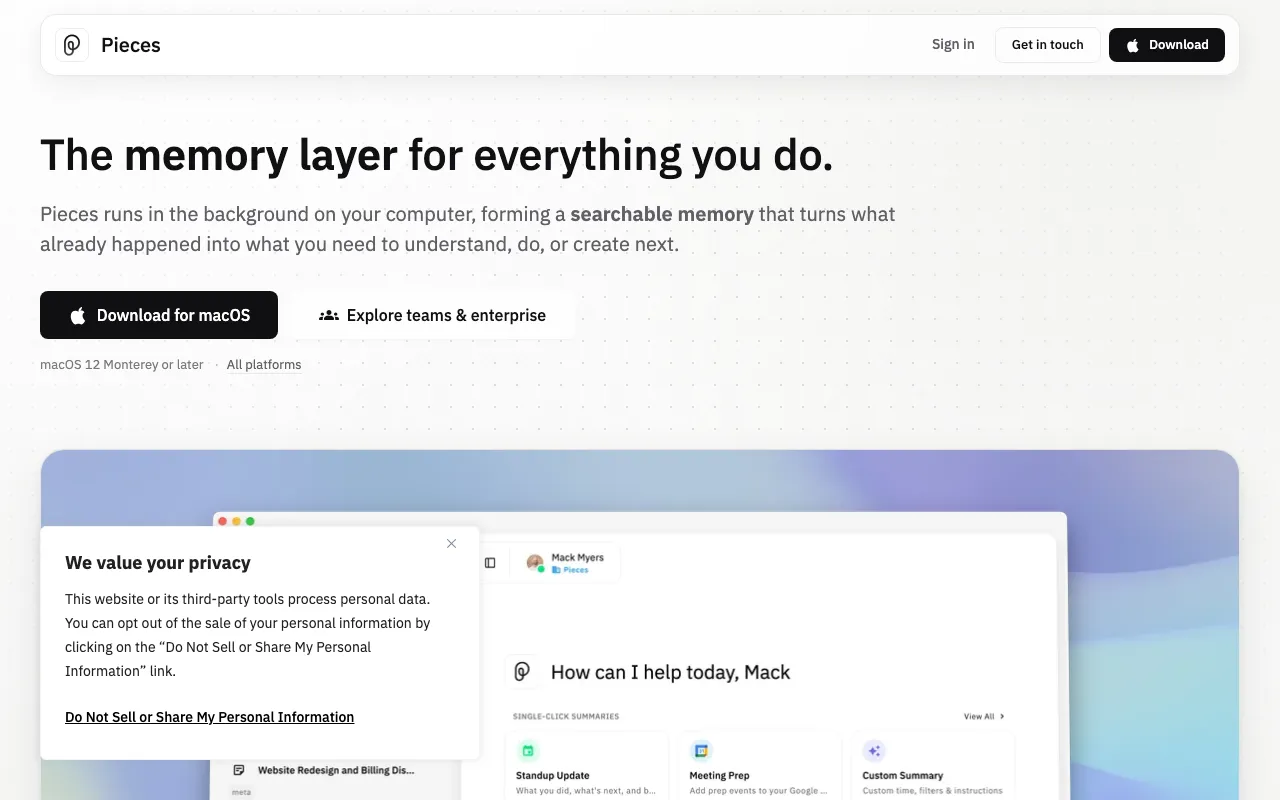
Pieces is a desktop AI coding companion built around a Long-Term Memory Engine that runs on your own machine. Instead of living inside a single editor, it works as a background layer that continuously captures the context of your workday — the code you were reading in your IDE, the pages open in your browser, the commands in your terminal, and the chats you had with other assistants. That captured timeline is what makes its Copilot different: you can ask “what was that config snippet I looked at this morning?” or “summarize what I changed in the auth flow yesterday” and get an answer grounded in your actual activity rather than a blank-slate chat. It also ships Pieces Drive, a snippet manager that auto-tags, enriches, and semantically searches the code fragments you save.
Because capture and the default models run locally through a runtime called PiecesOS, your context stays on your device and core features keep working offline. The Free tier is genuinely usable — local models, unlimited snippets, and up to nine months of memory with no credit card. The Pro plan at $18.99 per month (or $169.99 per year) adds unlimited use of premium cloud models including Claude, GPT, Gemini, and Grok, each selectable in fast, balanced, or extra-thinking modes. Pieces is positioned as a complement to your editor, not a replacement: through its MCP server it can hand your on-device context to assistants like Claude and Cursor, so those tools do the heavy lifting on code while Pieces supplies the memory.
Who is it for?
Pieces suits developers who lose time reconstructing context — switching between an IDE, browser research, terminal, and AI chats — and want a private, on-device layer that remembers it all so their assistant does not start from scratch. It is most valuable to people who already use a primary coding agent and want to feed it richer, longer-lived context rather than to those looking for a single tool to autonomously write and ship code; for that job, Claude Code or Cursor remain the stronger choice and Pieces sits alongside them.
- Context-switching developers who juggle many tabs, tools, and tasks and want their AI to recall earlier work instead of being re-briefed each time.
- Privacy-conscious and offline engineers who prefer on-device capture and local models, or who work in restricted environments where cloud tools are limited.
- Snippet-heavy developers who collect reusable code and want auto-tagging, enrichment, and fast semantic search through Pieces Drive.
- Teams building institutional memory who want captured context and knowledge to persist and, on paid plans, sync and be shared across the group.
How much does Pieces cost?
Starting price: $0 · Free tier: yes · Model: freemium
Price history tracked from June 2026
| Plan | Price | Includes |
|---|---|---|
| Free | Free | On-device local AI models (offline-capable) · Unlimited code snippets in Pieces Drive · Pieces Copilot with a local model · Up to 9 months of Long-Term Memory context · Community support |
| Pro | $18.99/mo | Premium cloud models: Claude, GPT, Gemini, Grok · Unlimited AI model usage · Unlimited long-term memory (up to 9 months) · Fast, Balanced, and Extra Thinking model modes · Annual billing $169.99/yr ($14.17/mo, save 20%) · Priority support |
| Teams | Contact | Cloud sync and shared context across a team · Institutional knowledge retention · Pricing on request |
| Enterprise | Custom | Centralized administration and deployment · Custom terms via sales contact |
What are Pieces's key features?
- Long-Term Memory Engine — continuously captures context from your IDE, browser, and terminal on-device
- Pieces Copilot — context-aware chat that references your recent activity, not just the open file
- Pieces Drive — snippet management with auto-tagging, enrichment, and semantic search
- Local, offline-capable AI models via PiecesOS, with optional premium cloud models on Pro
- Pieces MCP server to share your on-device context with Claude, Cursor, and other MCP assistants
- Extensions for VS Code, JetBrains, and browsers, plus a command-line interface
- Premium model access on Pro: Claude, GPT, Gemini, and Grok in fast, balanced, and thinking modes
What people use Pieces for
- 01 Asking Copilot about code you were reviewing earlier without re-explaining the context
- 02 Saving, enriching, and reusing code snippets across projects with Pieces Drive
- 03 Recalling what you researched across browser tabs, chats, and docs from a past work session
- 04 Feeding on-device work context to Claude, Cursor, or other assistants through the Pieces MCP server
- 05 Working offline with local AI models when cloud access is restricted or unavailable
Pros and cons
| Pros | Cons |
|---|---|
| Genuinely useful free tier: local models, unlimited snippets, and up to 9 months of memory with no card | Not a full agentic editor — it recalls context and suggests, but for autonomous multi-file coding, Claude Code or Cursor do more |
| On-device capture keeps work context private and enables offline use | The always-on local capture and PiecesOS background service consume memory and CPU |
| The Long-Term Memory Engine means far less re-explaining context to the assistant | Smaller ecosystem and integration surface than mainstream editor-based assistants |
| Works alongside existing editors and assistants via MCP and extensions rather than replacing them | Premium cloud models require the Pro plan at $18.99/month; the free tier is limited to local models |
What are the best Pieces alternatives?
Warp is the closest Pieces alternative in our directory: it covers the same category (AI Coding), starts at $0, has a free tier.
Ranked by category overlap with Pieces, then free-tier availability, then lowest verified starting price — computed from our verified data, never from sponsorships.
| Alternative | What it is | Starting price | Free tier | Price verified |
|---|---|---|---|---|
| Warp | AI-powered terminal and agentic development environment with autocomplete and cloud agents | $0 | yes | Oct 13, 2026 |
| GitHub Copilot | AI coding assistant with inline completions, chat, and autonomous agent mode across major IDEs | $10/mo | yes | Jul 3, 2026 |
| JetBrains AI | AI Assistant plus the Junie autonomous coding agent, built into IntelliJ, PyCharm, WebStorm, and the rest of the JetBrains IDE line | $10/mo | yes | Jul 10, 2026 |
| Cursor | AI-native code editor that runs autonomous agents to build, test, and review code | $20/mo | yes | Jul 3, 2026 |
| Tabnine | Privacy-first AI coding assistant with air-gapped deployment and your choice of LLM | $39/user/mo | no | Jun 21, 2026 |
Frequently asked questions
Is Pieces free?
Yes. The Free tier runs local, offline-capable AI models with unlimited code snippets, a Pieces Copilot, and up to 9 months of Long-Term Memory context, with no credit card required. Premium cloud models like Claude and GPT require the Pro plan.
What is the Pieces Long-Term Memory Engine?
It is an on-device system that continuously captures context from your IDE, browser, terminal, and connected apps. Instead of you re-pasting code or explaining what you were doing, the Copilot can answer using that captured timeline — for example, retrieving a function or link you saw earlier in the day.
How much does Pieces Pro cost?
Pieces Pro is $18.99 per month billed monthly, or $169.99 per year (about $14.17 per month), which saves roughly 20%. Pro unlocks unlimited use of premium cloud models and unlimited long-term memory. Pricing was verified on the official Pieces docs in July 2026.
Does Pieces run offline?
Yes. Pieces installs a local runtime called PiecesOS that stores your data on your machine and can run local AI models without an internet connection. Premium cloud models on the Pro plan do require connectivity, but the core memory and snippet features work offline.
Can Pieces replace Cursor or Claude Code?
No. Pieces is a memory and context companion, not a full agentic editor. For autonomous multi-file coding, Claude Code and Cursor are more capable and should be your primary tool. Pieces complements them by supplying long-term context, often through its MCP server.
Which AI models does Pieces support?
The Free tier uses local, on-device models. The Pro plan adds premium cloud models, including Claude, GPT, Gemini, and Grok, each available in fast, balanced, and extra-thinking modes so you can trade speed for depth per task.
Does Pieces work with Claude?
Yes. Pieces exposes an MCP server that lets assistants such as Claude and Cursor read your on-device context, and Claude is one of the premium models available inside Pieces on Pro. For the actual coding work, Claude remains the stronger engine and Pieces supplies the memory around it.