Relume
AI web-design tool that generates sitemaps and wireframes and exports to Webflow, Figma, and React
Relume is an AI web-design tool whose AI Site Builder turns a short company description into a full sitemap, wireframes, and a style guide in minutes, populated with real components and generated copy rather than lorem ipsum. It pairs that with 1,000+ components across Webflow, Figma, and React libraries. A free tier covers one project; paid plans are Starter (~$26/mo), Pro (~$40/mo), and Team (~$36/seat). Best for designers and agencies who build in Webflow or Figma and want a faster planning stage.
What is Relume?
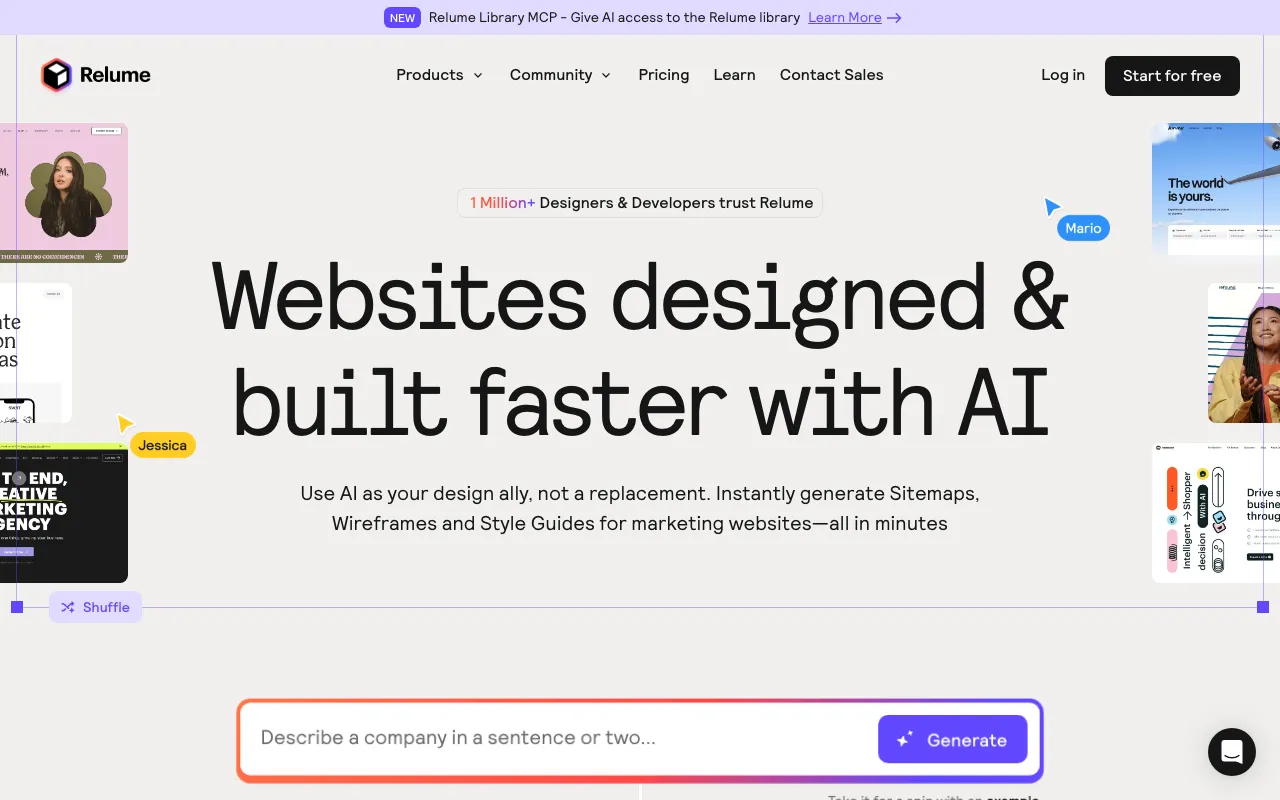
Relume is an AI web-design tool built around a simple premise: the slowest part of building a website is the planning, so automate that. Its AI Site Builder takes a short description of a company and generates a full sitemap, then wireframes for each page, then a style guide — in minutes rather than days. Crucially, the wireframes are filled with real components and generated placeholder copy instead of lorem ipsum, so what you get is a structured, editable starting point rather than an empty skeleton. From there you refine and export into your tool of choice.
The second half of Relume is its component libraries: more than 1,000 components maintained across three formats — Webflow (built on the Client-First methodology), Figma (with mobile variants, and free to use), and React (built with Tailwind CSS and Shadcn UI). Components copy-paste directly into Webflow, Figma, React, and HTML, and the product recently added a native Claude Design export and a Relume Library MCP that exposes the library to AI coding agents. A Style Guide Builder rounds it out by generating colors, typography, and design concepts. Relume does not host sites itself — it feeds the tools that do.
Who is it for?
Relume is aimed at people who design and build marketing websites for a living and want to compress the early, repetitive stages. It rewards familiarity with Webflow or Figma; because it exports into those tools rather than replacing them, its value depends on already working in that ecosystem. The free tier and Figma library are enough to try the workflow, but real project work runs into the one-project limit quickly.
- Web-design agencies and freelancers who want to turn a client brief into a sitemap and wireframes fast, then build in Webflow.
- Webflow developers who want a large, Client-First component library to assemble pages instead of building every section from scratch.
- Product and UX designers who work in Figma and want AI-generated structure and copy as a starting point.
- React teams that can use the Tailwind and Shadcn UI component library, exported straight into code.
How much does Relume cost?
Starting price: $26/mo · Free tier: yes · Model: freemium
Price history tracked from June 2026
| Plan | Price | Includes |
|---|---|---|
| Free | Free | 1 user, 1 project, 1 wireframe page · 30 Webflow and 30 React components · 1,000+ Figma components (no mobile variants) |
| Starter | $26/mo | ~$18/mo billed annually · 5 wireframe pages · Full 1,000+ component libraries (all formats) · 7-day free trial |
| Pro | $40/mo | ~$24/mo billed annually · Unlimited projects and wireframe pages · Export to Figma, Webflow, React, and HTML · Class Sync and automations |
| Team | $36/seat/mo | 3-seat minimum · Shared team workspace and collaboration · All Pro features |
| Enterprise | Custom | Custom pricing for large teams · Priority support |
What are Relume's key features?
- AI Site Builder that outputs sitemap, wireframes, and style guide from a text prompt
- 1,000+ components across Webflow (Client-First), Figma, and React (Tailwind + Shadcn UI)
- Real generated copy in wireframes rather than lorem ipsum
- Copy-paste export to Figma, Webflow, React, and HTML, plus a Claude Design export
- Style Guide Builder for colors, typography, and design concepts
- Relume Library MCP exposing components to AI coding agents
What people use Relume for
- 01 Generating a full sitemap, wireframes, and style guide from a short project brief
- 02 Assembling pages from a large component library instead of designing every section
- 03 Exporting wireframes and components into Webflow, Figma, React, or HTML
- 04 Producing placeholder copy alongside layouts to speed early-stage design
Pros and cons
| Pros | Cons |
|---|---|
| Speeds the slow planning stage — sitemap to wireframes in minutes | Webflow/ecosystem-centric: you typically still need a Webflow and/or Figma subscription to ship |
| Large, maintained component libraries for three major stacks (Webflow, Figma, React) | The sitemap-to-wireframe-to-style-guide workflow and Client-First class system take time to learn |
| Exports cleanly into existing production tools rather than locking you in | Hard project gating — Free and Starter allow only one project; unlimited requires Pro, and Team has a 3-seat minimum |
| Free Figma library and a 7-day trial on paid tiers lower the barrier to test |
What are the best Relume alternatives?
Framer is the closest Relume alternative in our directory: it covers the same category (AI Design), starts at $10/mo, has a free tier.
Ranked by category overlap with Relume, then free-tier availability, then lowest verified starting price — computed from our verified data, never from sponsorships.
| Alternative | What it is | Starting price | Free tier | Price verified |
|---|---|---|---|---|
| Framer | No-code website builder with AI design generation and built-in CMS, hosting and analytics | $10/mo | yes | Jul 3, 2026 |
| Uizard | AI-powered UI design tool that generates multi-screen prototypes from text prompts | $12/mo | yes | Jun 11, 2026 |
| v0 by Vercel | Vercel's generative UI tool — turn a prompt, screenshot, or design into production React, Next.js, and Tailwind code | $20/mo | yes | Jun 18, 2026 |
| Durable | AI website builder that generates a full business site in about 30 seconds, plus CRM, invoicing, and marketing tools | $25/mo | yes | Jun 28, 2026 |
| Lovable | AI app builder that turns text prompts into deployable web apps and SaaS products | $25/mo | yes | Aug 27, 2026 |
How people make money with Relume
- Run a web-design agency that uses Relume's AI Site Builder to turn a client brief into sitemaps and wireframes in minutes, then assembles and ships the site in Webflow, billing per project
- Sell productized landing-page packages where Relume's component libraries and style-guide builder let you deliver a consistent design system fast, charging a fixed rate per page
Frequently asked questions
Is Relume free?
Yes. Relume has a free tier that includes one project, one wireframe page, and about 30 Webflow and 30 React components, plus over 1,000 Figma components. Paid plans unlock the full component libraries and more wireframe pages, starting with Starter at about $26 per month (around $18 billed annually).
How much does Relume cost?
Relume's paid plans are Starter at about $26 per month, Pro at about $40, and Team at roughly $36 per seat with a three-seat minimum, with annual billing cutting roughly 30%. A free tier and custom Enterprise pricing bracket the range. Free and Starter allow one project; Pro unlocks unlimited projects.
What does Relume's AI Site Builder do?
Relume's AI Site Builder turns a short text description of a company into a full sitemap, then wireframes and a style guide, in minutes. The wireframes are populated with real components and generated placeholder copy rather than lorem ipsum, giving a structured starting point you refine and export to Webflow, Figma, or React.
Does Relume work with Webflow and Figma?
Yes. Relume's components copy-paste directly into Webflow, Figma, React, and HTML, and it added a native Claude Design export. The Webflow library is built on the Client-First methodology and the React library on Tailwind CSS and Shadcn UI, so output slots into common production stacks.
How is Relume different from Framer?
Framer is an all-in-one design and hosting platform, so you build and publish in one place. Relume does not host sites — it's a planning and component-assembly layer that exports into Webflow, Figma, or React, which you still need to ship. Relume centers on the sitemap-to-wireframe-to-style-guide flow.
How many components does Relume have?
Relume provides more than 1,000 components across three libraries: Webflow, Figma (including mobile variants and usable free), and React built with Tailwind CSS and Shadcn UI. The free tier caps this at around 30 Webflow and 30 React components; paid tiers unlock the full set for export.