VEED
Browser-based AI video editor: auto-subtitles, AI avatars, text and image-to-video, dubbing, translation, plus background and noise removal in one web app
VEED is a browser-based AI video editor that bundles auto-subtitles, AI avatars, text- and image-to-video generation, dubbing, translation, and background removal in one web app. A free plan exports 720p with a watermark; paid plans start around $10/user/month (Creator, billed annually), with Pro near $21 and Studio near $35. Best for creators making captioned, localized short-form video without a desktop editor.
What is VEED?
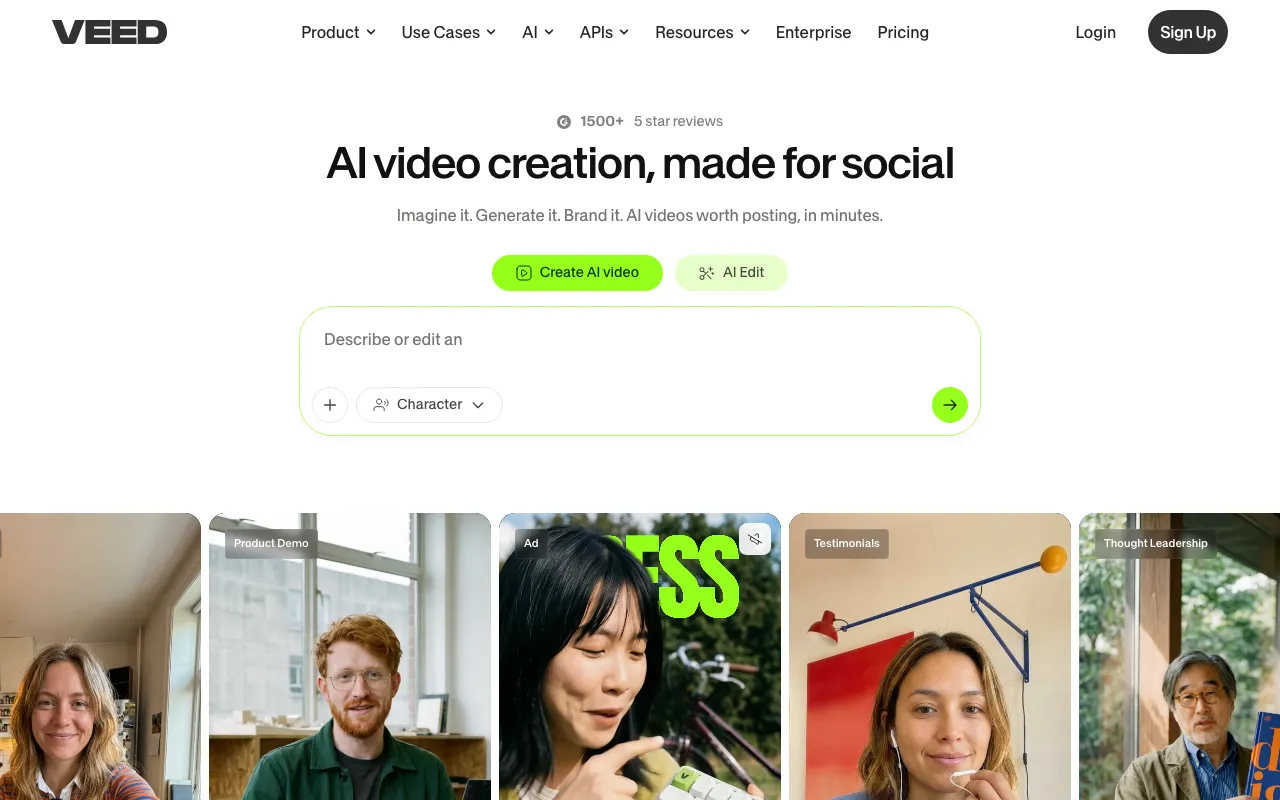
VEED is an AI video editor that runs entirely in the browser. Rather than installing a desktop application, you upload footage (or generate it) and work in a timeline that bundles a wide AI toolkit: automatic subtitles in many languages, AI avatars and talking-head generation, text- and image-to-video, dubbing and translation, text-to-speech voices, background removal, noise cleanup, eye-contact correction, and an automatic clip generator that turns long recordings into short cuts. A Brand Kit keeps colors, fonts, and logos consistent across a team’s output.
Pricing is freemium and per-user. The free plan is genuinely usable for testing but watermarks exports, caps resolution at 720p, and limits videos to 10 minutes. Paid tiers — Creator, Pro, and Studio — remove the watermark and unlock higher resolution, more AI credits, and more storage, starting around $10 per user/month for Creator on annual billing, with Pro near $21 and Studio near $35; month-to-month billing roughly doubles those figures. AI features are metered by credits that reportedly do not roll over, and because pricing is per seat, costs scale quickly for larger teams. (Pricing here is approximate: VEED’s pricing page renders dynamically, so figures are drawn from current third-party sources and should be reconfirmed before relying on an exact number.)
Who is it for?
VEED targets creators and teams who want a fast, all-in-one video tool in the browser and value breadth of AI features over the depth of a professional desktop editor. It is strongest for short-form, caption-heavy, and multilingual content.
- Social and content creators producing captioned short-form video for LinkedIn, TikTok, Instagram, and YouTube without a heavy editing app.
- Marketing teams making explainer and avatar-led videos, then localizing them into multiple languages with dubbing and translation.
- Podcasters and webinar hosts repurposing long recordings into highlight clips with the automatic clip generator.
- Accessibility-focused publishers that need accurate, fast subtitles across a large back catalog of video.
How much does VEED cost?
Starting price: $10/mo · Free tier: yes · Model: freemium
Price history tracked from June 2026
| Plan | Price | Includes |
|---|---|---|
| Free | Free | 720p exports with a VEED watermark · 10-minute maximum video length · 2GB storage |
| Creator | about $10/mo | About $10/user/month billed annually (about $20 month-to-month) · No watermark, 1080p downloads · Unlimited auto-subtitles |
| Pro | about $21/mo | About $21/user/month billed annually (about $44 month-to-month) · 4K export and all AI tools (avatars, background removal) · 50GB storage |
| Studio | about $35/mo | About $35/user/month billed annually (about $70 month-to-month) · Unlimited storage · Up to 5 editors plus 1 reviewer |
| Enterprise | Custom | SSO and custom SLA · API access · Custom storage and rendering infrastructure |
What are VEED's key features?
- Auto-generated multi-language subtitles
- AI text-to-video and image-to-video generation
- AI avatars and talking-head video generation
- AI dubbing, text-to-speech voice, and video translation
- Background removal for video and audio noise cleanup
- Eye-contact correction AI
- Clip generator that auto-cuts long videos into short clips
- Brand Kit for consistent colors, fonts, and logos
What people use VEED for
- 01 Creating short-form social videos for LinkedIn, TikTok, Instagram, and YouTube
- 02 Adding accurate captions and subtitles for accessibility and silent viewing
- 03 Localizing and dubbing videos into multiple languages
- 04 Producing talking-head explainer videos with AI avatars instead of filming
- 05 Repurposing long recordings, like webinars and podcasts, into highlight clips
Pros and cons
| Pros | Cons |
|---|---|
| Browser-based — no install, runs entirely in a web app | The free plan adds a VEED watermark and caps exports at 720p and 10 minutes |
| Broad all-in-one AI toolkit (subtitles, avatars, dubbing, generation, cleanup) under one subscription | Headline prices are annual-billed; month-to-month roughly doubles them (Pro about $21 versus $44/user/month) |
| Generous free tier for testing, with 720p exports and 10-minute videos | Per-user pricing makes larger teams expensive, since cost scales per seat |
| Strong enterprise adoption cited and an available API plus SSO for teams | AI usage is metered by credits that reportedly do not roll over between billing periods |
| Browser-based editing can be performance- and upload-limited for large or long projects |
What are the best VEED alternatives?
InVideo AI is the closest VEED alternative in our directory: it covers the same category (AI Video), starts at $0, has a free tier.
Ranked by category overlap with VEED, then free-tier availability, then lowest verified starting price — computed from our verified data, never from sponsorships.
| Alternative | What it is | Starting price | Free tier | Price verified |
|---|---|---|---|---|
| InVideo AI | Prompt-to-video AI that assembles edited videos with stock footage, voiceover, and music | $0 | yes | Jun 22, 2026 |
| CapCut | AI video editor with auto-captions, text-to-video, and AI avatars across web, desktop, and mobile | $9.99/mo | yes | Jun 21, 2026 |
| Runway | AI video generation platform for cinematic clips, world simulation, and conversational video agents | $12/mo | yes | Jun 11, 2026 |
| Opus Clip | AI video repurposing tool that turns long videos into short, captioned vertical clips ranked by predicted virality | $15/mo | yes | Jun 20, 2026 |
| Descript | Text-based video and podcast editor with AI transcription, voice cloning, and filler-word removal | $16/mo | yes | Jul 3, 2026 |
How people make money with VEED
- Run a short-form video service for coaches and B2B brands — caption, dub, and repurpose long recordings into clips in VEED, billed per finished video or as a monthly content retainer
- Offer multilingual video localization, using VEED translation and dubbing to turn one source video into many language versions for a per-language fee
Frequently asked questions
Is VEED free?
Yes, VEED has a free-forever plan, but it adds a VEED watermark, limits exports to 720p, caps videos at 10 minutes, and gives 2GB storage. Removing those limits requires a paid plan starting at the Creator tier.
How much does VEED cost?
Billed annually per user, paid plans start at roughly $10/month for Creator, $21 for Pro, and $35 for Studio, plus a custom Enterprise tier. Month-to-month billing is about double those figures.
What is the difference between monthly and annual billing?
Annual billing is advertised as significantly cheaper than paying monthly. The prices VEED shows by default are typically the lower annual-billed rates, while month-to-month roughly doubles them.
Does VEED export in 4K?
4K export is available on the Pro tier and above. The free plan is limited to 720p and the entry Creator tier to 1080p downloads.
Does VEED have an API?
Yes. API access is offered, primarily through the Enterprise tier alongside SSO and custom infrastructure for teams that need automation.
What AI features does VEED include?
VEED offers auto-subtitles, AI text- and image-to-video generation, AI avatars, dubbing and text-to-speech, translation, background and noise removal, eye-contact correction, and an automatic clip generator.