Paperpal
AI academic writing assistant for language editing, plagiarism and AI detection, and pre-submission checks
Paperpal is an academic writing assistant from Cactus Communications that leads with language quality and submission readiness rather than citation generation. The free plan is permanent and gives 200 language edits a month plus 5 AI actions a day. Prime is $12/month billed annually ($144/year, or $25 month-to-month) and Pro is $29/month billed annually ($348/year, or $59 monthly). Best for researchers polishing manuscripts toward journal submission.
What is Paperpal?
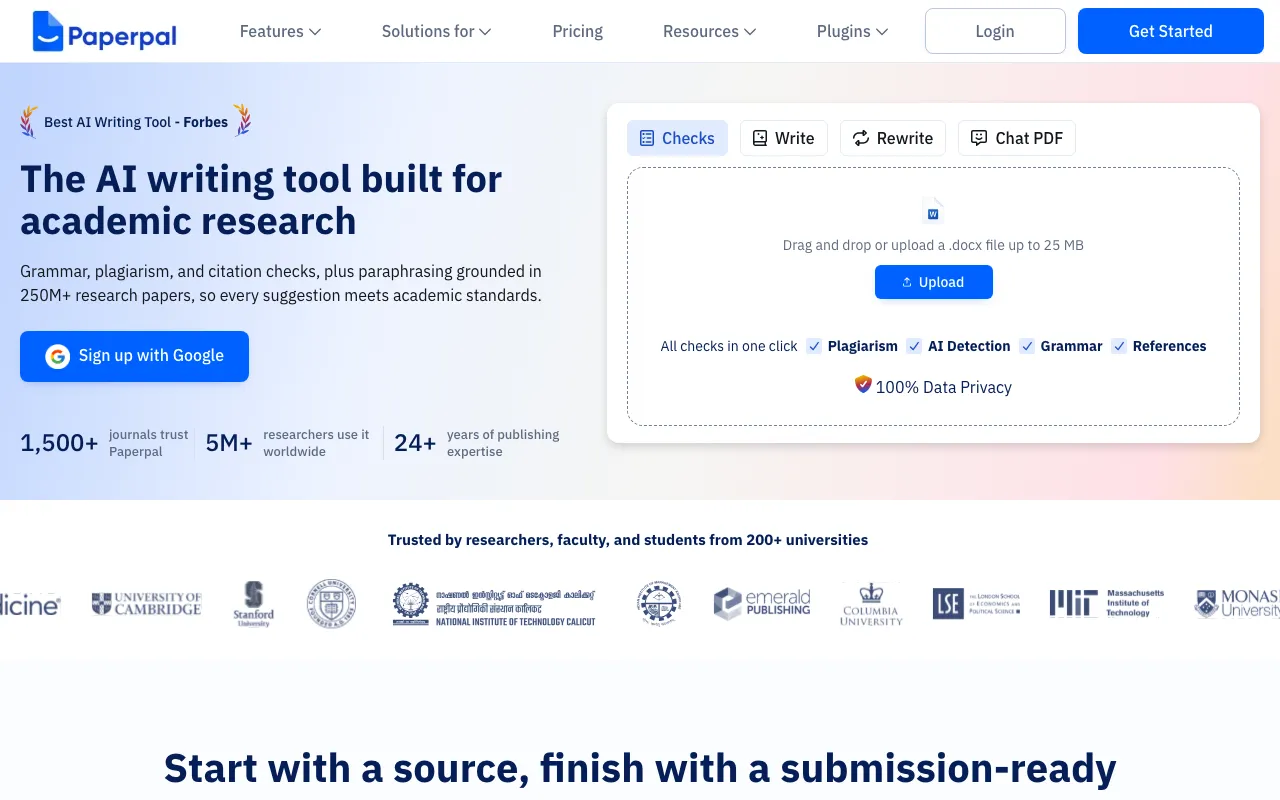
Paperpal is an academic writing assistant built by Cactus Communications, the company behind the Editage editing service. Its centre of gravity is language quality and submission readiness rather than citation generation: the editor suggests grammar, tone, and consistency changes tuned to academic conventions, then layers on the checks a manuscript has to survive before a journal will look at it — plagiarism scanning against a database of more than 99 billion webpages, AI detection that flags AI-written patterns sentence by sentence, reference checks for broken links and hallucinated or badly indexed citations, and a Journal Fit review covering 30+ technical requirements.
Around that editing core sit research and rewriting tools: paraphrase, trim-to-word-limit, and translation across 50+ languages, research Q&A and citation lookup over 250M+ verified research articles with 10,000+ citation styles, and chat with uploaded papers backed by a personal library. Access is through a web editor, a Microsoft Word add-in, and Chrome and Edge extensions that cover Google Docs and Overleaf, so editing happens in the document rather than in a separate tab. Every capability is metered per plan, and the free account resets its quotas monthly instead of expiring.
Who is it for?
Paperpal suits people whose writing has to clear an external gate — a journal desk, a supervisor, a thesis committee — and who care more about language quality and compliance checks than about generating draft text. The free plan handles light monthly editing, but a full paper’s worth of plagiarism and reference checking needs Prime, and a thesis-length document usually needs Pro.
- Researchers preparing journal submissions, especially non-native English speakers who want academic-register editing plus plagiarism, reference, and journal-fit checks in one pass.
- Graduate students and PhD candidates writing theses and dissertations that exceed the word caps on the free and Prime plans.
- Faculty and supervisors reviewing student drafts who want consistent, explainable language feedback rather than rewriting each paragraph by hand.
- University libraries and research offices buying institutional licences with a central admin dashboard, where per-seat self-serve plans do not fit.
- Writers already using citation-first tools like Jenni AI or SciSpace who need an editing and pre-submission layer on top rather than another drafting assistant.
How much does Paperpal cost?
Starting price: $12/mo · Free tier: yes · Model: freemium
Price history tracked from June 2026
| Plan | Price | Includes |
|---|---|---|
| Free | $0 | Permanent free account, no credit card required · 200 grammar and language edits per month · 5 uses per day of paraphrase, trim, translate, and AI review · Plagiarism scan up to 7,000 words per month (lite report) · Preview AI detection and lite Journal Fit report · 5 files per month for chat with papers; 300 MB library storage |
| Prime | $12/mo | $144/year billed annually, or $25/month month-to-month · Also sold as $55 quarterly, $229 for 2 years, $289 for 3 years · 20,000 grammar and consistency edits per month · 10,000 words/month plagiarism, 25,000 words/month AI detection · 10,000 words/month reference checks for broken or hallucinated citations · 500 writing actions and 500 research Q&A per month · 150 files/month chat with papers; 2 GB library storage · Bulk discount coupons of 10-25% for 2-10 seats |
| Pro | $29/mo | $348/year billed annually, or $59/month month-to-month · Unlimited grammar and consistency edits · 30,000 words/month plagiarism and reference checks · Unlimited AI detection and full Journal Fit reports · Unlimited paraphrase, trim, translate, and AI review · 500 files/month chat with papers; 10 GB library storage · No quarterly billing option; monthly or annual only |
| Universities & Institutions | Custom | Contact sales; no published rate card · Centralized admin dashboard for licenses and usage · Bundled with R Discovery, Mind the Graph, and Journal Finder · Institutional trial available on request |
What are Paperpal's key features?
- Academic-tuned grammar, tone, and consistency editing trained on published research articles
- Plagiarism checking against a database of 99B+ webpages
- AI detection with sentence-level flags for AI-written patterns
- Reference checks that catch broken links, hallucinated citations, and indexing issues
- Journal Fit and 30+ submission-readiness checks against journal requirements
- Paraphrase, trim, and translate across 50+ languages, plus in-depth AI review
- Research Q&A and citation lookup across 250M+ verified research articles in 10,000+ citation styles
- Chat with uploaded papers and a personal library with per-plan storage quotas
- Integrations with Microsoft Word, Google Docs, Overleaf, and Chrome/Edge extensions
What people use Paperpal for
- 01 Editing a draft manuscript for academic tone, grammar, and consistency directly inside Microsoft Word or Overleaf
- 02 Running a plagiarism scan and an AI-detection pass on a paper before submitting it to a journal
- 03 Checking references for broken links, hallucinated citations, and retracted or poorly indexed sources
- 04 Assessing whether a manuscript meets a target journal's technical requirements before submission
- 05 Paraphrasing, trimming to a word limit, or translating sections written in another language
Pros and cons
| Pros | Cons |
|---|---|
| Permanent free plan with no credit card, useful for light monthly editing rather than a countdown trial | Paperpal sells an AI detector alongside generative paraphrasing and AI review; journals and universities differ on which AI assistance they permit, so users must check policy themselves |
| Works inside Word, Google Docs, and Overleaf, so editing happens without copy-pasting into a separate tab | The advertised $12 and $29 rates require annual prepayment — month-to-month costs $25 and $59, roughly double |
| Bundles editing, plagiarism, AI detection, reference checking, and journal-fit review in one subscription | Free plan caps at 200 edits and 7,000 plagiarism words per month, which a single chapter can exhaust |
| Multi-year Prime pricing ($229 for 2 years, $289 for 3 years) lowers the effective monthly cost substantially | Prime still meters plagiarism at 10,000 words and AI detection at 25,000 words per month; long theses need Pro |
| Refundable within 30 days on a first annual purchase and 7 days on a first monthly purchase, with a pause option | Institutional pricing is contact-sales only, and there is no self-serve public API or documented developer access |
| Web app plus add-ins and browser extensions only; no standalone mobile app |
What are the best Paperpal alternatives?
Grammarly is the closest Paperpal alternative in our directory: it covers the same category (AI Writing & Marketing), starts at $0, has a free tier.
Ranked by category overlap with Paperpal, then free-tier availability, then lowest verified starting price — computed from our verified data, never from sponsorships.
| Alternative | What it is | Starting price | Free tier | Price verified |
|---|---|---|---|---|
| Grammarly | AI writing assistant that checks grammar, tone, and clarity and generates text across apps and browsers | $0 | yes | Jun 22, 2026 |
| QuillBot | AI writing suite built around paraphrasing, with grammar checking, summarizing, and AI detection | $0 | yes | Jun 22, 2026 |
| Wordtune | AI writing and rewriting assistant from AI21 Labs that paraphrases, summarizes, and adjusts tone inline | $6.99/mo | yes | Jun 28, 2026 |
| Jenni AI | AI academic writing assistant with source-grounded in-text citations across 200M+ research papers | $12/mo | yes | Jul 14, 2026 |
| SciSpace | AI research assistant (formerly Typeset) to chat with PDFs, run literature reviews across 280M+ papers, and synthesize findings | $12/mo | yes | Jun 28, 2026 |
| ProWritingAid | Style-and-grammar writing assistant with 25+ in-depth reports, built for novelists and long-form writers editing full manuscripts | $30/mo | yes | Jul 8, 2026 |
How people make money with Paperpal
- Manuscript polishing service for non-native English researchers, billed as a per-manuscript editing fee with a language-quality and plagiarism report attached to each delivery
- Thesis and dissertation pre-submission review for graduate students, priced per chapter or per full document, using the reference and journal-readiness checks as the deliverable
- Retainer arrangement with a university lab or research group to prepare papers for journal submission, charged monthly per lab rather than per document
Frequently asked questions
Is Paperpal free?
Yes. Paperpal has a permanent free account that needs no credit card. It includes 200 grammar and language edits per month, 5 uses per day of paraphrase, trim, translate, and AI review, a plagiarism scan of up to 7,000 words per month, and 5 files per month for chat with papers.
How much does Paperpal cost?
Paperpal Prime is $144 per year, which works out to $12 per month billed annually, or $25 per month month-to-month. Paperpal Pro is $348 per year, or $29 per month billed annually, and $59 per month monthly. Prime also sells quarterly at $55, two years at $229, and three years at $289.
What is the difference between Paperpal Prime and Pro?
Prime meters usage: 20,000 edits, 10,000 plagiarism words, 25,000 AI-detection words, and 10,000 reference-check words per month. Pro raises plagiarism and reference checks to 30,000 words, makes edits and AI detection unlimited, adds full Journal Fit reports, and lifts chat-with-papers to 500 files and 10 GB of library storage.
Who makes Paperpal?
Paperpal is built by Cactus Communications Services, the company behind the Editage academic services brand. The product markets itself on 24+ years of scholarly publishing experience, and its models are trained on published research articles rather than general web text.
Does Paperpal work in Microsoft Word and Overleaf?
Yes. Paperpal ships a Microsoft Word add-in, a web editor, and Chrome and Edge extensions that support Google Docs and Overleaf. The idea is to edit in the environment where the manuscript already lives instead of pasting text into a separate application.
Can Paperpal check for plagiarism and AI-generated text?
Yes. Paperpal scans against a database of more than 99 billion webpages for plagiarism and runs a separate AI detector that flags AI-written patterns at sentence level. Free accounts get 7,000 plagiarism words per month and a preview of AI detection; Pro removes the AI-detection cap entirely.
Will using Paperpal violate my university's academic integrity policy?
That depends on your institution and target journal, which set their own rules on AI assistance. Language editing is usually treated differently from generative drafting, and Paperpal offers both. Read your specific policy before using the paraphrasing, AI review, or agent features on submitted work.
Does Paperpal have an API?
There is no public, self-serve developer API. Cactus offers Paperpal Preflight to publishers and editorial desks through partner platforms, and universities can buy institutional licences with an admin dashboard, but both routes go through sales rather than documented developer access.