Superhuman
Fast, keyboard-first AI email client for Gmail and Outlook, now part of Grammarly
Superhuman is a keyboard-first email client for Gmail and Outlook built for speed, now part of Grammarly. Its AI drafts replies in your voice, summarizes threads, and triages a Split Inbox. There is no free tier — Starter is $30/month ($25 billed annually) and Business is $40/month ($33 annually), adding Auto Drafts, Ask AI, and Salesforce/HubSpot integrations. Superhuman claims users save around 4 hours a week. Best for high-volume inboxes.
What is Superhuman?
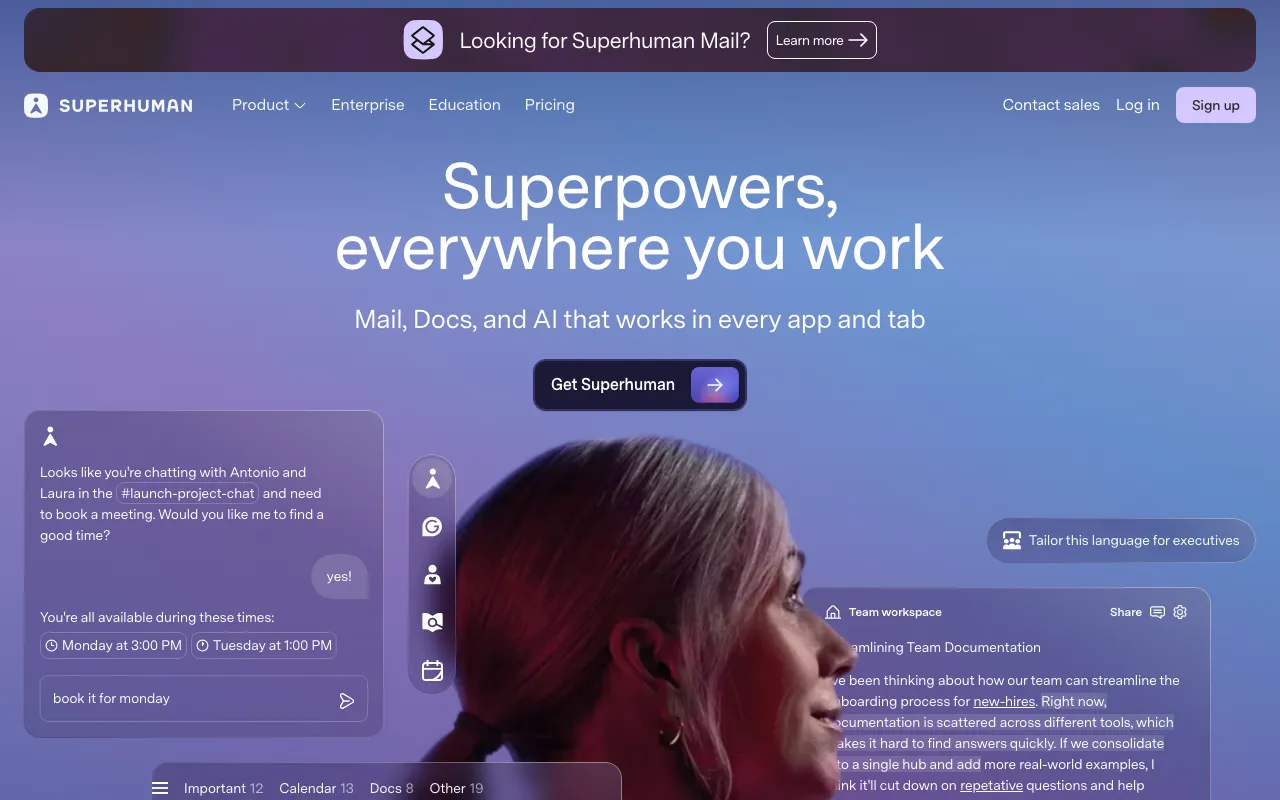
Superhuman is a keyboard-first email client that runs on top of Gmail and Outlook, built around a single premise: make email fast. Instead of a mouse-driven inbox, it exposes over 100 keyboard shortcuts for triage, search, and sending, plus a Split Inbox that separates important senders from newsletters and notifications so you process the right messages first. On top of the speed layer, its AI drafts replies in your voice, summarizes long threads, and — on the Business plan — answers questions about your inbox through Ask AI and pre-writes responses with Auto Drafts.
Grammarly acquired Superhuman in 2025, and the Superhuman name now serves as the umbrella brand for a broader productivity suite that includes Grammarly’s writing assistance and Coda’s documents. The Superhuman Mail email client continues as its own product within that suite. Because it layers over existing Gmail and Outlook accounts, there is no migration: you connect an account and keep your address, contacts, and history. It runs on the web, macOS, Windows, and mobile.
Who is it for?
Superhuman targets people whose email volume is high enough that speed and triage save real time — and who are willing to pay for it, since there is no free tier. The value is in the shortcuts and the AI drafting; if you send only a handful of emails a day, a free client covers the same ground. The most useful AI features sit on the $40/month Business plan, so budget matters when choosing a tier.
- Executives, founders, and salespeople who live in their inbox and want to clear it in minutes rather than hours.
- Customer-facing professionals who draft many similar replies and benefit from AI that writes in their tone and pre-fills Auto Drafts.
- Gmail and Outlook power users who want a faster front end without leaving their existing accounts or provider.
- Sales teams that need Salesforce and HubSpot integrations wired directly into the email workflow.
How much does Superhuman cost?
Starting price: $30/mo · Free tier: no · Model: paid
Price history tracked from June 2026
| Plan | Price | Includes |
|---|---|---|
| Starter | $30/mo | $25/month billed annually ($300/year) · Split Inbox and 100+ keyboard shortcuts · AI writing, Auto Summarize, Snippets · Calendar, Share Availability, integrations |
| Business | $40/mo | $33/month billed annually ($396/year) · Everything in Starter · Auto Drafts and Ask AI · Salesforce and HubSpot integrations |
| Enterprise | Custom | Team-wide deployment and controls · Advanced admin and security · Priority support · Volume pricing |
What are Superhuman's key features?
- Keyboard-first interface with 100+ shortcuts for triage, search, and send
- AI writing (Auto Drafts, Ask AI) that composes replies in your voice
- Auto Summarize condenses long threads
- Split Inbox separates important senders, newsletters, and notifications
- Snippets, Share Availability, and calendar scheduling built in
- Runs on top of Gmail and Outlook across web, macOS, Windows, iOS, and Android
What people use Superhuman for
- 01 Clearing a high-volume inbox quickly with keyboard shortcuts and a triaged Split Inbox
- 02 Drafting on-brand replies with AI that mimics your writing tone
- 03 Summarizing long email threads before a meeting instead of reading every message
- 04 Scheduling meetings by having AI read availability from the conversation
Pros and cons
| Pros | Cons |
|---|---|
| Genuinely fast triage — keyboard shortcuts and Split Inbox cut time in a busy inbox | No free tier; the cheapest plan is $30/month ($25 annually), pricey versus free clients like Gmail |
| AI drafting and summarization are built into the send flow, not a separate app | The best AI features (Auto Drafts, Ask AI, Salesforce/HubSpot) are gated to the $40/month Business plan |
| Sits on top of existing Gmail and Outlook accounts, so there is no migration | After the 2025 Grammarly acquisition, standalone email pricing and plan availability have shifted, and some new signups are routed to the Business tier |
What are the best Superhuman alternatives?
Notion is the closest Superhuman alternative in our directory: it covers the same category (AI Productivity), starts at $10/member/mo, has a free tier.
Ranked by category overlap with Superhuman, then free-tier availability, then lowest verified starting price — computed from our verified data, never from sponsorships.
| Alternative | What it is | Starting price | Free tier | Price verified |
|---|---|---|---|---|
| Notion | AI workspace combining docs, databases, projects, and autonomous agents in one platform | $10/member/mo | yes | Aug 27, 2026 |
| Reclaim | AI calendar that auto-schedules tasks, habits, and meetings on Google Calendar or Outlook, defending focus time and finding meeting slots | $10/seat/mo | yes | Jun 30, 2026 |
| Motion | AI calendar and project manager that auto-schedules tasks and runs AI meeting notes | $19/seat/mo | no | Jun 21, 2026 |
| Grammarly | AI writing assistant that checks grammar, tone, and clarity and generates text across apps and browsers | $0 | yes | Jun 22, 2026 |
Frequently asked questions
Is Superhuman free?
No. Superhuman has no permanent free tier — only a time-limited free trial. Paid plans start at $30 per month, or $25 per month billed annually, for the Starter tier, with Business at $40 per month.
How much does Superhuman cost?
Superhuman Mail costs $30/month for Starter and $40/month for Business, dropping to $25 and $33 per month respectively when billed annually. Business adds Auto Drafts, Ask AI, and Salesforce and HubSpot integrations on top of the core experience.
Is Superhuman part of Grammarly?
Yes. Grammarly acquired Superhuman in 2025, and Superhuman is now the umbrella brand for a productivity suite spanning Mail, Grammarly writing, and Coda. The Superhuman Mail email client continues as its own product within that suite.
Does Superhuman work with Gmail and Outlook?
Yes. Superhuman is a client that sits on top of existing Gmail and Outlook accounts, so there is no migration or forwarding. It runs on the web, macOS, Windows, and iOS and Android mobile apps.
What AI features does Superhuman have?
Superhuman includes AI writing that drafts replies in your voice, Auto Summarize for long threads, and Ask AI for searching and answering across your inbox. Auto Drafts and Ask AI are part of the higher Business plan.
Does Superhuman actually save time?
Superhuman markets itself on speed, claiming users save around 4 hours per week through keyboard shortcuts, a triaged Split Inbox, and AI drafting. Actual savings depend on inbox volume and how heavily you lean on the shortcuts.