Tana Outliner
AI-native outliner where supertags turn plain bullets into structured, queryable knowledge across notes, tasks, meetings, and voice memos
Tana Outliner is the original supertag knowledge graph, now sold as a standalone product after the company split in 2026. The free plan includes 500 AI credits a month; Plus is $8/month billed yearly ($10 billed monthly) with 2,000 credits, and Pro is $14/month yearly ($18 monthly) with 5,000 credits. Students, academics, and NGOs get 50% off. The agentic meeting platform is a separate product sold as Tana.
What is Tana Outliner?
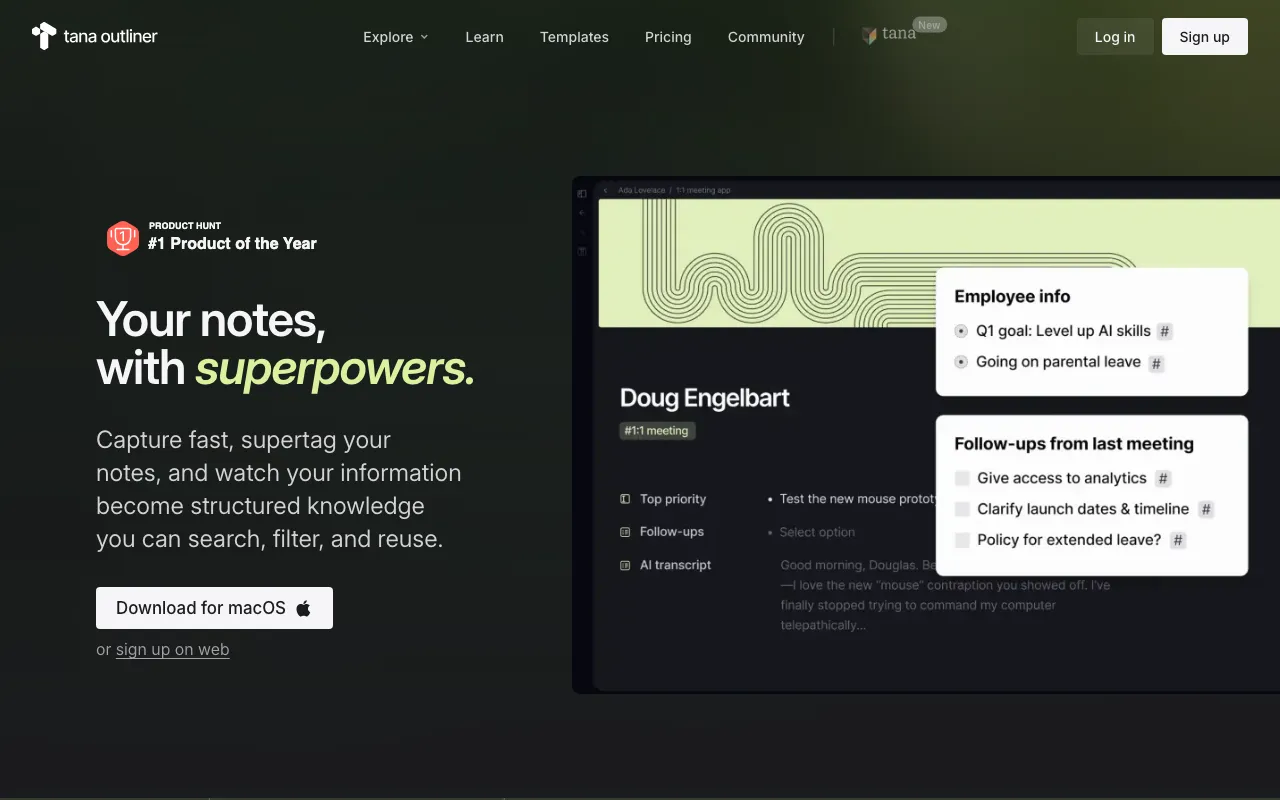
Tana Outliner is an outline editor built on top of a knowledge graph, and its organizing idea is the supertag. Every line you write is a node, and tagging a node gives it a type: tag a bullet with a task supertag and it gains a checkbox, a due date field, and an assignee; tag it as a meeting and it picks up attendees and a transcript. Because types carry structured fields, you can then write a live search once — overdue tasks, open projects, delegated items, agenda points for a specific person — and embed it anywhere, so the information assembles itself rather than being filed. The @-reference is a mirror rather than a link, meaning an edit made to a referenced note updates the original everywhere it appears.
AI runs through the product instead of sitting in a sidebar. Pressing space beneath any node opens a chat with that node as context, and command nodes plus event triggers let you build automations — reformat rough notes into a blog post, extract decisions from a transcript, run an OKR review — without writing code. On desktop, the meeting notetaker records system audio directly, so calls on Zoom, Google Meet, Teams, or Webex are transcribed without a bot announcing itself in the room, and mobile voice memos arrive already tagged and linked to the right project. The desktop app also runs a local API and MCP server, which lets coding agents work against your real graph. This is a different product from the agentic meeting platform now sold as Tana; the company split the two in 2026, and Tana Outliner has its own team, roadmap, and subscription.
Who is it for?
Tana Outliner suits people who have outgrown page-based note apps and want their notes to behave like a queryable database without leaving the writing surface. That power is not free: supertags, fields, and search expressions are a genuine learning curve, and nothing is set up for you on day one. The free plan’s 500 AI credits are enough to judge whether transcription and AI chat earn their place, but anyone transcribing meetings weekly will exhaust them quickly and need Plus at $8 per month or Pro at $14 per month billed yearly. Buyers should also be clear about which product they are purchasing, since much of the third-party writing about “Tana pricing” quotes these numbers while describing the meeting platform.
- Personal knowledge management practitioners running Zettelkasten, GTD, or a second-brain system who want typed, queryable nodes rather than folders and free-text pages.
- Solo consultants and small agency owners who need meetings, tasks, clients, and projects in one graph, and who can resell the setup as templates on the Pro plan.
- Researchers, students, and writers capturing interviews and lectures by voice in 60+ languages, then turning transcripts into structured drafts with command nodes — with a 50% discount if they qualify as students or academics.
- Power users of AI agents who want a local MCP server exposing a real knowledge base to tools like Claude Code instead of pasting context into prompts.
- Notion and Obsidian refugees who like linked notes but want live searches, supertag types, and progress bars without maintaining databases by hand.
How much does Tana Outliner cost?
Starting price: $8/mo · Free tier: yes · Model: freemium
Price history tracked from June 2026
| Plan | Price | Includes |
|---|---|---|
| Free | $0 | 500 AI credits per month, roughly 100 minutes of meeting transcription · Knowledge graph editor with supertags, live searches, and task management · Share pages with public links · Up to 3 workspaces and 0.5 GB of uploads, 5 MB per file · Export in Markdown or JSON · Cannot buy top-up AI credits |
| Plus | $8/mo | $8/mo billed yearly, or $10/mo billed monthly · 2,000 AI credits per month, roughly 400 minutes of meeting transcription · Meeting transcription with Google Calendar sync and desktop notifications · Model choice across OpenAI, Anthropic, and Google · Command nodes and custom AI chat agents · Password protection on shared pages, unlimited workspaces · Top up AI credits as needed · 14-day free trial |
| Pro | $14/mo | $14/mo billed yearly, or $18/mo billed monthly · 5,000 AI credits per month, roughly 1,000 minutes of meeting transcription · Readwise integration for importing highlights · Input API for custom workflows and automation · Publish templates for others to use · 14-day free trial |
What are Tana Outliner's key features?
- Supertags that assign a type to any bullet, turning a note into a task, project, meeting, or custom object
- Knowledge graph with @-references that mirror the original node rather than only leaving a backlink
- Live searches embeddable anywhere to build filtered dashboards and task lists
- AI chat with any node as context, invoked by pressing space beneath the note
- Model selection across OpenAI, Anthropic, and Google, with a configurable default chat model on paid plans
- AI meeting notetaker that records desktop system audio, so it captures Zoom, Google Meet, Teams, Webex, and in-person meetings without joining as a bot
- Live voice transcription in 60+ languages with auto-detect and mid-conversation language switching
- Local API and MCP server in the desktop app, plus the Input API on Pro for pushing content in from external tools
- Command nodes and event triggers for building custom AI automations and chat agents without code
- Tana Publish for sharing pages by public link, with password protection on paid plans
What people use Tana Outliner for
- 01 Turning meeting notes into tracked tasks and decisions by tagging bullets in place, without exporting them to a separate task app
- 02 Transcribing calls, lectures, and in-person meetings from desktop system audio without a visible bot joining the call
- 03 Capturing voice memos from a phone lock screen that auto-tag themselves and link to the right person or project
- 04 Building live searches that assemble dashboards — open projects, overdue tasks, delegated items — from notes written anywhere in the graph
- 05 Exposing a personal knowledge graph to coding and research agents over the desktop local MCP server
- 06 Running a second-brain system on Zettelkasten or GTD lines using typed, queryable nodes instead of folders
Pros and cons
| Pros | Cons |
|---|---|
| Free plan needs no credit card, and both paid plans open with a 14-day trial | The 2026 product split is genuinely confusing: third-party reviews and pricing pages titled simply Tana usually quote Outliner's prices while describing the separate meeting platform |
| Export in Markdown or JSON is available on every plan including free, so the graph stays portable | Supertags, fields, and live searches carry a real learning curve — the flexibility that makes the graph powerful also means nothing is configured for you on day one |
| The outliner has its own dedicated team and roadmap after the 2026 split, with public changelog entries through week 21-22 of 2026 | AI is metered in credits rather than unlimited; Pro's 5,000 monthly credits are roughly 1,000 minutes of transcription, and free users cannot top up at all |
| Desktop app works fully offline for reading, writing, and search, then syncs when the connection returns | Paying subscribers were told they get access to both products only for the rest of the year, so the long-term cost of running the outliner alongside the meeting platform is still unannounced |
| The 50% discount for students, academics, and NGOs is unusually generous, taking Pro to $9 per month | Mobile apps are capture-first — browsing and editing exist, but the vendor says mobile and tablet browsers are not optimized and editing is still improving |
| Bot-free meeting capture records system audio, so it works with any conferencing tool without per-platform integration setup | The free plan caps at 3 workspaces, 0.5 GB of uploads, and 5 MB per file, which rules out media-heavy graphs |
What are the best Tana Outliner alternatives?
Coda is the closest Tana Outliner alternative in our directory: it covers the same category (AI Productivity), starts at $0, has a free tier.
Ranked by category overlap with Tana Outliner, then free-tier availability, then lowest verified starting price — computed from our verified data, never from sponsorships.
| Alternative | What it is | Starting price | Free tier | Price verified |
|---|---|---|---|---|
| Coda | All-in-one workspace blending docs, spreadsheet-style tables, and no-code apps, with Coda AI built in for chat, generation, and AI columns | $0 | yes | Jul 14, 2026 |
| Taskade | All-in-one AI workspace combining tasks, notes, mind maps, and docs with custom AI agents and automations | $6/mo | yes | Jun 28, 2026 |
| ClickUp | All-in-one work platform whose ClickUp Brain AI layer is sold separately as a per-user add-on | $7/user/mo | yes | Jul 16, 2026 |
| Notion | AI workspace combining docs, databases, projects, and autonomous agents in one platform | $10/member/mo | yes | Aug 27, 2026 |
| Tana | Agentic meeting platform where AI agents join native video calls and produce docs, issues, and CRM updates while the conversation is still happening | $20/user/mo | yes | Jul 18, 2026 |
How people make money with Tana Outliner
- Sell supertag workspace templates and paid onboarding to consultants and small teams, using the Pro plan's template publishing to distribute the setups
- Run a voice-to-content service where client interviews become drafted articles through custom command nodes, billed per deliverable rather than per hour
- Offer MCP integration work that wires a client's knowledge graph into coding and research agents, charged as a fixed setup engagement plus a monthly retainer
Frequently asked questions
Is Tana Outliner the same product as Tana?
No. In 2026 the company split into two products. Tana Outliner is the supertag-based knowledge outliner that people historically meant by the Tana name, and it now has its own team, roadmap, and pricing. Tana is a separate agentic meeting platform built around native video calls. Articles describing Tana as a note-taking or PKM app are describing Tana Outliner.
Is Tana Outliner free?
Yes, there is a free plan and it needs no credit card. It includes 500 AI credits a month, the knowledge graph editor, supertags, task management, live searches, public page sharing, up to 3 workspaces, and 0.5 GB of file storage. Free users cannot buy top-up credits, which requires upgrading to a paid plan.
How much does Tana Outliner Pro cost?
Pro is $14 per month billed yearly, or $18 per month billed monthly, a saving the pricing page displays as 22%. It adds 5,000 monthly AI credits, the Readwise integration, custom automation through the Input API, and template publishing. The Plus plan sits below it at $8 per month yearly or $10 per month billed monthly.
What happens when Tana Outliner AI credits run out?
Credits meter AI features such as transcription, chat, and image creation. When you approach or reach the limit, the desktop app shows a warning. You can keep recording voice memos as plain audio files and top up credits later, and top-up credits stay valid for 12 months. Free plan users cannot top up and must upgrade instead.
Does Tana Outliner have an API?
Yes, two of them. The Input API on the Pro plan pushes content into your graph from external tools and automations. Separately, the desktop app exposes a local API and a Model Context Protocol server, so agents such as Claude Code can read and edit real notes rather than pasted snippets.
Is there a student discount for Tana Outliner?
Yes. Students, academics, and NGOs receive 50% off. The pricing page lists the discounted rates as $5 per month or $48 per year for Plus, and $9 per month or $84 per year for Pro. Eligibility is handled by emailing the company with proof rather than through a self-serve checkout code.
Which platforms does Tana Outliner run on?
Desktop apps cover Windows, macOS, and Linux, and the same workspace opens in a browser. Mobile apps exist for iOS and Android with home screen and lock screen capture widgets. The desktop version adds offline access, tabs and panels, global voice recording, and the bot-free meeting notetaker that records system audio.
What happens if I downgrade to the free plan?
Core editor features and note-taking continue, along with 500 monthly AI credits. Integrations stop pulling data and password-protected publishing becomes unavailable. Export in Markdown or JSON is offered on every plan including free, so retrieving your content does not require keeping a paid subscription active.