ClickUp
All-in-one work platform whose ClickUp Brain AI layer is sold separately as a per-user add-on
ClickUp is a project and work management platform whose AI layer, ClickUp Brain, is a separate add-on rather than a bundled feature. Workspace plans run $7/user/month (Unlimited) and $12/user/month (Business) billed annually; Brain AI costs $9/user/month on top, and the fuller Everything AI tier costs $28/user/month. Free Forever is permanent but only gives trial-level AI. Best for teams that want tasks, docs, and agents in one platform and can absorb the stacked per-seat cost.
What is ClickUp?
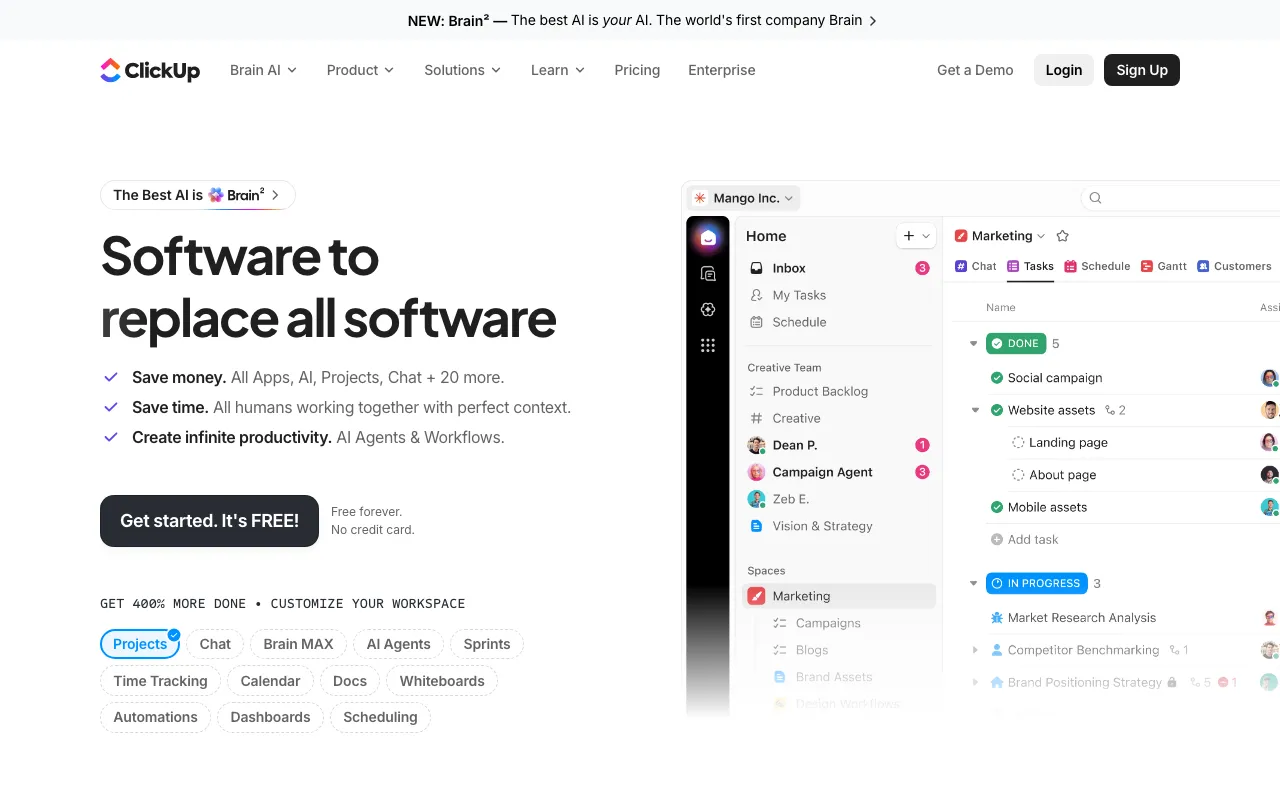
ClickUp is a work management platform that bundles tasks, docs, chat, whiteboards, dashboards, and native time tracking into one per-seat product. The reason it belongs in an AI directory is ClickUp Brain — an assistant layer that reads the workspace it sits on. Because the tasks, documents, and conversations already live in ClickUp, Brain answers questions from that context directly rather than needing a separate index: what changed on a project this week, which tasks are blocked, what a doc concluded. Above the assistant sit Super Agents, configurable agents that run workflows continuously — triaging incoming work, assigning owners, updating statuses — and, on the higher AI tier, an AI Notetaker that transcribes meetings and pushes action items into tasks. One AI subscription covers Claude, ChatGPT, and Gemini, which is the pitch against paying for each separately. Brain MAX extends the same AI to a standalone Windows and macOS desktop app, with a Chrome extension and mobile builds, adding Talk to Text dictation and search across connected apps outside the browser.
The pricing structure is the thing to understand before adopting it, and it is unusual: AI is not bundled into the plans. The workspace tiers — Free Forever, Unlimited at $7/user/month, Business at $12/user/month, and custom-priced Enterprise — contain no ongoing AI. Brain is a separate add-on stacked on top, at $9/user/month for Brain AI or $28/user/month for Everything AI. All of those are the annual-billed rates ClickUp shows by default; monthly billing costs more. In practice a Business seat with Brain AI is $21/user/month and with Everything AI is $40/user/month, so the AI decision can more than triple the bill. The AI tiers include a monthly allowance of AI Super Credits — 1,500 or 5,000 per user, pooled across the workspace — which meter the compute-heavy features like Super Agents, AI Fields, and image generation; more cost $10 per 10,000. Chat, writing, and the assistant itself are unlimited and do not draw credits. This contrasts with Notion, which folds its agent into the Business seat price.
Who is it for?
ClickUp suits teams that want an actual project management system underneath their AI rather than an AI tool with tasks bolted on — and that can absorb a per-seat cost that roughly doubles or triples once Brain is switched on. Teams that only want the AI, not the work platform, are paying for a lot of surface area they will not use.
- Agencies and operations teams (10–100 seats) that already run projects, docs, and time tracking in one place and want agents automating the triage and status-update work rather than doing it by hand.
- Small teams on a tight base budget who can live on Unlimited at $7/user/month and add Brain only for the people who need it, treating the AI as an upgrade rather than a default.
- Teams consolidating model subscriptions who want Claude, ChatGPT, and Gemini behind one add-on and one bill instead of three separate vendor relationships.
- Anyone evaluating Notion, Coda, or Airtable who needs to compare true landed cost — ClickUp’s cheap base plan and separately priced AI make headline prices misleading in both directions.
- Not a fit for solo users wanting a light AI assistant — the Free Forever plan is permanent and generous on tasks, but its AI is trial-level only, and Taskade or Motion are simpler at that scale.
How much does ClickUp cost?
Starting price: $7/user/mo · Free tier: yes · Model: freemium
Price history tracked from June 2026
| Plan | Price | Includes |
|---|---|---|
| Free Forever | $0 | Unlimited tasks and unlimited free plan members · 60MB storage; 1 form · Collaborative Docs, Kanban boards, sprint management, calendar view · In-app video recording and 24/7 support · Trial-level access to Brain only — no ongoing AI |
| Unlimited | $7/user/mo | Unlimited storage, integrations, spaces, folders, and forms · Unlimited Gantt charts and custom fields · Native time tracking, goals and portfolio management · ClickUp Chat and Email in ClickUp · Guests with permission control; resource management |
| Business | $12/user/mo | Unlimited dashboards with advanced cards · 5K automations per month; webhooks and automation integrations · Mind mapping, private whiteboards, unlimited proofing · Sprint points and reporting; portfolio workload management · Google SSO and SMS two-factor authentication |
| Enterprise | Custom | SAML SSO and SCIM provisioning; unlimited custom roles · 250K automations per month; Enterprise API · Audit log, session management, enterprise permissions and governance · MSA and HIPAA available; data residency · Live onboarding training, customer success manager, managed services |
| Brain AI (add-on) | $9/user/mo | Added on top of a workspace plan — not included in it · Unlimited Brain Assistant and @Brain Agent · Unlimited AI chat across Claude, ChatGPT, and Gemini · Unlimited AI writing; expanded use of premium models · Enterprise Search (Workspace) and 1,500 AI Super Credits per user/month |
| Everything AI (add-on) | $28/user/mo | Unlimited AI Notetaker and ambient answers · Unlimited image generation, AI Fields, AI automations and dashboards · 3x more Super Agent usage than Brain AI · Enterprise Search (Private and Workspace) · 5,000 AI Super Credits per user/month |
| AI Super Credits | $10 per 10,000 credits | Tops up the monthly allowance included with each AI tier · Consumed by Super Agents, AI Fields, automations, image generation · Allowance is pooled across the workspace |
What are ClickUp's key features?
- ClickUp Brain — context-aware assistant that reads tasks, docs, and conversations in the workspace
- Brain MAX — standalone desktop app (Windows, macOS) plus Chrome extension and mobile builds
- Super Agents — configurable AI agents that run workflows continuously
- Multi-model access: Claude, ChatGPT, and Gemini through one AI subscription
- AI Notetaker with meeting transcription and action-item extraction (Everything AI)
- Enterprise Search across the workspace and connected third-party apps
- Core work platform: tasks, Docs, Chat, whiteboards, Gantt, dashboards, native time tracking
- Public REST API plus webhooks; a dedicated Enterprise API tier on the top plan
- AI Super Credits — metered allowance for agents, AI Fields, and image generation
What people use ClickUp for
- 01 Asking Brain questions about workspace content — tasks, docs, and comments — instead of manually searching across spaces
- 02 Delegating recurring work to Super Agents that triage, assign, and update tasks around the clock
- 03 Auto-capturing meetings with the AI Notetaker and turning action items into tasks (Everything AI tier)
- 04 Running one AI chat against Claude, ChatGPT, and Gemini without separate subscriptions to each
- 05 Using Brain MAX on the desktop for Talk to Text dictation and search across connected apps outside the browser
- 06 Consolidating tasks, docs, chat, whiteboards, and time tracking into a single per-seat platform
Pros and cons
| Pros | Cons |
|---|---|
| Free Forever is genuinely permanent with unlimited tasks and unlimited members, not a countdown trial | AI is not bundled: Brain AI adds $9/user/month on top of a plan, so a Business seat costs $21/user/month, and Everything AI pushes it to $40 — more than triple the base price |
| Base workspace pricing is cheap for the category — $7/user/month annually undercuts most rivals | The Free Forever plan gives only trial-level AI access, so evaluating Brain properly means paying |
| One AI add-on covers Claude, ChatGPT, and Gemini, so teams avoid stacking three model subscriptions | Listed prices are annual-billed; monthly billing is reported at roughly $10 (Unlimited) and $19 (Business), a meaningful markup for teams unwilling to commit for a year |
| Brain MAX puts the AI outside the web app, including Talk to Text dictation and cross-app search | Feature breadth is also feature bloat — the platform is widely reported as slow to load and steep to learn, and the settings surface is large |
| Genuinely broad platform — tasks, docs, chat, whiteboards, and time tracking replace several tools | Compute-heavy AI (Super Agents, AI Fields, image generation) draws metered Super Credits, so the add-on price is a floor rather than a cap |
What are the best ClickUp alternatives?
Coda is the closest ClickUp alternative in our directory: it covers the same category (AI Productivity), starts at $0, has a free tier.
Ranked by category overlap with ClickUp, then free-tier availability, then lowest verified starting price — computed from our verified data, never from sponsorships.
| Alternative | What it is | Starting price | Free tier | Price verified |
|---|---|---|---|---|
| Coda | All-in-one workspace blending docs, spreadsheet-style tables, and no-code apps, with Coda AI built in for chat, generation, and AI columns | $0 | yes | Jul 14, 2026 |
| Taskade | All-in-one AI workspace combining tasks, notes, mind maps, and docs with custom AI agents and automations | $6/mo | yes | Jun 28, 2026 |
| Notion vs ClickUp → | AI workspace combining docs, databases, projects, and autonomous agents in one platform | $10/member/mo | yes | Aug 27, 2026 |
| Reclaim | AI calendar that auto-schedules tasks, habits, and meetings on Google Calendar or Outlook, defending focus time and finding meeting slots | $10/seat/mo | yes | Jun 30, 2026 |
| Motion | AI calendar and project manager that auto-schedules tasks and runs AI meeting notes | $19/seat/mo | no | Jun 21, 2026 |
| Airtable | No-code app-building platform with relational databases, automations, and AI agents | $20/user/mo | yes | Jul 3, 2026 |
Head-to-head comparisons
How people make money with ClickUp
- Consult on ClickUp implementations for agencies — migrations off Asana or Jira, automation buildout, and Brain agent configuration, scoped and billed per engagement
- Sell niche ClickUp workspace templates such as agency client portals, sprint systems, or content calendars through Gumroad and the ClickUp template gallery
- Run Brain adoption workshops for teams that bought the AI add-on but barely use it — Super Agent setup, prompt libraries, and per-seat usage audits
Frequently asked questions
Is ClickUp Brain included in paid plans?
No. ClickUp Brain is a separate add-on priced on top of your workspace plan. Brain AI costs $9 per user per month and Everything AI costs $28 per user per month, both billed annually. A Business seat with Brain AI therefore runs $21 per user per month rather than $12. The core Free, Unlimited, Business, and Enterprise plans do not bundle ongoing AI access.
Is ClickUp free?
Yes. ClickUp has a permanent Free Forever plan with unlimited tasks, unlimited free plan members, 60MB of storage, Kanban boards, collaborative docs, and sprint management. It includes trial-level access to Brain rather than ongoing AI. Paid workspace plans start at $7 per user per month billed annually for Unlimited, and $12 per user per month for Business.
What is the difference between Brain AI and Everything AI?
Brain AI at $9 per user per month covers the assistant, unlimited AI chat across Claude, ChatGPT and Gemini, unlimited AI writing, workspace enterprise search, and 1,500 AI Super Credits monthly. Everything AI at $28 adds the AI Notetaker, ambient answers, image generation, AI Fields, AI automations and dashboards, triple the Super Agent usage, and 5,000 Super Credits monthly.
What is ClickUp Brain MAX?
Brain MAX is a standalone desktop app for Windows and macOS, with a Chrome extension and mobile builds. It puts the AI outside the web app: Talk to Text dictation, universal chat across premium models, enterprise search over connected apps, and deep research with citations. It is a free download with limited queries; paid AI subscribers get unlimited queries under fair use.
What are AI Super Credits?
Super Credits are the metered currency for compute-heavy AI: Super Agents, AI Fields, automations, and image generation. Brain AI includes 1,500 per user monthly and Everything AI includes 5,000, pooled across the workspace. Beyond the allowance you buy more at $10 per 10,000 credits. Chat, writing, and the assistant are unlimited and do not draw credits.
Are the listed prices monthly or annual billing?
The prices listed here are the annual-billed rates shown by default on ClickUp's pricing page: Unlimited at $7 and Business at $12 per user per month. Choosing monthly billing costs more, with reported figures around $10 and $19 per user per month. The AI add-on section carries its own toggle advertising up to 20 percent savings for yearly billing.
Does ClickUp have an API?
Yes. ClickUp publishes a public REST API covering tasks, lists, spaces, docs, and custom fields, plus webhooks for event-driven integrations. The Enterprise plan adds a dedicated Enterprise API tier with higher usage allowances. The API is commonly used to sync ClickUp with external systems or to feed task data into reporting and automation pipelines.
What are the best ClickUp alternatives?
Notion is the closest all-in-one rival and bundles its AI agent into the Business seat instead of charging separately. Coda and Airtable suit database-driven workflows. Taskade is lighter and cheaper for small teams that want AI agents. For AI scheduling rather than project management, Motion and Reclaim handle calendar automation instead.