UIZZE
MCP server that feeds coding agents 800,000 real app screens so the UI they generate stops looking generic
UIZZE is a remote MCP server that gives Claude Code, Codex, Cursor, and GitHub Copilot a searchable catalogue of 800,000+ real web and iOS screens, plus design contracts, implementation audits, and screenshot critique — all inside the coding agent. A free no-auth preview server exposes one tool, check_ui_slop; full catalogue access is $9/month or $99 once for lifetime. It is deliberately narrow: it improves UI taste and evidence, not code.
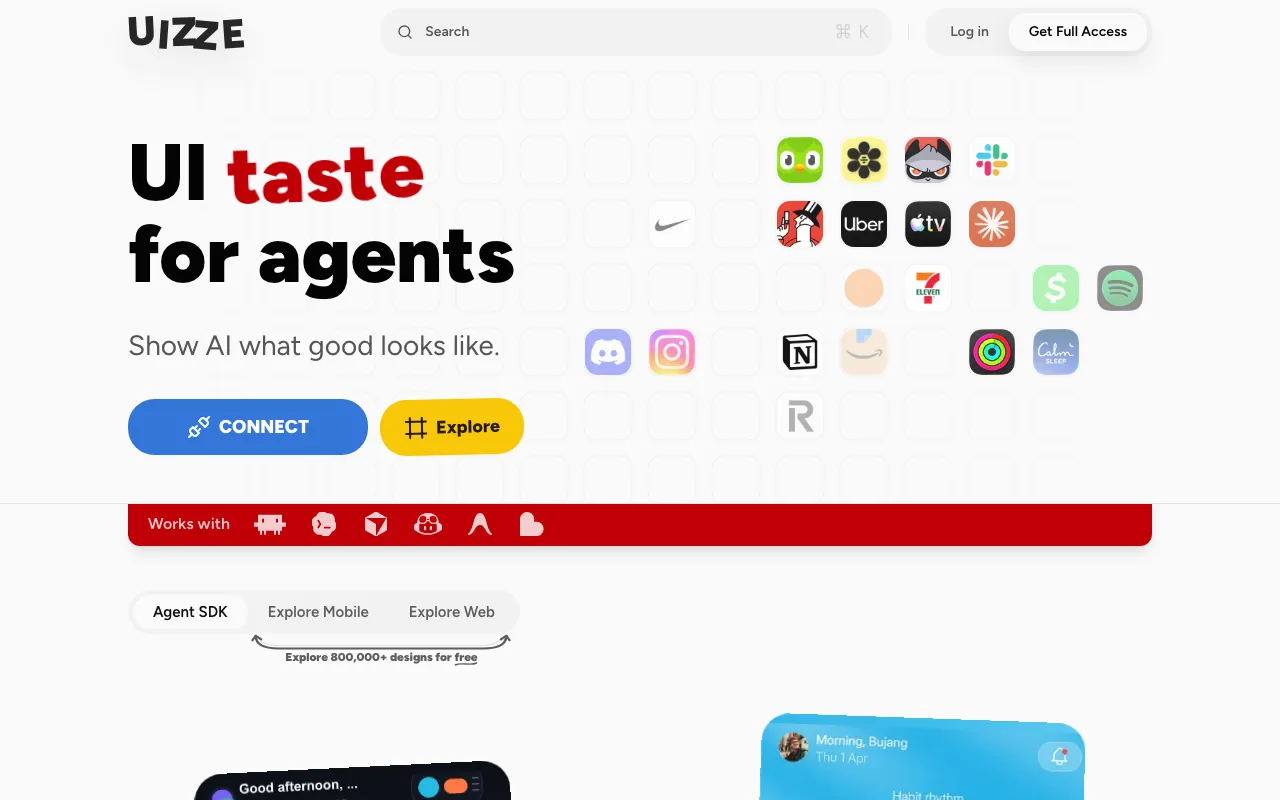
What is UIZZE?
UIZZE is a remote MCP server aimed at one specific failure mode: the interface a coding agent produces when nobody has shown it what good looks like. Connect it to Claude Code, Codex, Cursor, or another MCP client with a bearer token, and the agent gains a catalogue of more than 800,000 real web and iOS screens to search, 35,000 catalogued UI elements, 14,000 design systems, and a set of licensed fonts, icons, and animated interaction systems it can pull in when a named role is missing from the local design language.
The intended loop is inspect, reference, build, review. Before touching a screen the agent inspects the existing components, tokens, and neighbouring views; when a real example would settle a decision it searches the catalogue and keeps only strong matches, stating what each one changes about hierarchy, density, navigation, controls, states, or responsive behaviour; after rendering, it sends the current and baseline screenshots back for a critique covering visible breakage, regressions, privacy exposure, and repeated generic structure. A free preview server exposes just the audit half of that loop — one tool, check_ui_slop, over rendered HTML and CSS, with no authentication required — which makes the paid catalogue the thing you are actually buying at $9 per month or $99 once.
Who is it for?
UIZZE is for people whose bottleneck is visual judgement rather than code. If your agent already ships working features and the complaint is that everything it builds looks the same, this addresses exactly that and nothing else.
- Solo builders shipping agent-written products who have no designer and keep landing on the same generic card grid, and want reference-backed direction inside the agent instead of a separate design tool.
- Front-end and design engineers who want a deterministic pre-merge check on generated UI — missing states, inert controls, placeholder copy — rather than catching it in review.
- Small product teams without a design system, who need a source of licensed fonts, icons, and state-complete interaction patterns they can legally ship.
- Anyone comparing agent-design options — subframe and magic-patterns generate components and sync code, v0 generates whole screens, while UIZZE deliberately generates nothing and supplies evidence instead.
How much does UIZZE cost?
Starting price: $9/mo · Free tier: yes · Model: freemium
Price history tracked from June 2026
| Plan | Price | Includes |
|---|---|---|
| Free preview | Free | No-auth MCP preview server, no signup · One tool: check_ui_slop over rendered HTML and CSS · Flags generic structure, fake content, inert controls, missing states, default agent palettes · One free screenshot UI Slop Score in the browser, no account |
| Full Access | $9/mo | Authenticated MCP endpoint with a bearer agent token · Search across 800,000+ web and iOS screens · 35,000 UI elements and 14,000 design systems · 15+ premium licensed fonts, web haptics, animated icons · Design contracts, implementation audits, screenshot critique |
| Lifetime | $99 | Same full access, paid once instead of monthly · Breaks even against the monthly plan after 11 months |
What are UIZZE's key features?
- Remote MCP server at a single HTTPS endpoint, authenticated with a bearer token
- Catalogue of 800,000+ real web and iOS screens, 35,000 UI elements, and 14,000 design systems
- check_ui_slop — deterministic audit of rendered HTML and CSS returning concrete fixes
- find_ui_materials — returns fonts, icons, event-bound animations, and state-complete interaction systems with verified licensing scope
- Screenshot critique that compares a current render against a baseline for breakage, regressions, and privacy exposure
- UI Direction — a few task-specific decisions added for ambiguous work without overriding agent judgement
- Free browser tools: UI Slop Score and UI Specificity Check, both no-signup and transient
- Setup prompts for Claude Code, Codex, Cursor, and generic HTTP MCP clients, with OAuth for clients that require it
What people use UIZZE for
- 01 Stopping the default look — same card grid, same purple gradient, same lorem copy — that coding agents produce when given no visual direction
- 02 Searching real shipped screens for a specific pattern (onboarding, empty state, settings, checkout) before an agent designs one from scratch
- 03 Auditing a rendered screen against its baseline screenshot to catch visual regressions and missing states before shipping
- 04 Giving an agent a written design contract for the exact user, task, platform, and constraints of a screen
- 05 Getting a blunt second opinion on whether a finished screen reads as machine-generated
Pros and cons
| Pros | Cons |
|---|---|
| One of the cheapest paid MCP servers in daily use at $9/month, with a $99 lifetime option that pays for itself in under a year | Narrow by design — it supplies visual evidence and critique, and does nothing for correctness, accessibility implementation, or performance |
| The free preview server needs no account or token, so the core audit can be tested inside an agent before paying anything | Everything runs through MCP, so it is useless outside a coding agent that supports MCP and no standalone editor or plugin exists |
| Bundled fonts, icons, and animations carry stated licence scope and a signed receipt rather than leaving the licensing question to the developer | The catalogue is web and iOS only; Android, desktop, and TV interfaces are not covered |
| Screenshots sent for review are processed transiently and are not added to the catalogue | Very young and thinly documented as a business — the site is the only substantial source, and there is no public pricing history to check the $9 and $99 figures against |
| Referencing real shipped screens invites the obvious copying question, and the site's answer is an editorial stance plus a DMCA page rather than a licence you can inspect |
What are the best UIZZE alternatives?
Magic Patterns is the closest UIZZE alternative in our directory: it covers the same category (AI Design), starts at $20/mo, has a free tier.
Ranked by category overlap with UIZZE, then free-tier availability, then lowest verified starting price — computed from our verified data, never from sponsorships.
| Alternative | What it is | Starting price | Free tier | Price verified |
|---|---|---|---|---|
| Magic Patterns | AI design tool that turns prompts into interactive prototypes built from your team's real design system | $20/mo | yes | Jul 19, 2026 |
| v0 by Vercel | Vercel's generative UI tool — turn a prompt, screenshot, or design into production React, Next.js, and Tailwind code | $20/mo | yes | Jun 18, 2026 |
| Subframe | Visual UI editor that outputs production React and Tailwind CSS deterministically, synced straight into your codebase | $29/mo | yes | Jul 20, 2026 |
| Visily | AI-powered UI/UX design tool that turns text prompts, screenshots, and sketches into editable wireframes and mockups for non-designers | $0 | yes | Jul 17, 2026 |
| Uizard | AI-powered UI design tool that generates multi-screen prototypes from text prompts | $12/mo | yes | Jun 11, 2026 |
How people make money with UIZZE
- Offer a UI polish pass as a fixed-scope service for founders shipping agent-generated apps: run the audit, apply the reference-backed fixes, and hand back before-and-after screenshots as the deliverable
- Bundle a design-quality gate into contract front-end work — wire the check into the repository so every pull request carries a slop score, and charge for the setup plus an ongoing review retainer
Frequently asked questions
How much does UIZZE cost?
Full access is $9 per month, or $99 paid once for lifetime access. There is also a free tier: a no-auth MCP preview server exposing the check_ui_slop tool, plus a free browser screenshot score that needs no signup.
What is UI slop?
It is the recognisable default look coding agents fall into: generic layout structure, placeholder content, controls that do nothing, missing loading and error states, stock agent colour palettes, and copy that could describe any product. UIZZE checks rendered markup for these patterns and returns specific fixes.
Which coding agents does UIZZE work with?
It ships setup prompts for Claude Code, Codex, and Cursor, and works with any generic HTTP MCP client. The marketing pages also name GitHub Copilot, Antigravity, and Lovable. OAuth is available for clients that require it instead of a bearer token.
Can I try UIZZE without paying?
Yes. Point your agent at the preview MCP endpoint, which needs no authentication and provides check_ui_slop over rendered HTML and CSS. Separately, the website scores one uploaded screenshot for free without an account.
Does UIZZE store my screenshots?
According to the tool page, an uploaded screenshot is processed transiently for the requested review and is not added to the UIZZE catalogue. The same page states the review checks visible product specificity, and explicitly cannot tell who or what authored a screen.
Is the lifetime plan worth it over the monthly one?
Purely on arithmetic, $99 once beats $9 per month after 11 months. The judgement call is whether a very young single-vendor MCP server will still be running and maintained past that point, since a lifetime licence is only worth what the vendor stays alive to serve.
Does UIZZE write the UI code for me?
No. Your agent still implements the screen using your existing components and design tokens. UIZZE supplies reference screens, design decisions, licensed materials, and a critique of what was rendered — evidence and review, not code generation.