Shortwave
AI email client for Gmail with an AI Executive Assistant that searches, drafts, schedules, and triages your inbox
Shortwave rebuilds Gmail around an AI Executive Assistant that can search, draft, schedule, and triage email from a single prompt. Built by ex-Google engineers, it stays free to start, then charges $14/month for the Pro individual plan and $30/month per seat for Business. It is fast and genuinely capable, but it locks you into Gmail and Google Workspace.
What is Shortwave?
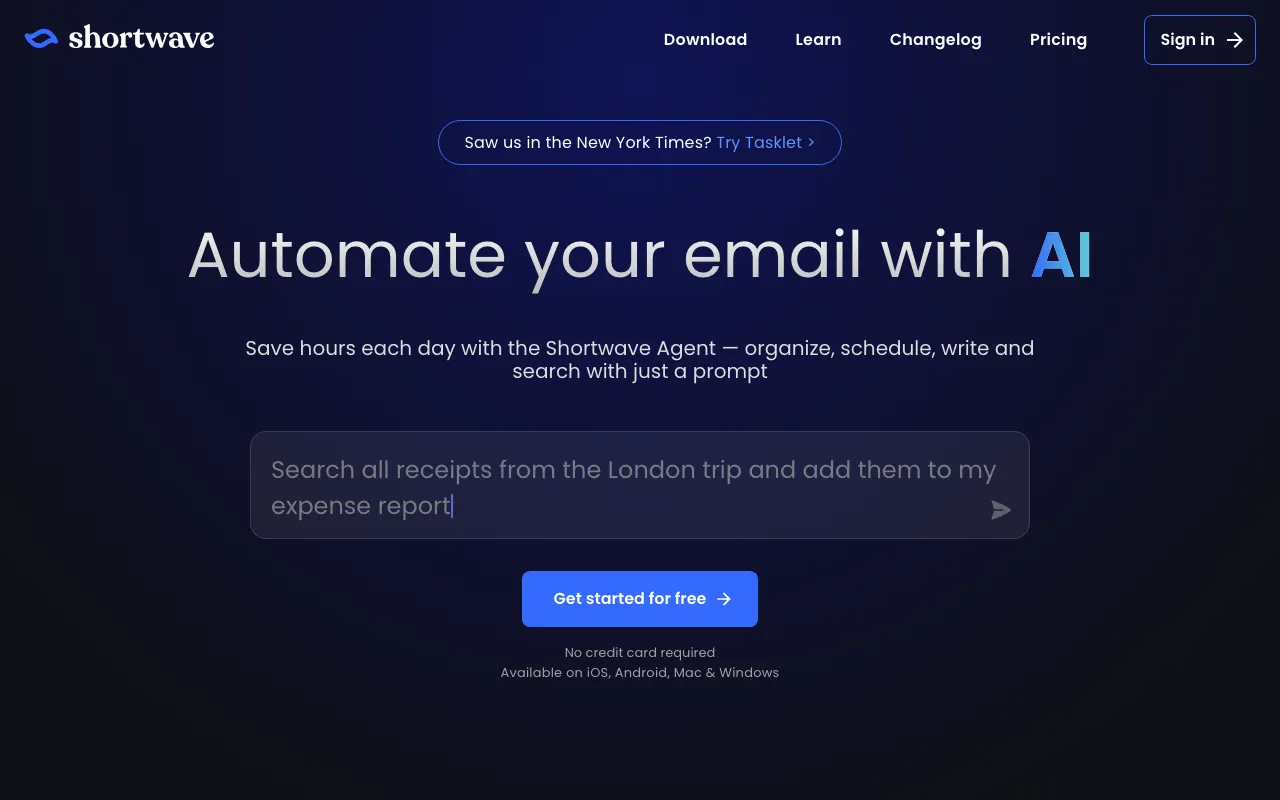
Shortwave is an AI email client that rebuilds the Gmail experience around an AI Executive Assistant. Instead of manually sorting, searching, and replying, you give the assistant a prompt — “summarize this thread,” “find the invoice from Acme,” “draft a polite decline” — and it organizes, schedules, writes, and searches on your behalf. It keeps the fast, keyboard-driven interface that power users expect, layers AI search across years of history (including attachments), and adds AI writing that learns your voice, autocomplete, per-email summaries, and custom filters that automatically label, star, and archive incoming mail.
Built by ex-Google engineers — the team behind Firebase and Google Inbox — Shortwave connects to Gmail and Google Workspace accounts and runs on the web, macOS, Windows, iOS, and Android. A single plan price covers all your connected email accounts. The trade-off for that AI-native polish is scope: Shortwave is tightly coupled to Google, so Outlook, iCloud, Yahoo, and generic IMAP mailboxes are unsupported or heavily limited. If your email lives on Google, it is one of the more capable AI inboxes available; if it does not, it is a non-starter.
Who is it for?
Shortwave is for Gmail and Google Workspace users who spend serious time in their inbox and want AI to do the triage, search, and drafting rather than doing it all by hand. The free plan is enough to test the AI Executive Assistant, but full search history, personalized writing, and team features live on the paid tiers. It is a strong pick if you value speed and are willing to commit to the Google ecosystem — and a poor one if you need Outlook or IMAP support.
- Busy founders and executives who want an AI assistant to summarize threads, surface urgent mail, and draft replies so they can reach inbox zero faster.
- Individuals on gmail.com or .edu accounts who want fast AI email and full search history on the Pro plan for $14/month (billed annually).
- Small teams on Google Workspace who need shared team inboxes for addresses like support@ or sales@, custom-domain support, and AI filters on the Business plan.
- Power users switching from clients like Superhuman who want AI search and an autonomous email agent built in rather than bolted on.
How much does Shortwave cost?
Starting price: $14/mo · Free tier: yes · Model: freemium
Price history tracked from June 2026
| Plan | Price | Includes |
|---|---|---|
| Free | Free | AI Executive Assistant with limited daily AI usage · 90-day email search history · Fast keyboard-driven Gmail client · Requires a Gmail or Google Workspace account |
| Pro | $14/mo | Billed annually; for individual gmail.com and .edu accounts · Standard AI usage and personalized AI writing · Full 3-year AI search history · Up to 50 threads per AI search, AI web browsing |
| Business | $30/mo | Per seat ($24/mo billed annually) · Team inboxes for shared addresses like support@ or hello@ · Full Google Workspace and custom-domain support · 3 AI-powered filters and priority support |
| Premier | $45/mo | Per seat ($36/mo billed annually) · 2x AI usage and advanced intelligence · Unlimited AI search history · Up to 100 threads per search, 10 AI filters |
| Max | $120/mo | Per seat ($100/mo billed annually) · 6x AI usage and expert intelligence · Up to 150 threads per search, 50 AI filters · Live 1:1 onboarding and training |
| Enterprise | Custom | Custom AI limits and pooled usage · Advanced security, admin controls, and SSO · Dedicated support and account management |
What are Shortwave's key features?
- AI Executive Assistant that can organize, schedule, write, and search from a natural-language prompt
- AI-powered search across years of email history, including attachment analysis
- AI writing that learns your voice, plus autocomplete and per-email summaries
- Custom AI filters for automatic labeling, starring, and archiving
- Team inboxes and shared-address management for Business plans
- Fast, keyboard-first client for iOS, Android, macOS, Windows, and the web
- One flat rate covering all connected email accounts on a plan
What people use Shortwave for
- 01 Clearing a backlogged inbox by asking the AI Executive Assistant to summarize, label, and archive threads from a single prompt
- 02 Finding a specific email or attachment with natural-language AI search instead of keyword guessing
- 03 Drafting on-brand replies quickly with an AI that learns your writing style
- 04 Setting up team inboxes for shared addresses like support@ or sales@ on the Business plan
- 05 Auto-organizing an inbox with custom AI filters that star, label, and archive incoming mail
Pros and cons
| Pros | Cons |
|---|---|
| Fast, keyboard-driven Gmail experience with an AI assistant that searches, drafts, and schedules from one prompt | Gmail and Google Workspace lock-in — Outlook, iCloud, Yahoo, and IMAP accounts are unsupported or heavily limited, excluding non-Gmail users |
| Free plan lets you try the core AI Executive Assistant before paying | The most useful AI features (full search history, personalized writing, higher usage) are gated to paid tiers; the free plan caps AI usage and search history at 90 days |
| A single plan price covers all your connected email accounts | Pricing is per seat, so team costs scale quickly — Business is $30/month per seat and Max reaches $120/month per seat |
| AI search understands natural language and analyzes attachments across years of history | The cheapest paid individual (Pro) plan is limited to gmail.com and .edu addresses, with no custom-domain support until Business |
What are the best Shortwave alternatives?
Notion is the closest Shortwave alternative in our directory: it covers the same category (AI Productivity), starts at $10/member/mo, has a free tier.
Ranked by category overlap with Shortwave, then free-tier availability, then lowest verified starting price — computed from our verified data, never from sponsorships.
| Alternative | What it is | Starting price | Free tier | Price verified |
|---|---|---|---|---|
| Notion | AI workspace combining docs, databases, projects, and autonomous agents in one platform | $10/member/mo | yes | Aug 27, 2026 |
| Reclaim | AI calendar that auto-schedules tasks, habits, and meetings on Google Calendar or Outlook, defending focus time and finding meeting slots | $10/seat/mo | yes | Jun 30, 2026 |
| Granola | AI notepad that transcribes meetings without a bot and augments your own typed notes into clean summaries | $14/mo | yes | Oct 23, 2026 |
| Motion | AI calendar and project manager that auto-schedules tasks and runs AI meeting notes | $19/seat/mo | no | Jun 21, 2026 |
| Superhuman | Fast, keyboard-first AI email client for Gmail and Outlook, now part of Grammarly | $30/mo | no | Jul 1, 2026 |
How people make money with Shortwave
- Offer inbox-zero and email-triage setup as a productivity service for busy founders — configure AI filters, team inboxes, and saved AI searches so clients hit an empty inbox faster
- Run a done-for-you executive email service, using the AI Executive Assistant to draft replies and surface urgent threads so you can manage more clients per hour
Frequently asked questions
Is Shortwave free?
Shortwave is free to get started. The free plan includes the AI Executive Assistant with limited daily AI usage and 90-day email search history. Deeper AI features — full search history, personalized AI writing, and higher usage limits — require a paid plan starting at $14/month (billed annually) for Pro.
Does Shortwave work with Outlook or non-Gmail email?
Shortwave is built for Gmail and Google Workspace. Outlook, Microsoft 365, iCloud, Yahoo, and generic IMAP accounts are unsupported or heavily limited, so it is really only a fit if your email lives on Google.
How much does Shortwave cost?
There is a free plan. Pro is $14/month billed annually for individuals. Business is $30/month per seat ($24 annually), Premier is $45/month per seat, and Max is $120/month per seat. Enterprise pricing is custom.
What is the Shortwave AI Executive Assistant?
It is an AI agent inside your inbox that can organize, schedule, write, and search email from a single natural-language prompt — for example, summarizing a long thread, finding an attachment, or drafting a reply in your writing style.
What is the difference between the Pro and Business plans?
Pro ($14/month) is for individuals on gmail.com or .edu accounts and focuses on personal AI email features. Business ($30/month per seat) adds team inboxes for shared addresses, custom-domain and full Google Workspace support, AI filters, and priority support.
Who built Shortwave?
Shortwave was founded by ex-Google engineers — the team behind Firebase and Google Inbox — which is reflected in its fast, keyboard-driven client and heavy investment in AI-native email features.